PEAKDEFENCEWINGMAN · Use cases

Screen library

Screen library

Screenshots and short recordings of WINGMAN, one per screen or action, with the use-case stages that use them.
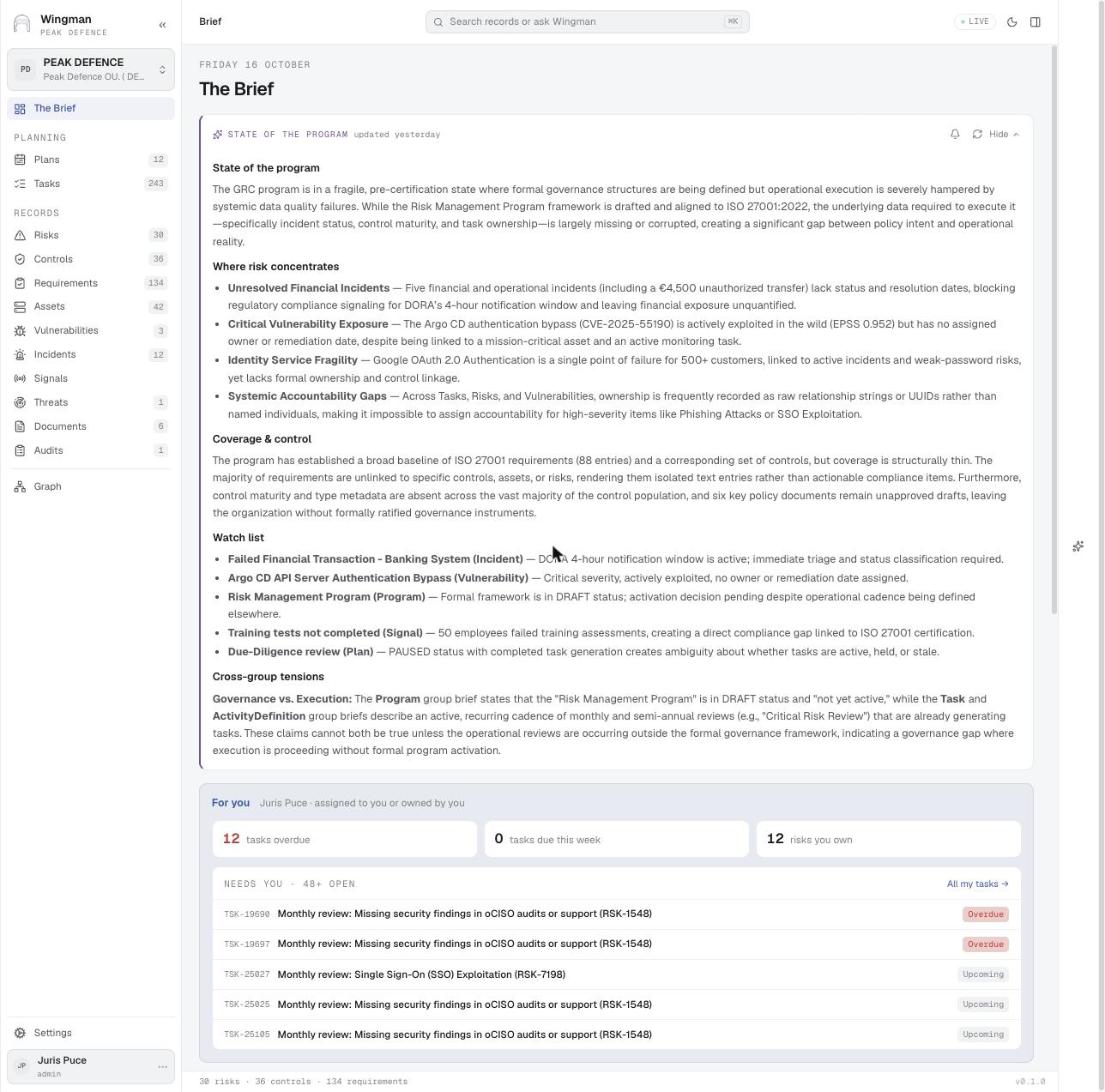
The Brief: state of the programme
The Brief The Brief: state of the programme Every morning WINGMAN writes the state of the programme from the records: where risk concentrates, coverage and control, a watch list and the tensions between groups of records.

Used inNIS2 and national cybersecurity law · 4Financial sector – DORA, MiCA and supervisory expectations · 6Vulnerability impact · 4Security operations control · 2Security operations control · 3
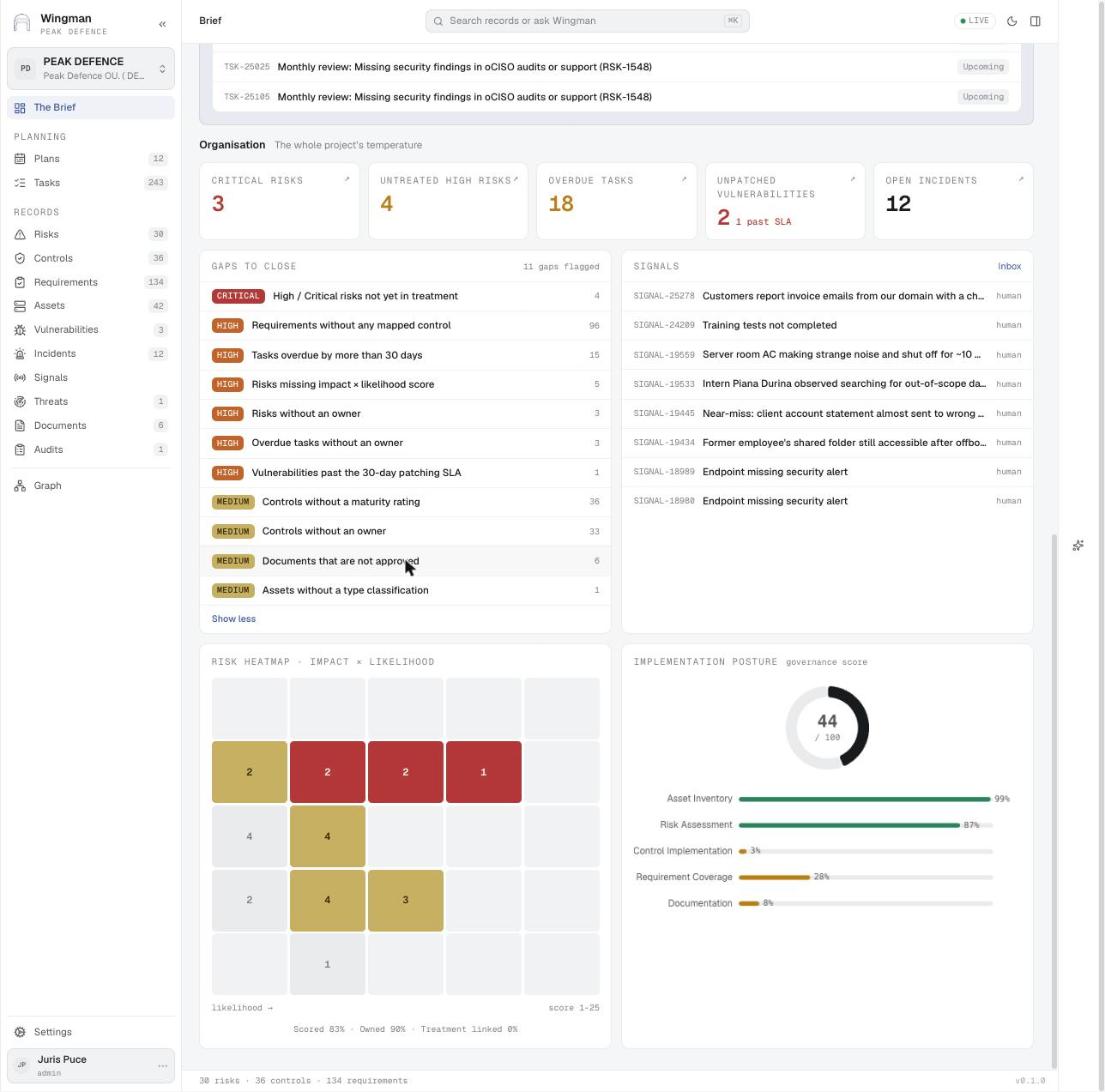
Gaps to close and the organisation's temperature
The Brief Gaps to close and the organisation's temperature Eleven register checks run on every record: risks without an owner or score, requirements without a control, tasks overdue by more than 30 days, vulnerabilities past the patching SLA, unapproved documents. Each gap links to the records behind it.

Used inNIS2 and national cybersecurity law · 7ISO 27001 and SOC 2 Type 2 · 7Risk review and treatment · 5New requirements · 2Regular reviews · 6Roles and RACI · 3
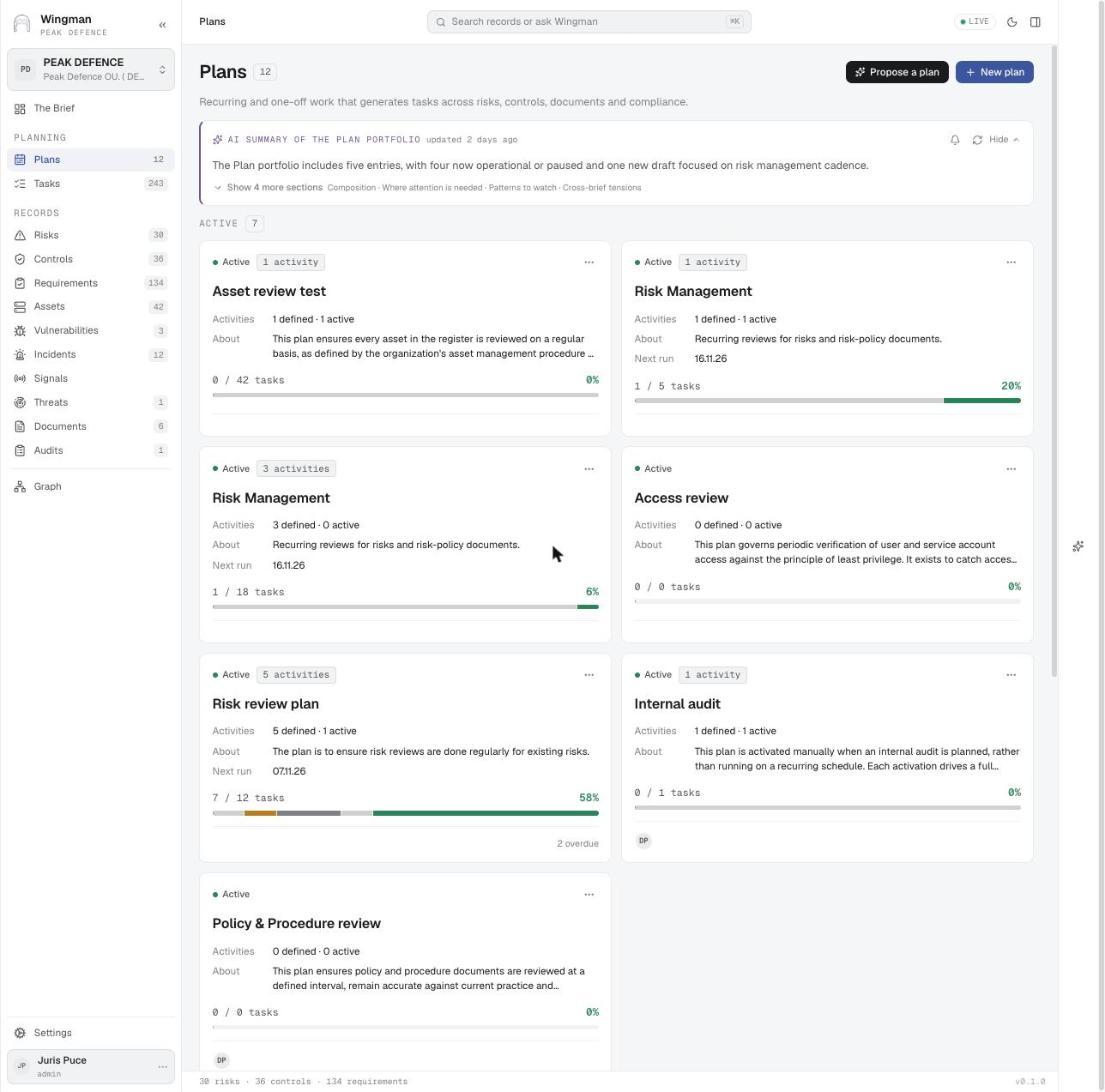
Plans: recurring and one-off programmes
Plans Plans: recurring and one-off programmes Each plan groups the tasks it generates (asset, access, policy and risk reviews, internal audit) with its activities, owner and progress. Propose a plan asks WINGMAN to draft one.

Used inISO 27001 and SOC 2 Type 2 · 5Regular reviews · 1Management review · 1Security operations control · 1
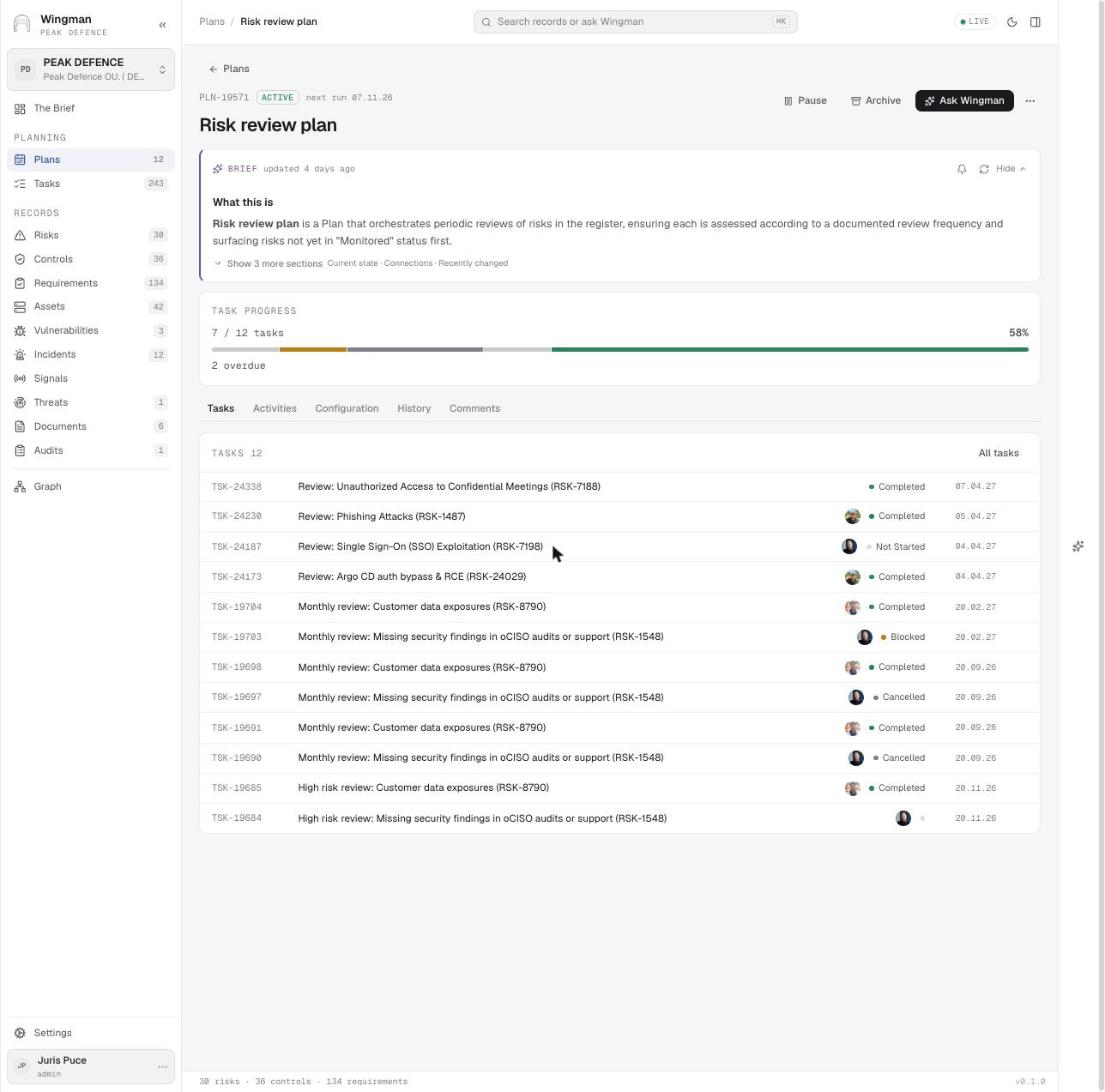
A plan with its generated review tasks
Plans A plan with its generated review tasks The Risk review plan: brief, task progress (7 of 12, 2 overdue), the next run date, and the review tasks it created per risk.

Used inRisk review and treatment · 1

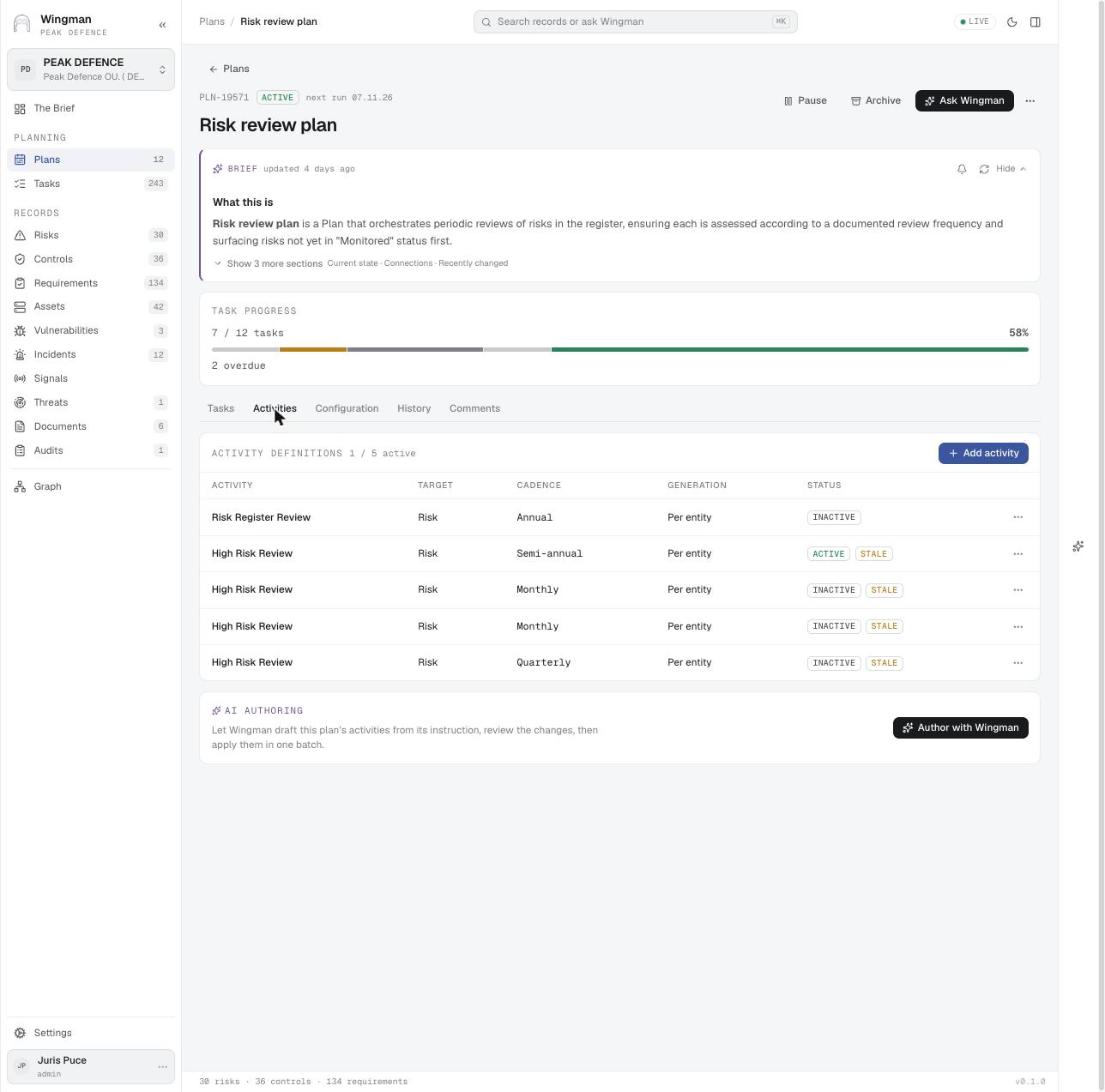
Activities: what the plan generates and how often
Plans Activities: what the plan generates and how often Activity definitions name the target entity, the cadence (monthly, quarterly, semi-annual, annual) and whether tasks are generated per entity. Author with Wingman drafts the activities from the plan's instruction.

Used inISO 27001 and SOC 2 Type 2 · 5Risk review and treatment · 1
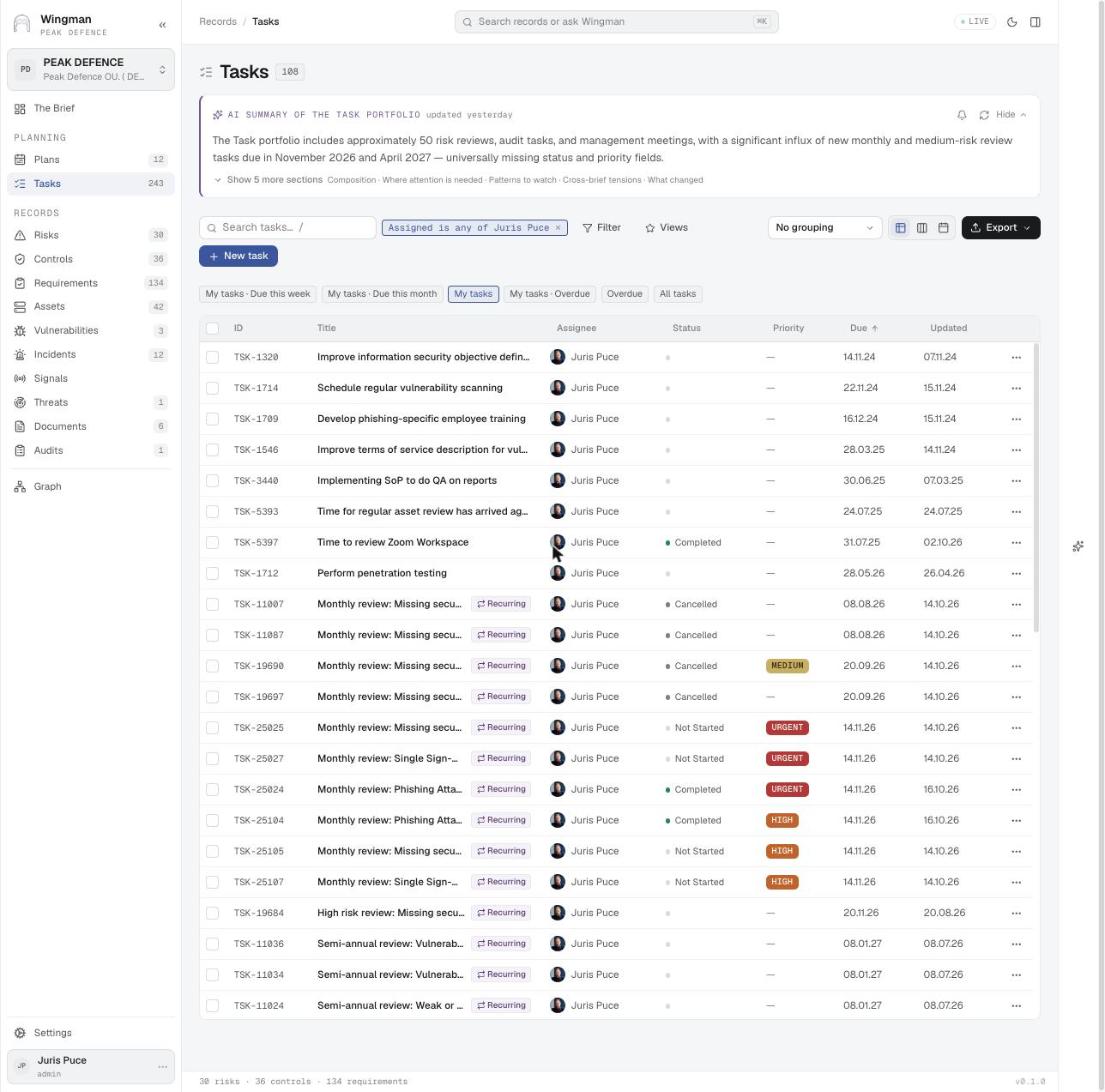
My tasks
Tasks My tasks Tasks filtered to one person, with recurring markers, priority chips, status and due dates. Quick views for this week, this month and overdue.

Used inIncident handling · 3ISO 27001 and SOC 2 Type 2 · 4Security operations control · 2
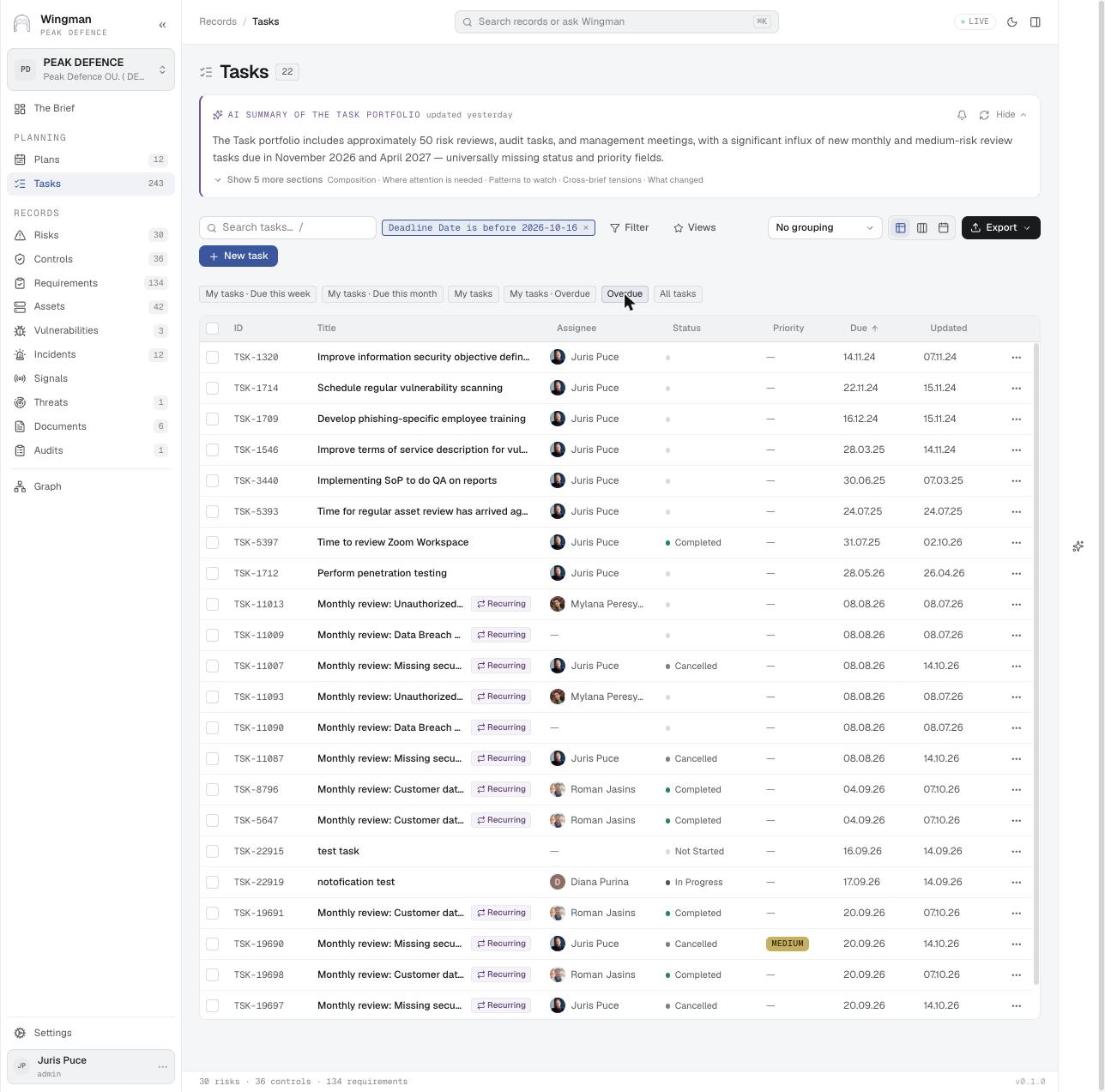
Overdue tasks across the organisation
Tasks Overdue tasks across the organisation The Overdue quick view lists late work with its assignee, so delays surface as people's names, not as a number.

Used inVulnerability impact · 5Regular reviews · 6Security operations control · 4
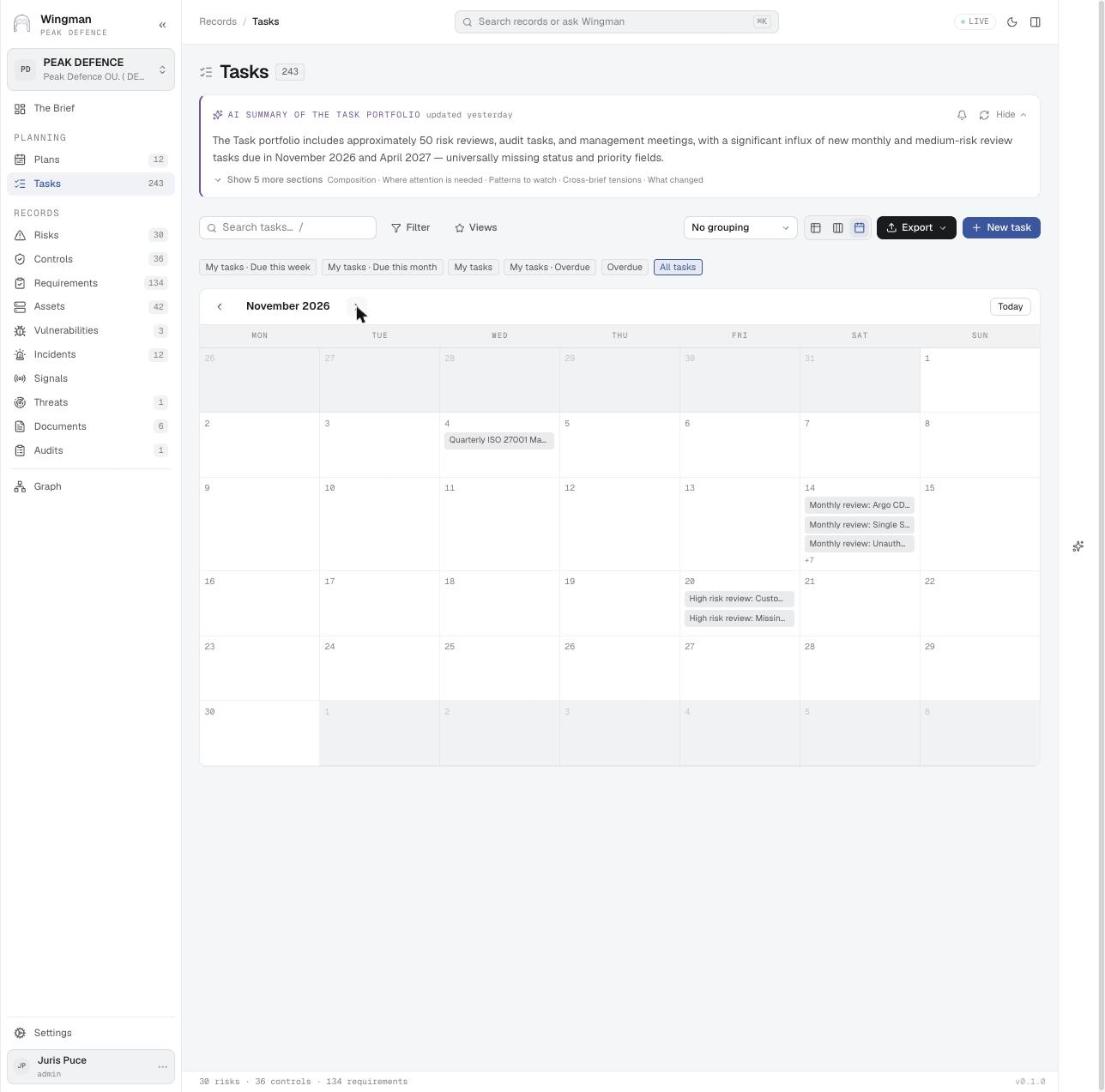
The review calendar
Tasks The review calendar Calendar view of all tasks for November 2026: the monthly and high-risk reviews the plans generated, plus the quarterly management review meeting.

Used inISO 27001 and SOC 2 Type 2 · 5Risk review and treatment · 1Regular reviews · 1Management review · 1
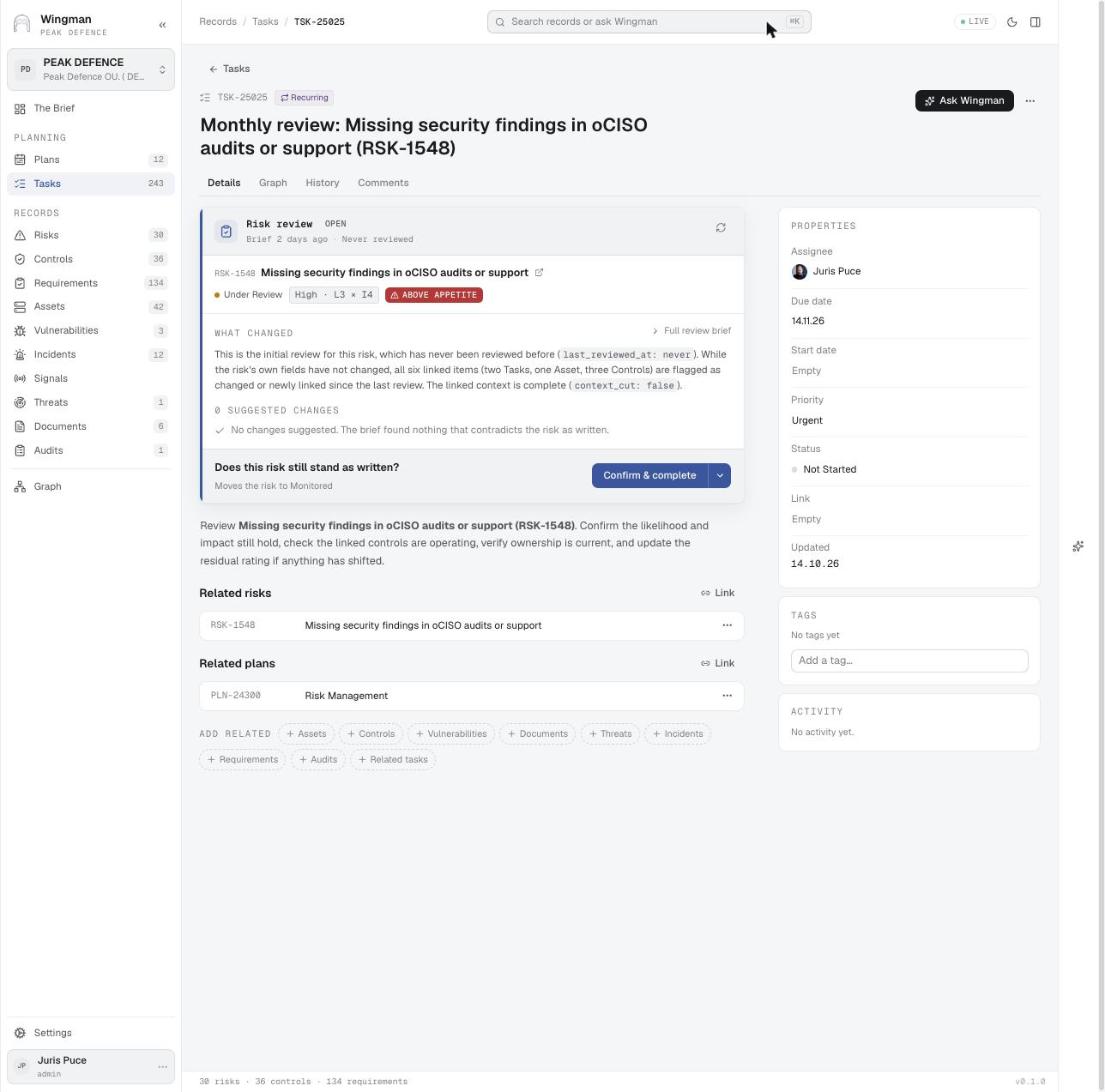
A review task with its prepared brief
Tasks A review task with its prepared brief WINGMAN prepares the review when the task is created: what changed since the last review, any suggested changes, and one button to confirm that the risk still stands.

Used inFinancial sector – DORA, MiCA and supervisory expectations · 3Risk review and treatment · 1Regular reviews · 4
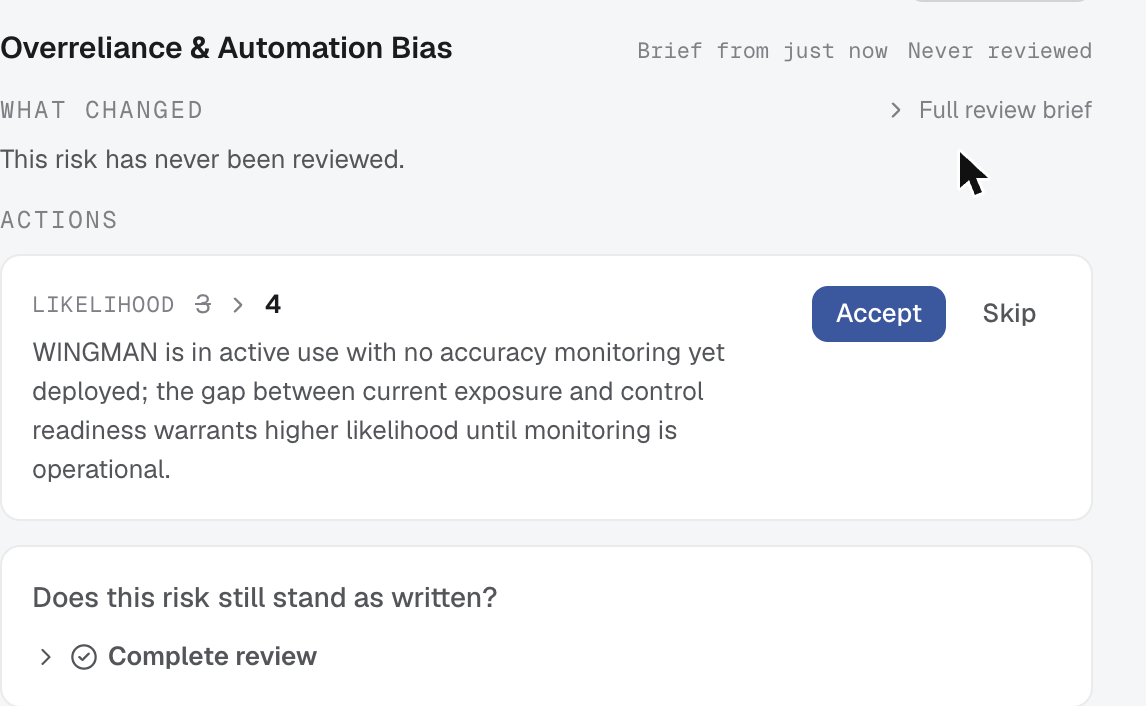
The review brief with a suggested rating change
Tasks The review brief with a suggested rating change After Start review, the brief proposes likelihood 3 → 4 with its reasoning: the system is in active use and no accuracy monitoring is deployed yet. Accept or Skip, then Complete review.

Used inAI governance – ISO 42001, EN 18286 and the EU AI Act · 3Risk review and treatment · 2Regular reviews · 4EU AI Act · 3
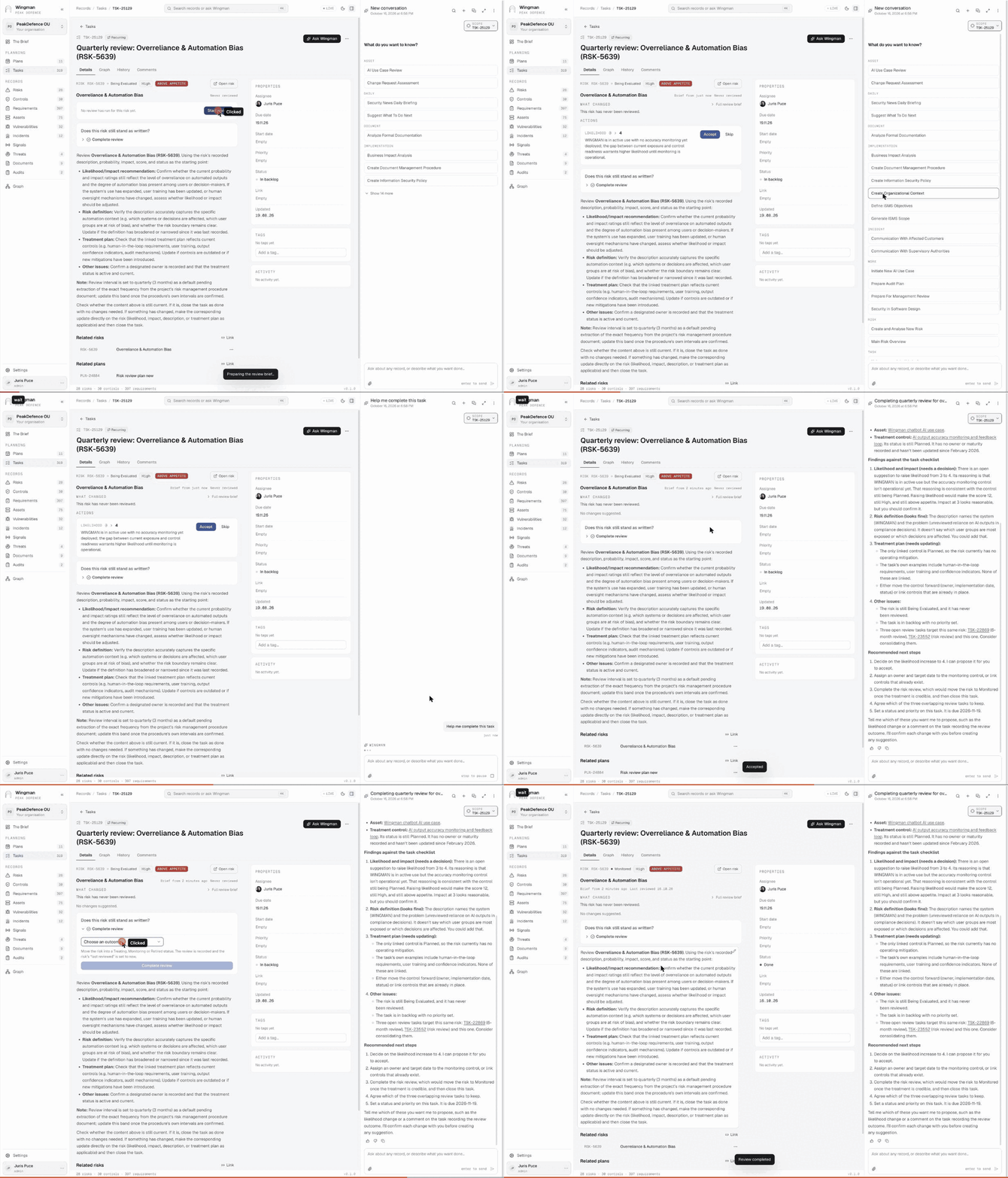
Help me complete this task GIF
Ask Wingman Help me complete this task Start review on a quarterly risk review task, ask Wingman for help, read its findings against the task checklist, accept the likelihood change, and complete the review with the outcome Monitored. The task closes as Done.

Used inISO 27001 and SOC 2 Type 2 · 5AI governance – ISO 42001, EN 18286 and the EU AI Act · 3Risk review and treatment · 2
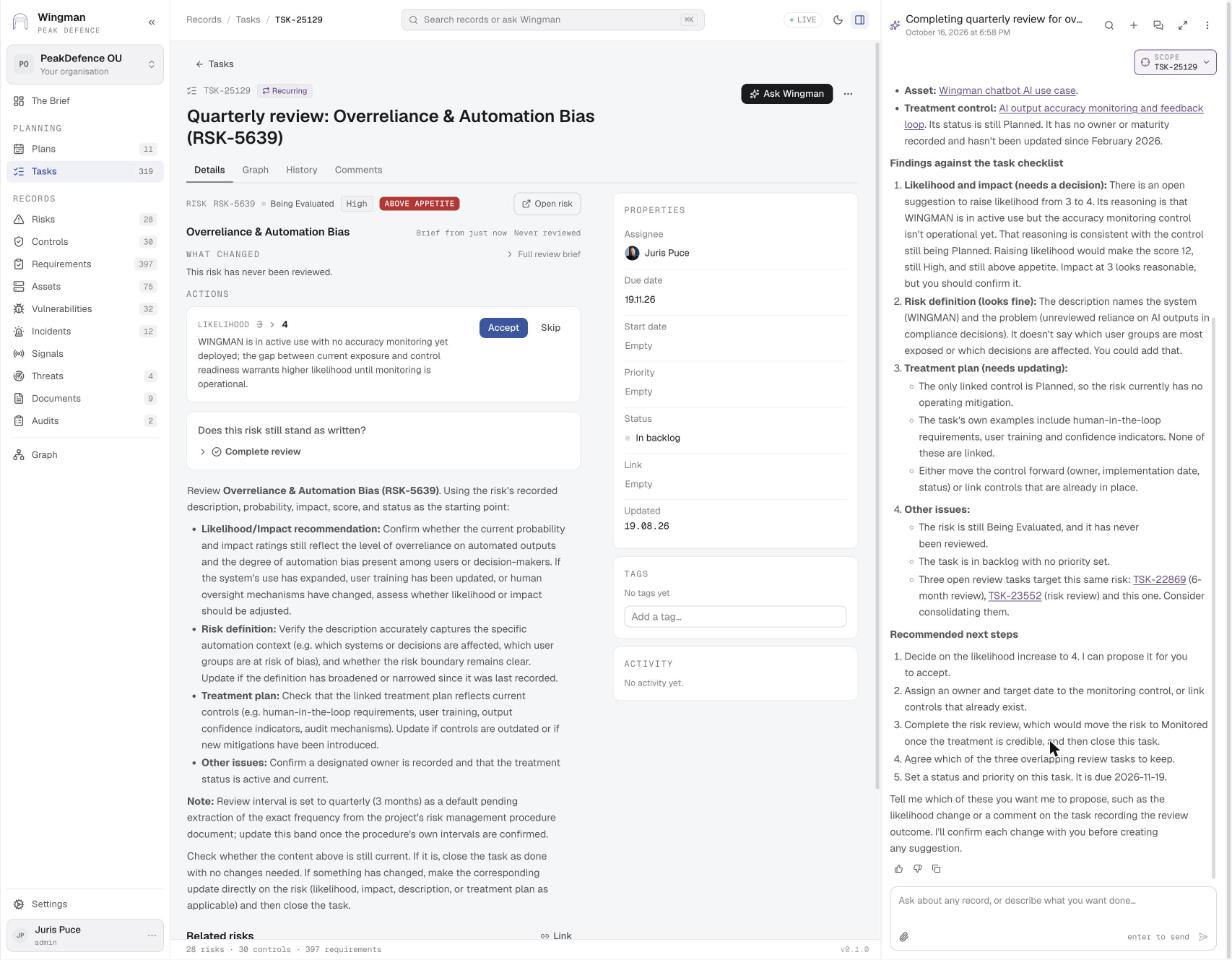
Findings against the task checklist
Ask Wingman · step 1 Findings against the task checklist The skill walks the task's own checklist: likelihood and impact need a decision, the definition is fine, the treatment plan needs updating, three overlapping review tasks should be consolidated. It offers to propose each change.

Used inAI governance – ISO 42001, EN 18286 and the EU AI Act · 3Risk review and treatment · 2EU AI Act · 3
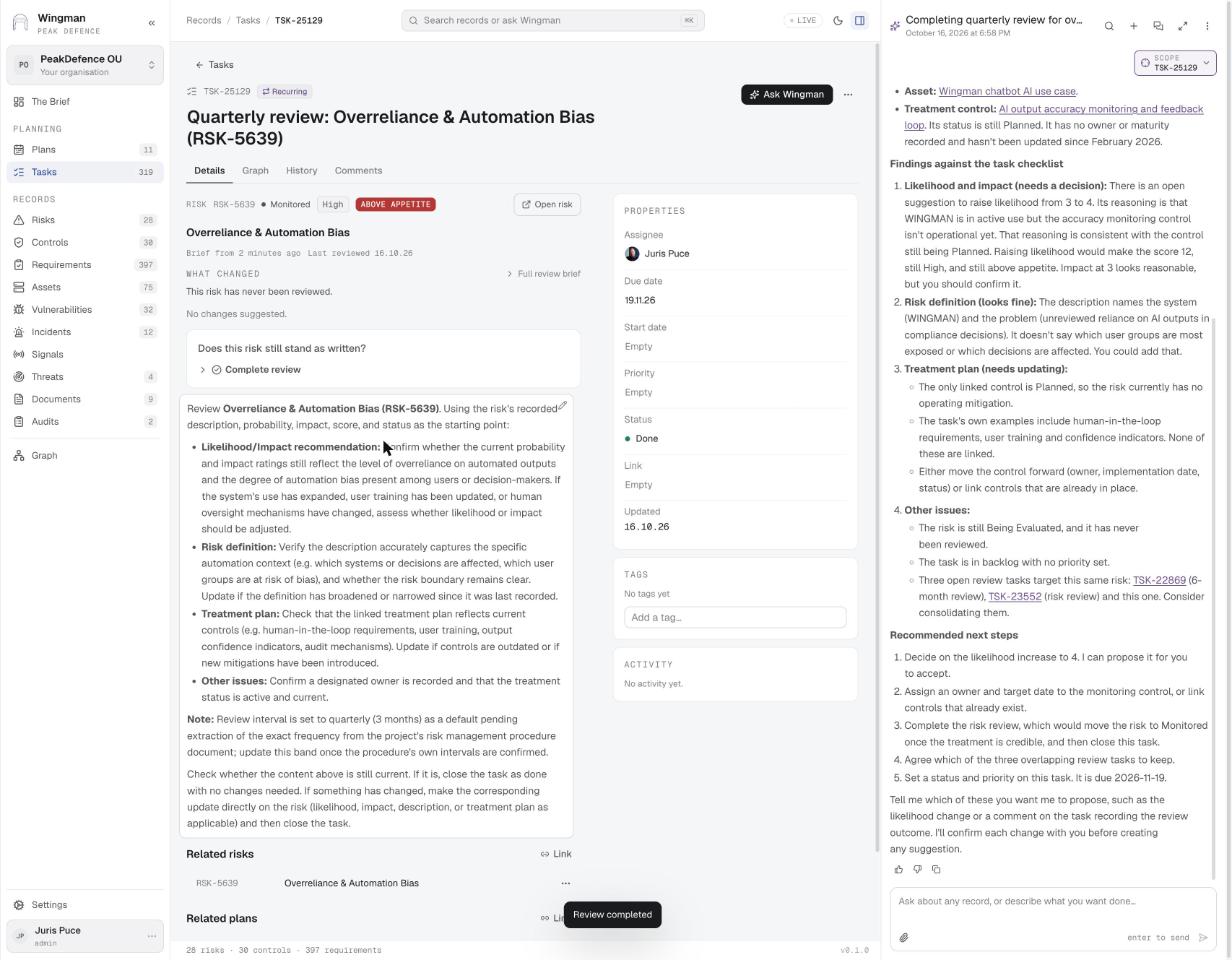
Review completed, task done
Tasks · step 2 Review completed, task done After Complete review the risk shows Monitored and Last reviewed today, and the task status is Done.

Used inRisk review and treatment · 4

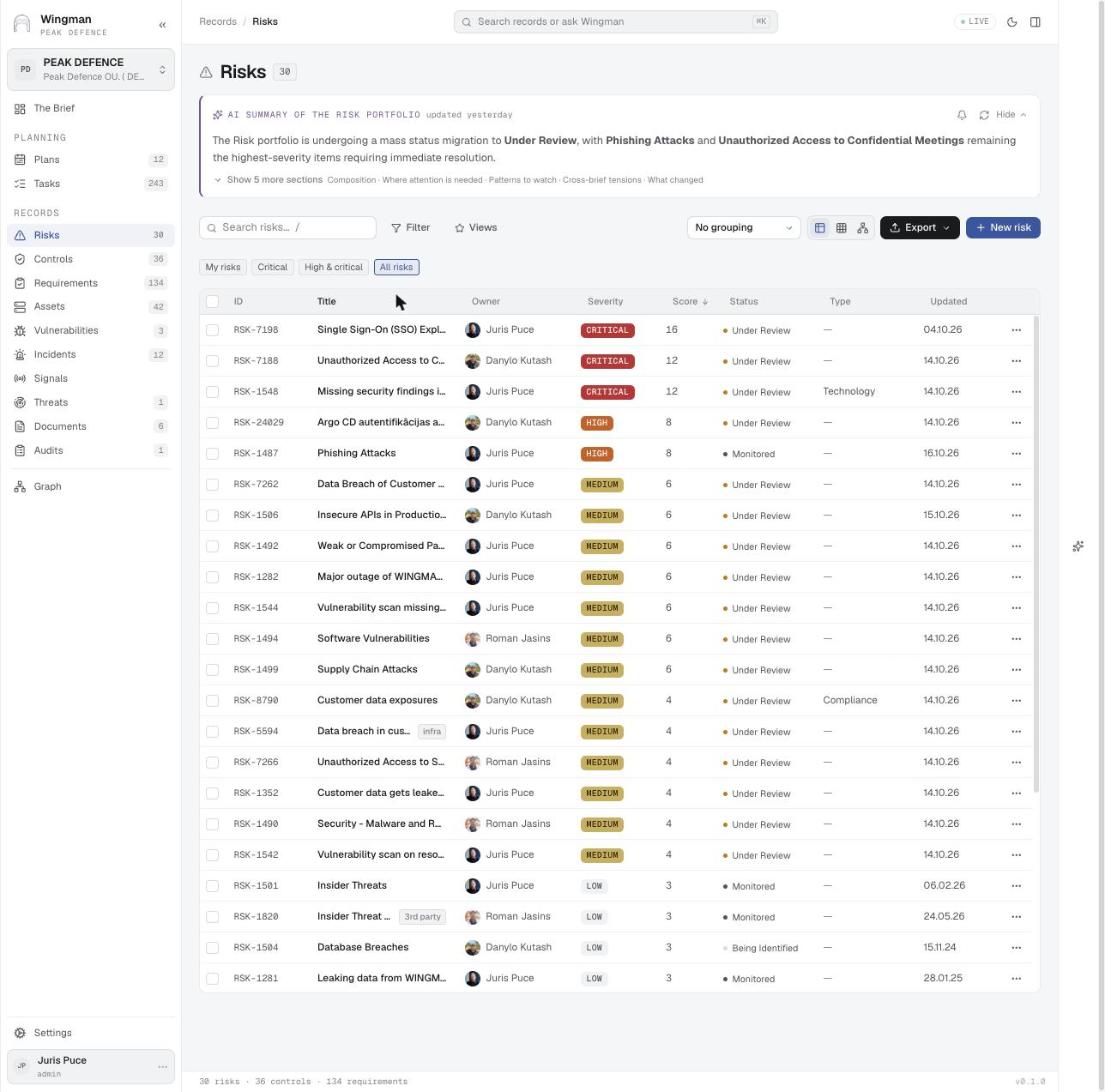
The risk register
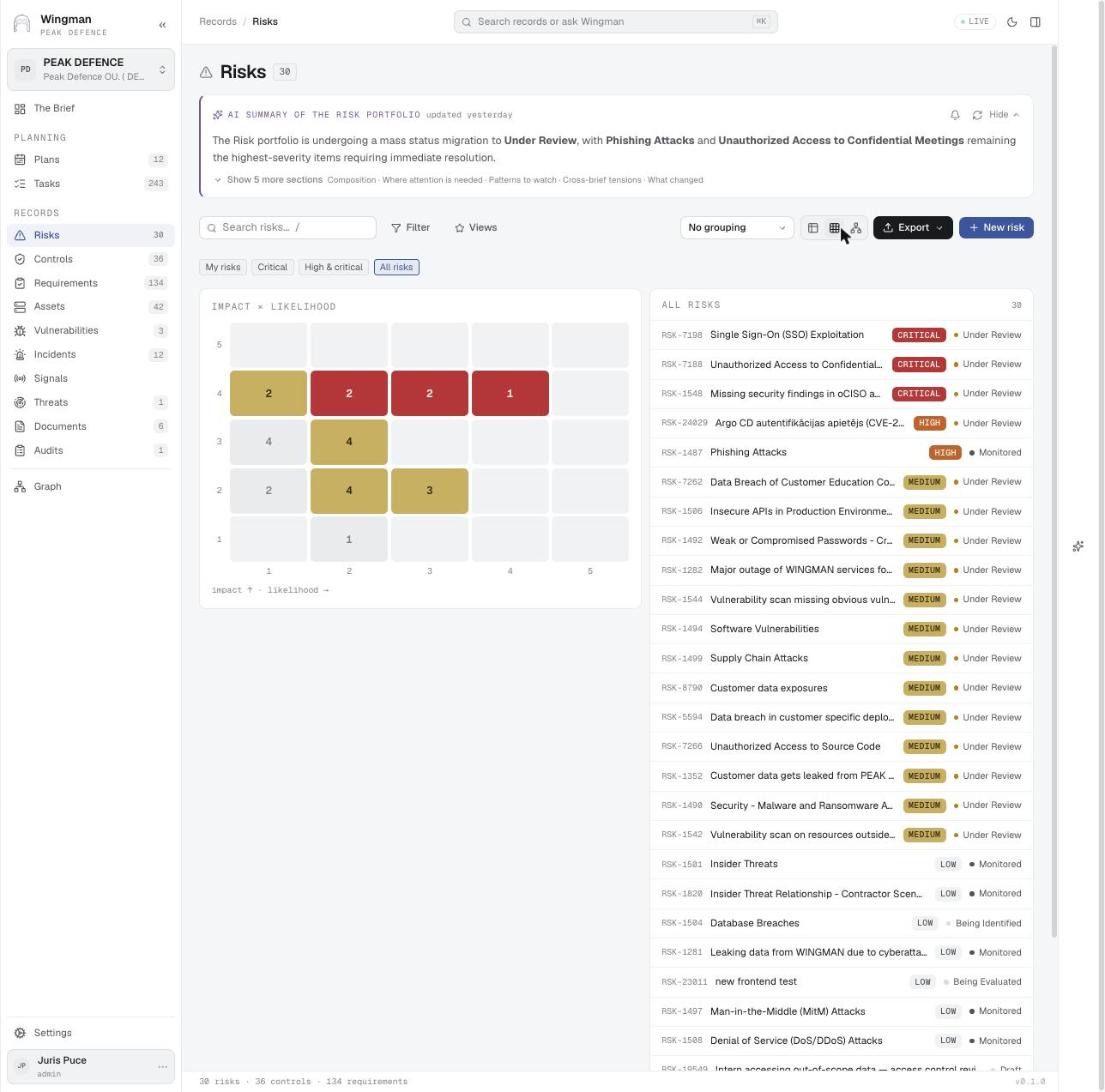
Risks The risk register All risks with owner, severity, score, status and type. Quick views for my risks, critical, high and critical.
Impact × likelihood matrix
Risks Impact × likelihood matrix The same register as a 5 × 5 matrix with counts per cell, beside the ranked list.

Used inFinancial sector – DORA, MiCA and supervisory expectations · 1Vulnerability impact · 4Risk review and treatment · 5
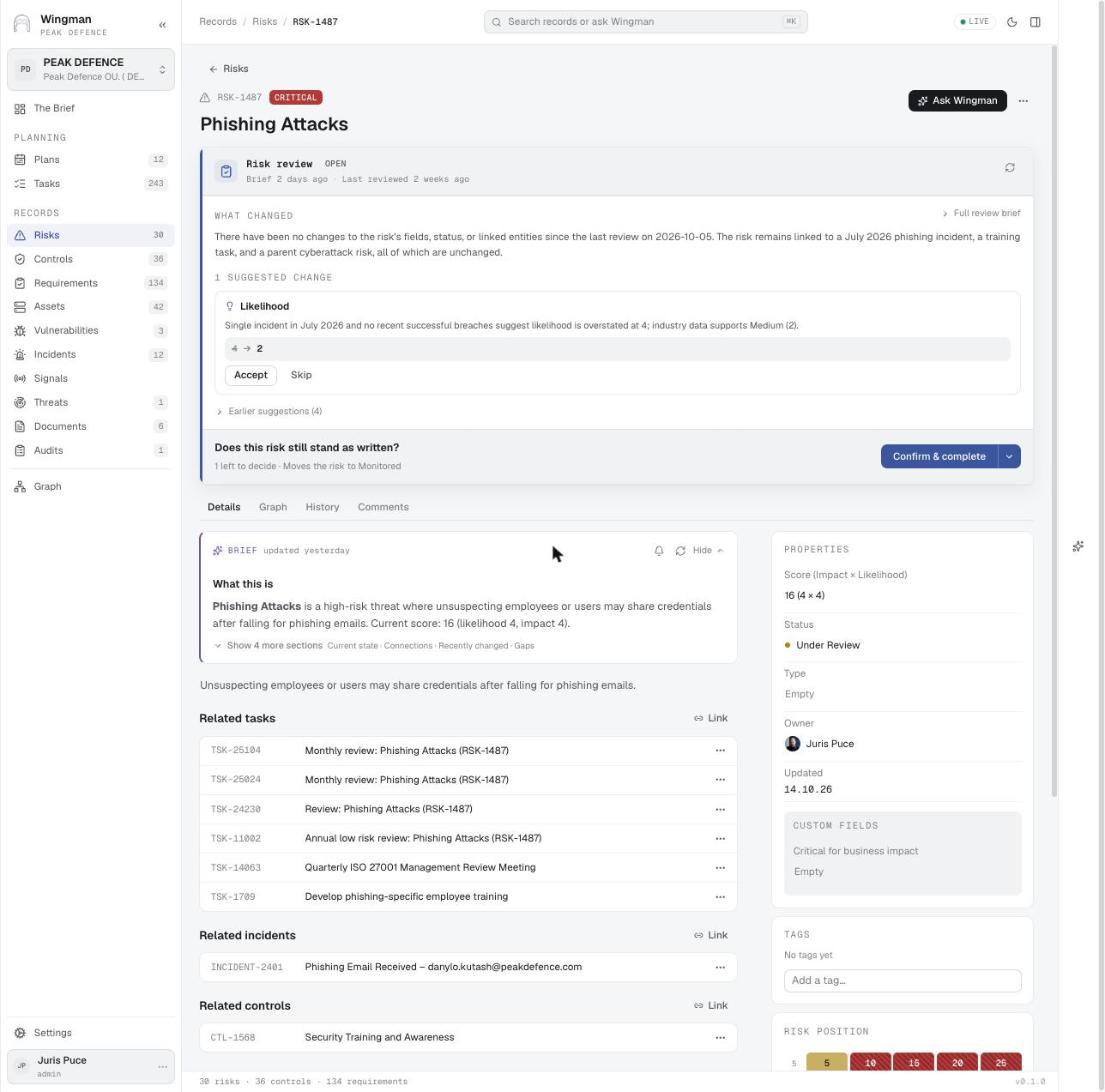
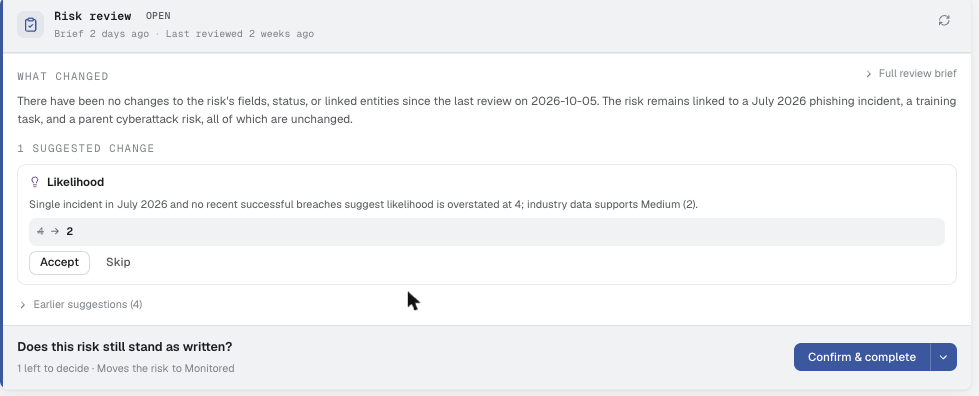
A risk with an open review and a suggestion
Risks A risk with an open review and a suggestion On the risk itself: what changed since the last review (a linked incident, a training task, a parent risk), one suggested change (likelihood 4 → 2 with the reason), and Confirm & complete.

Used inIncident handling · 5Change management · 5

Suggested change: likelihood 4 → 2
Risks · step 1 Suggested change: likelihood 4 → 2 A single incident in July and no recent successful breaches suggest the likelihood is overstated.

Used inFinancial sector – DORA, MiCA and supervisory expectations · 3Change management · 5Risk review and treatment · 4
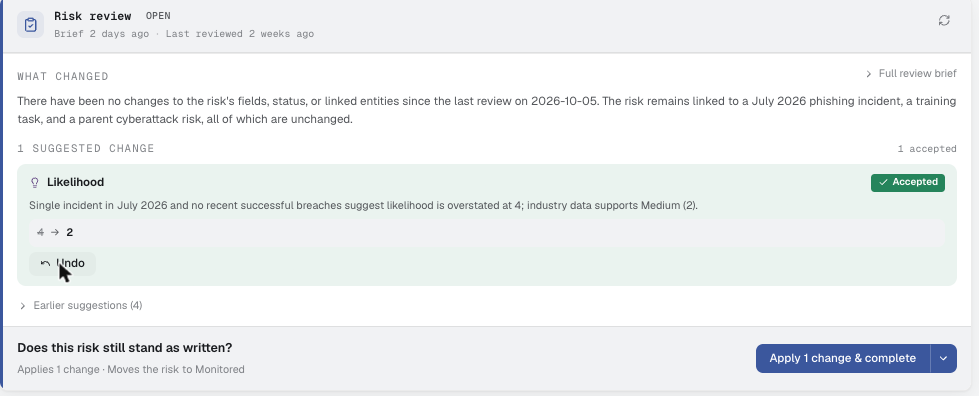
Accepted, with Undo
Risks · step 2 Accepted, with Undo The suggestion is marked Accepted and the button becomes Apply 1 change & complete. Nothing is written until the review is completed.

Used inFinancial sector – DORA, MiCA and supervisory expectations · 3Change management · 5Risk review and treatment · 4
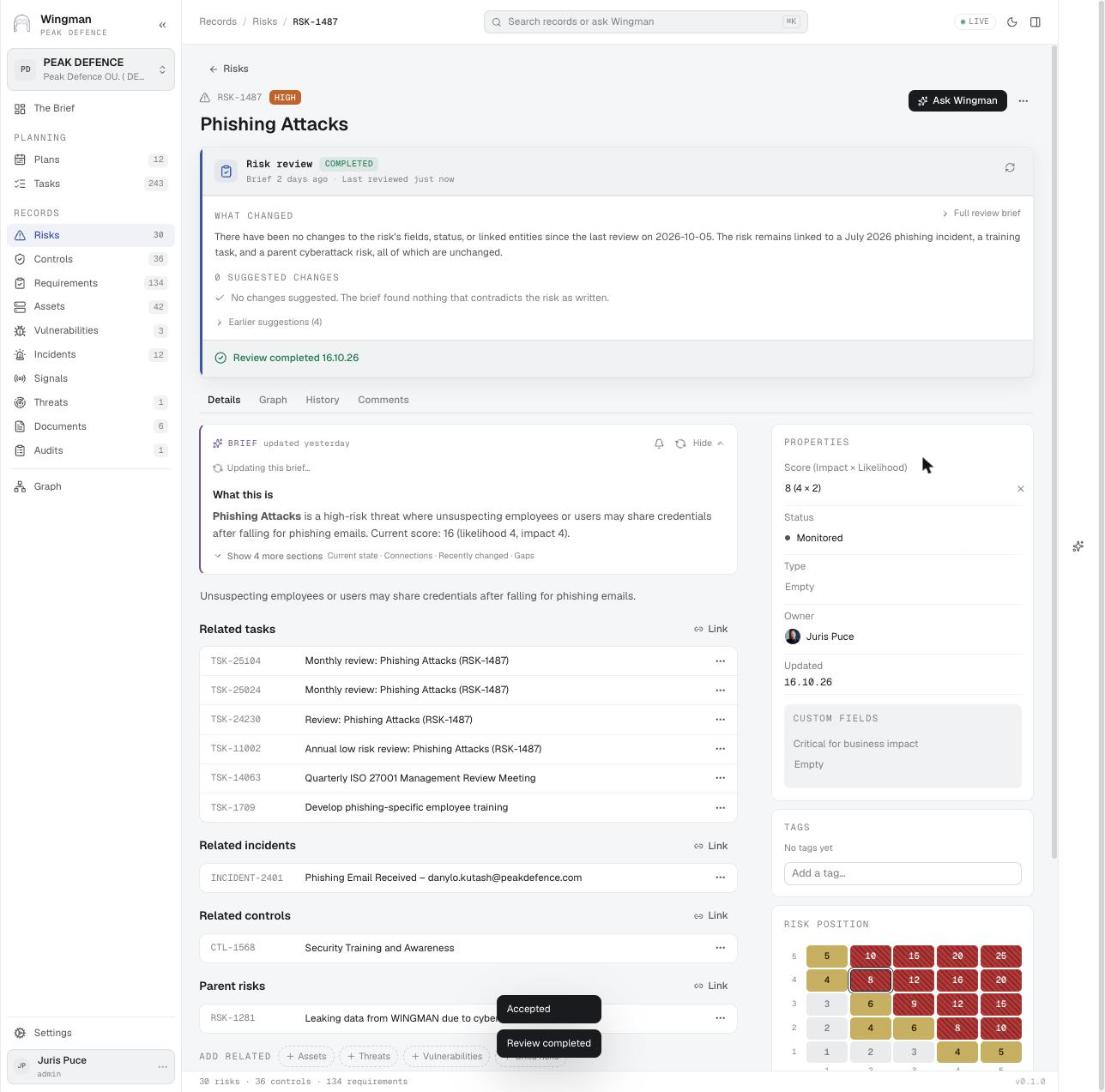
Review completed: score 16 → 8, Monitored
Risks · step 3 Review completed: score 16 → 8, Monitored The score drops from 16 to 8, severity from Critical to High, status moves to Monitored, the position on the matrix shifts, and the brief regenerates.

Used inFinancial sector – DORA, MiCA and supervisory expectations · 3Incident handling · 5Change management · 5Risk review and treatment · 4
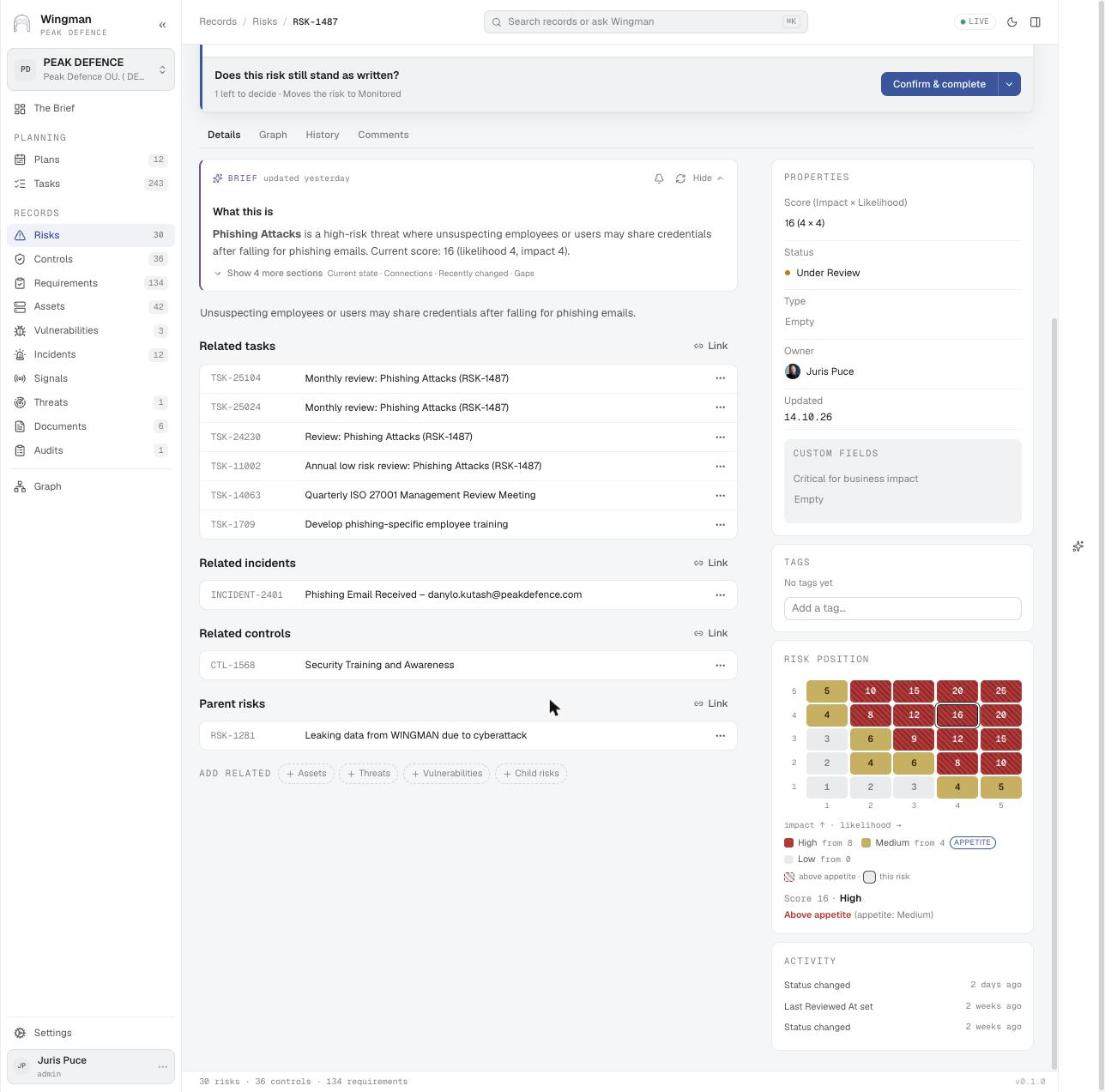
A risk and everything linked to it
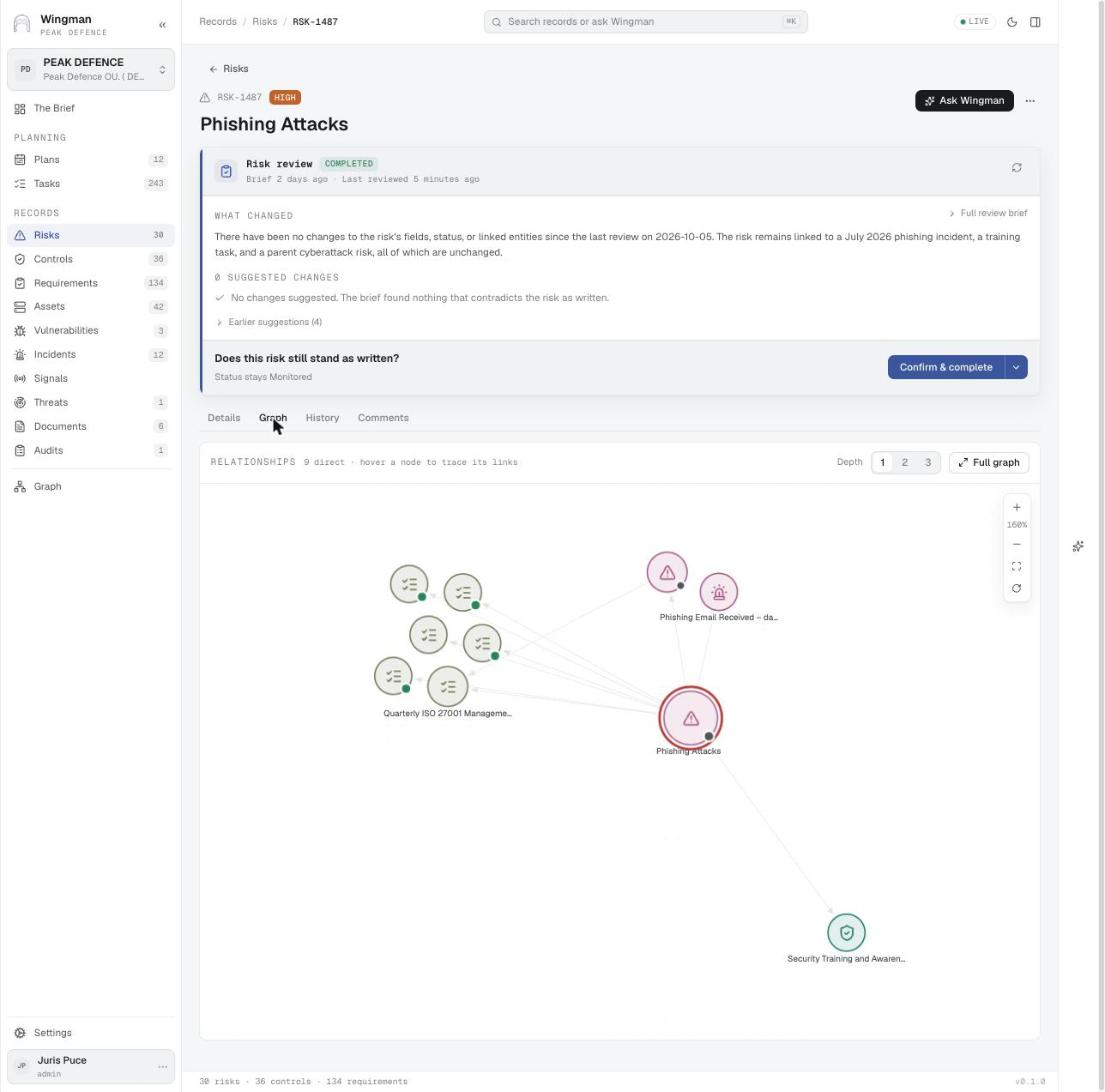
Risks A risk and everything linked to it Related tasks, the incident that realised the risk, the control that reduces it, the parent risk, and the risk position with the appetite line.

Used inNIS2 and national cybersecurity law · 3Financial sector – DORA, MiCA and supervisory expectations · 1Risk review and treatment · 3Risk identification · 3
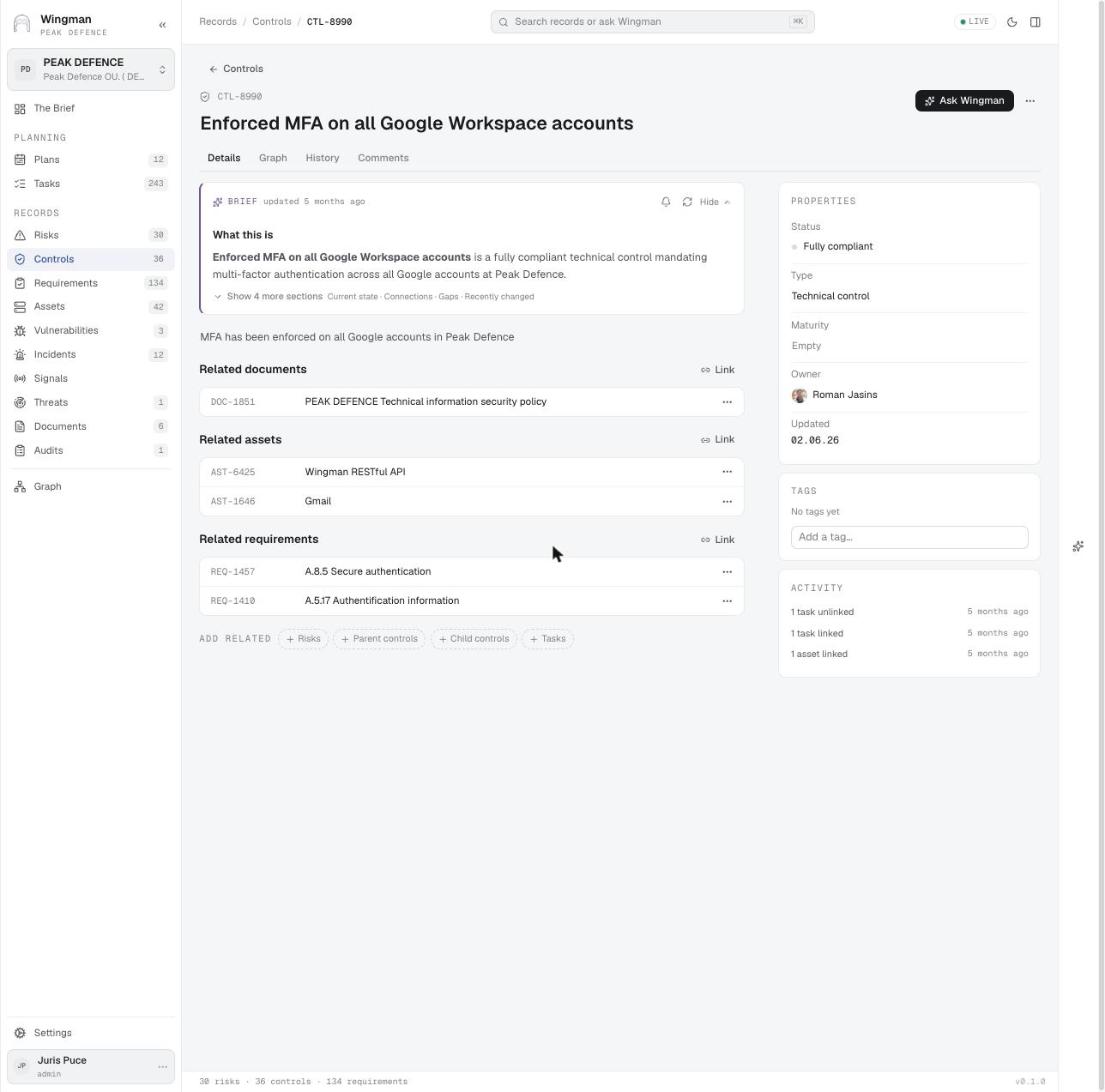
A control, the policy behind it and the clauses it meets
Controls A control, the policy behind it and the clauses it meets Enforced MFA on all Google Workspace accounts: fully compliant, documented in the technical security policy, applied to two assets, meeting ISO 27001 A.8.5 and A.5.17.

Used inNIS2 and national cybersecurity law · 2ISO 27001 and SOC 2 Type 2 · 2New requirements · 3
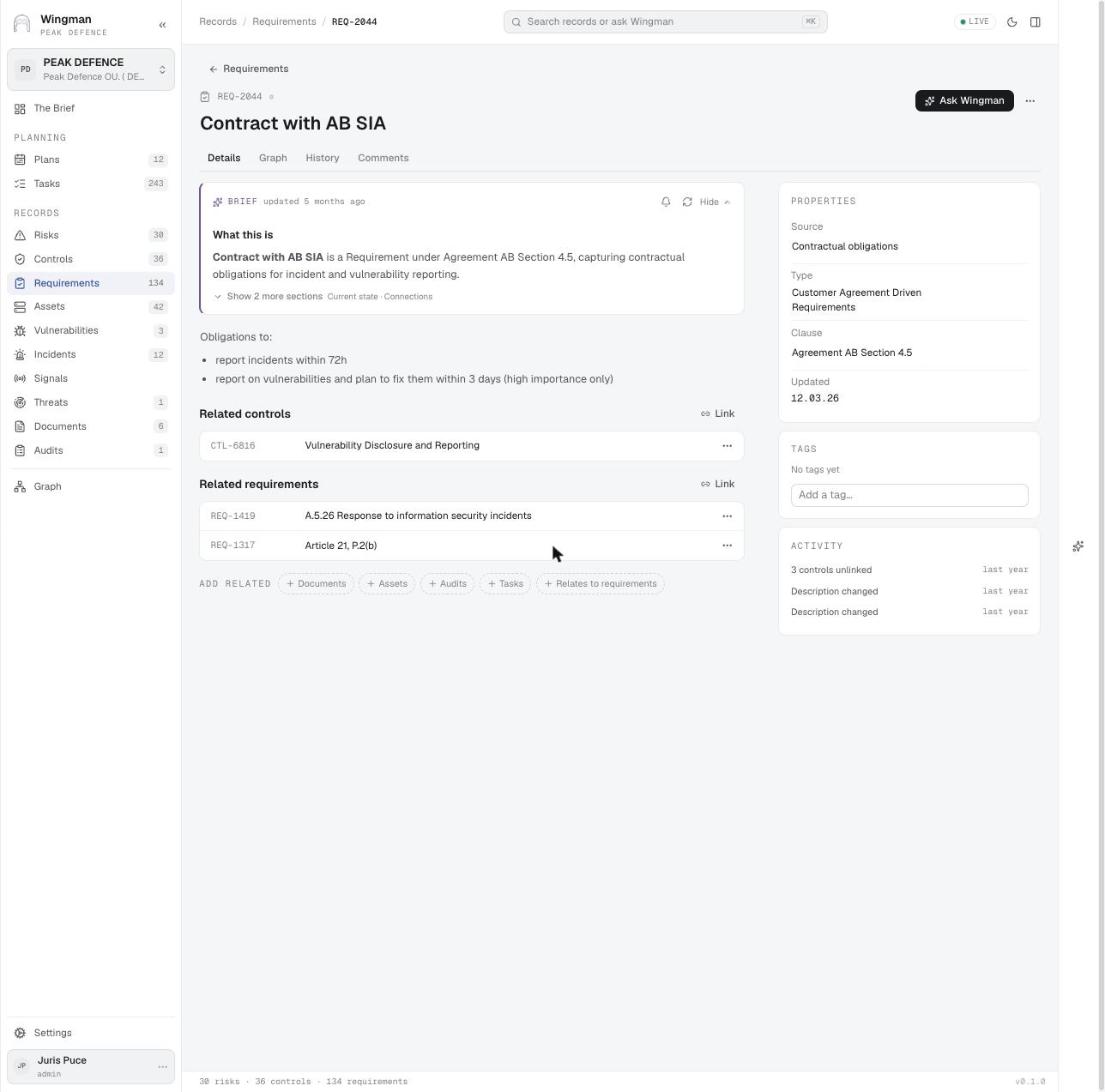
A contractual requirement mapped to standard clauses
Requirements A contractual requirement mapped to standard clauses A customer contract clause (report incidents within 72 h) is met by one control and mapped to ISO 27001 A.5.26 and NIS2 Article 21, so one control satisfies three sources.

Used inNIS2 and national cybersecurity law · 2ISO 27001 and SOC 2 Type 2 · 2New requirements · 1
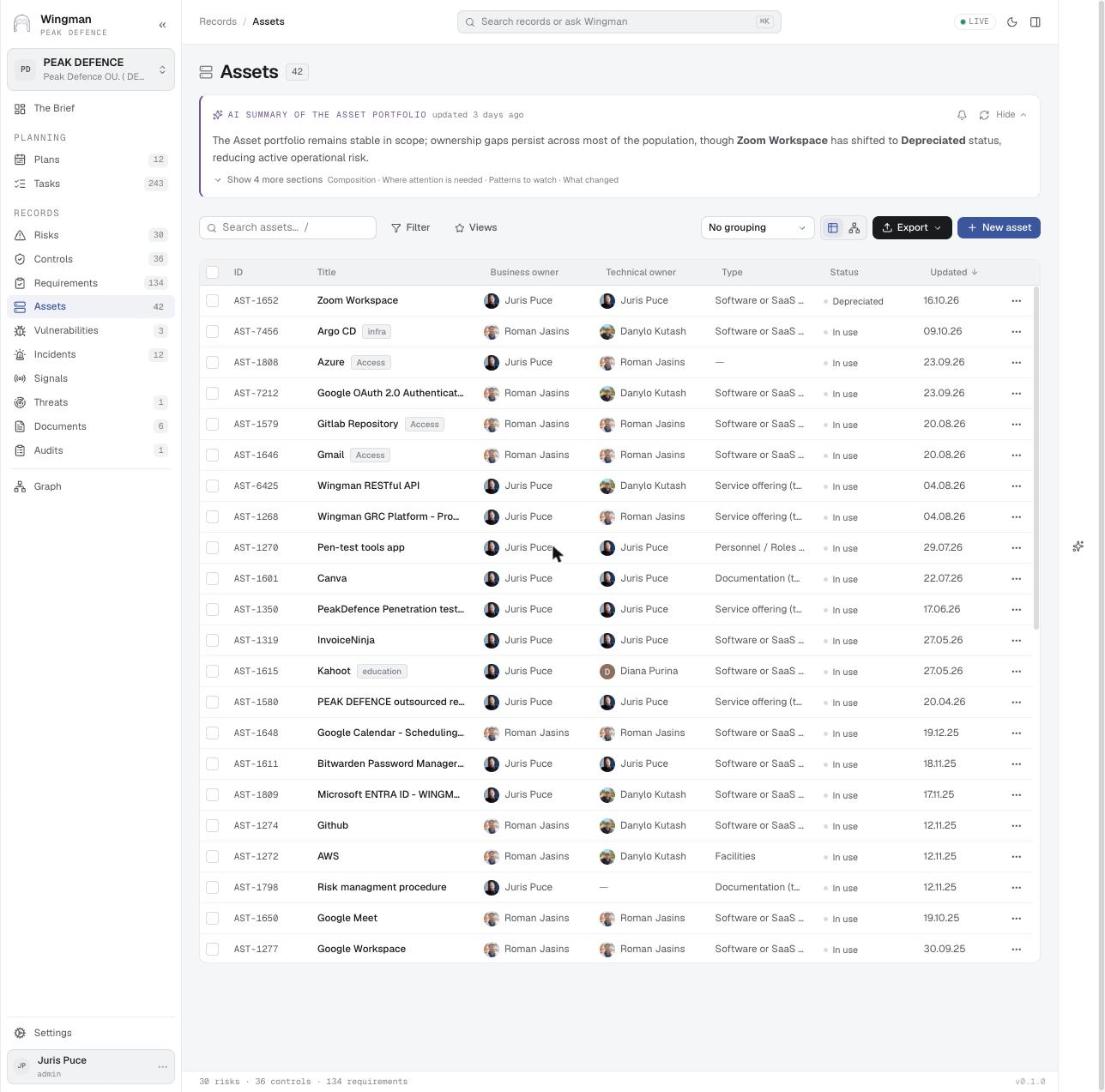
The asset registry
Assets The asset registry Business owner and technical owner per asset, type (software, service offering, documentation, facilities), status and tags. Suppliers, provided services and AI use cases are subtypes.

Used inISO 27001 and SOC 2 Type 2 · 1AI governance – ISO 42001, EN 18286 and the EU AI Act · 1Roles and RACI · 2EU AI Act · 1
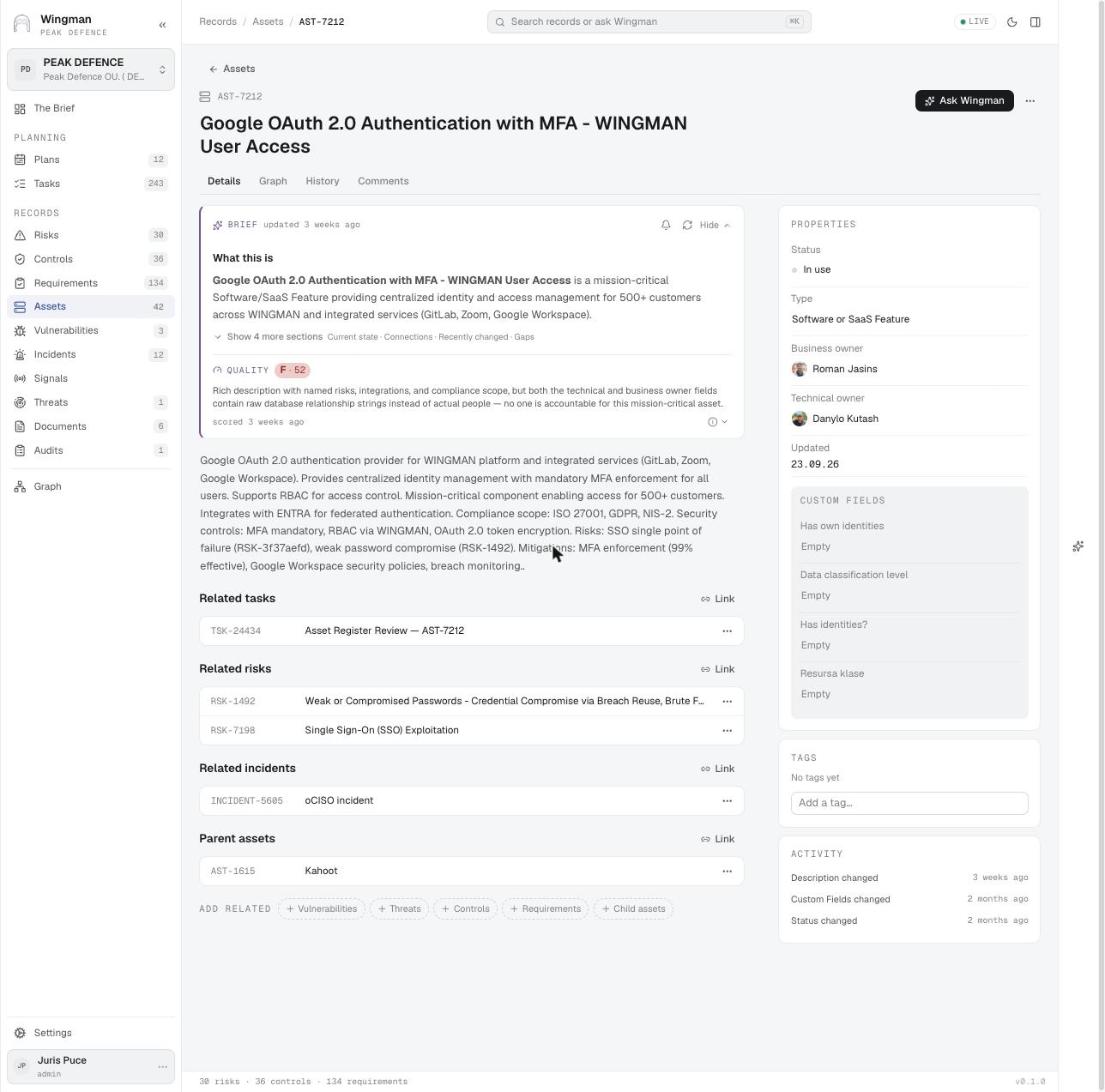
An asset with its quality score and dependencies
Assets An asset with its quality score and dependencies The identity provider for 500+ customers: a data-quality score with the reason (owners recorded as raw strings), related risks and incident, a parent asset, and custom fields for data classification.

Used inVulnerability impact · 3Roles and RACI · 3

Vulnerabilities with SLA status
Vulnerabilities Vulnerabilities with SLA status CVE, CWE and CVSS per finding, a Breaching SLA badge on the list, and intake from scanners and pen-test tools through integrations.

Used inCyber Resilience Act · 4Vulnerability impact · 1

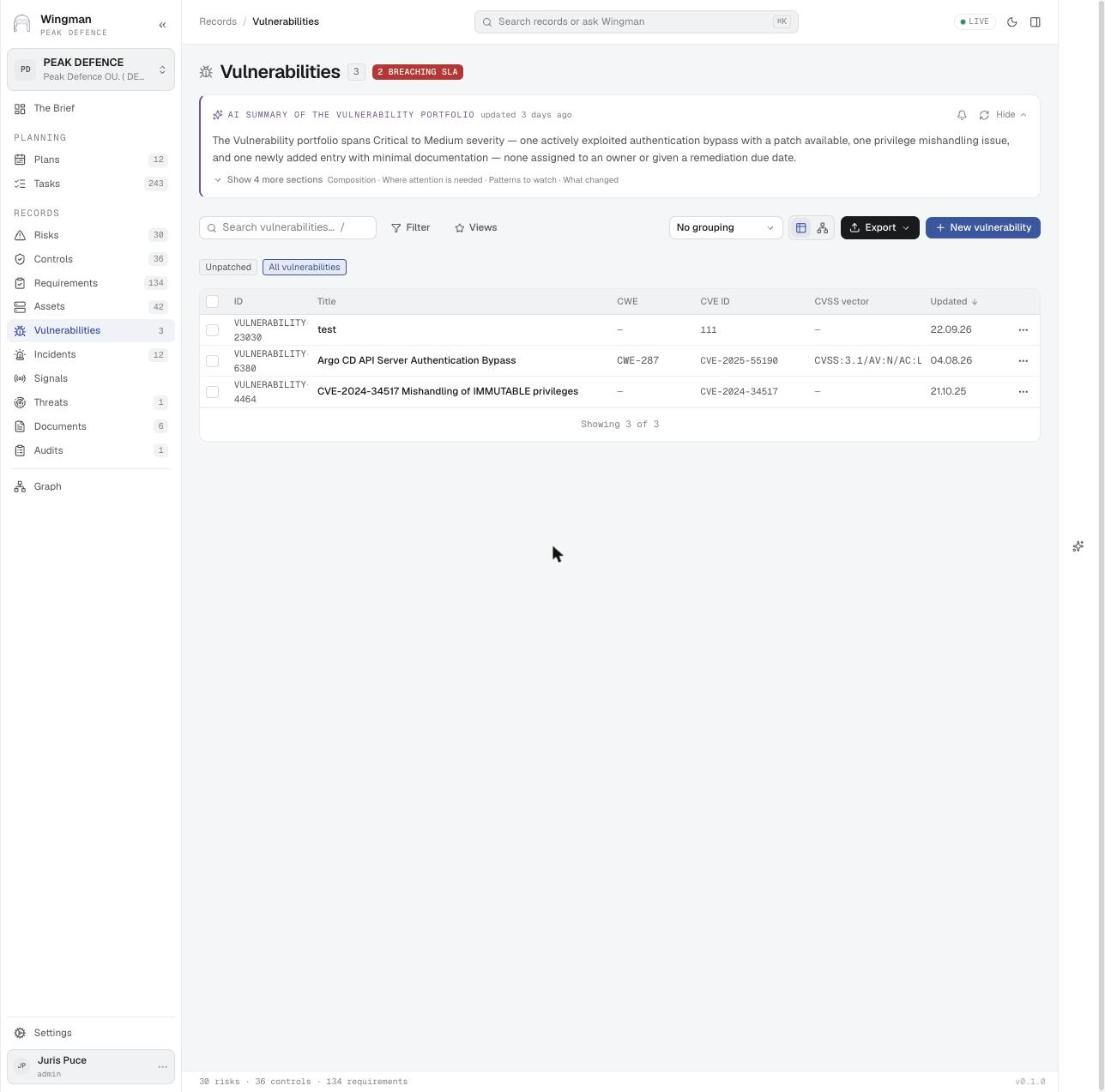
An actively exploited vulnerability and the assets carrying it
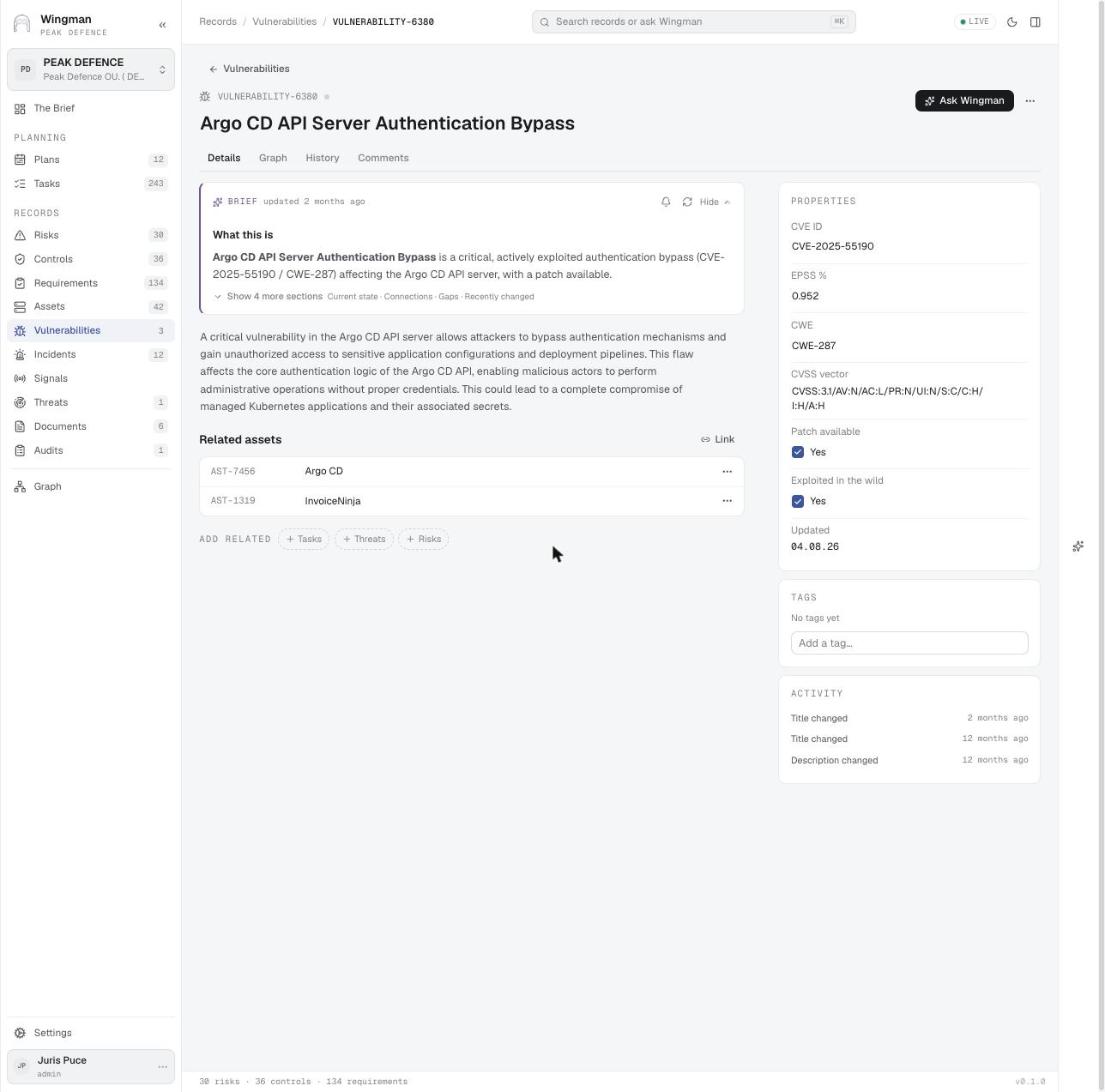
Vulnerabilities An actively exploited vulnerability and the assets carrying it EPSS 0.952, exploited in the wild, patch available, linked to two assets. The brief names the gap: no owner and no remediation date.

Used inNIS2 and national cybersecurity law · 3Cyber Resilience Act · 4Vulnerability impact · 2
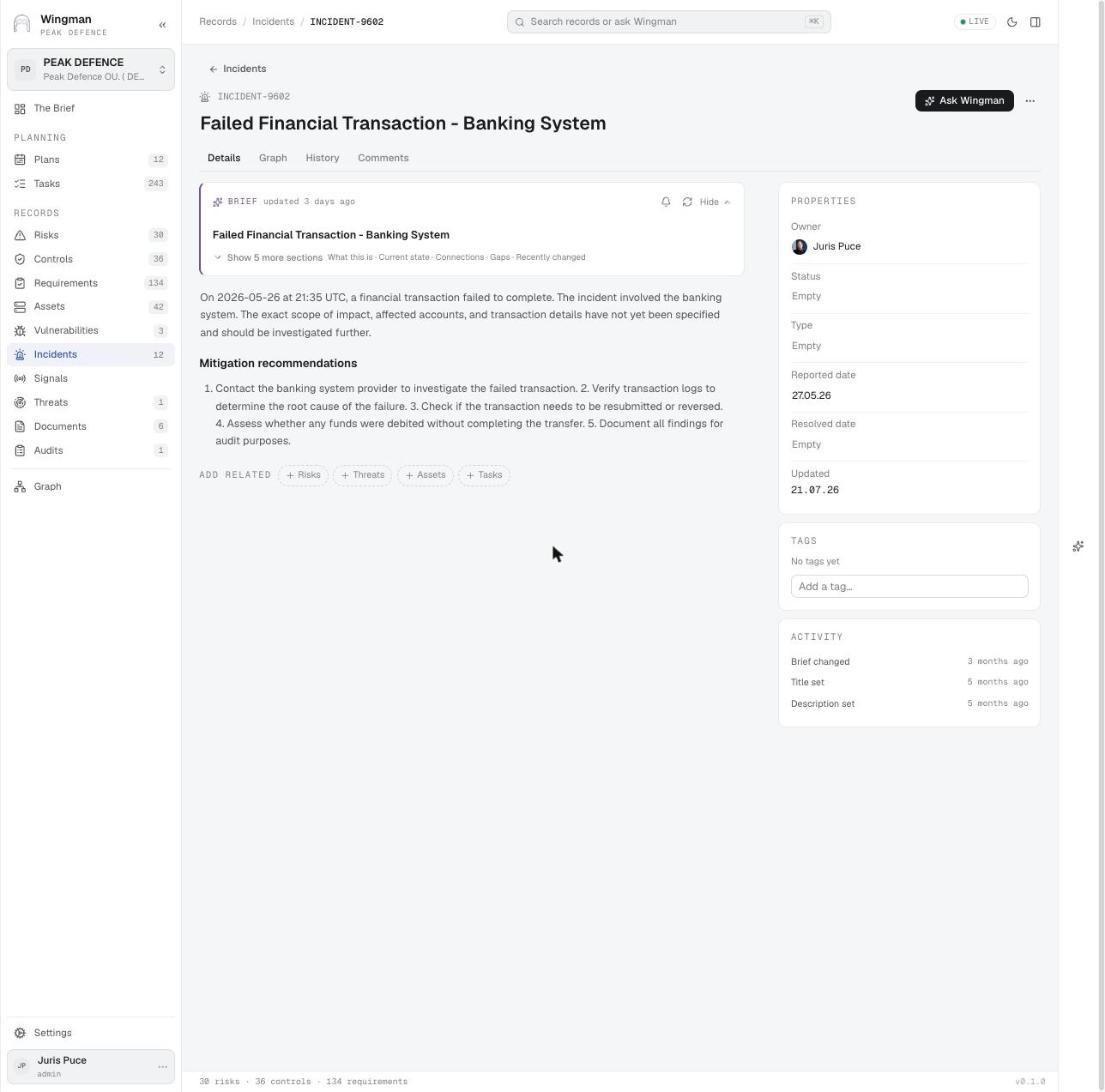
An incident record
Incidents An incident record Description, mitigation recommendations, owner, reported and resolved dates, and the related records to add. Empty status and type are what the Brief flags as a gap.

Used inFinancial sector – DORA, MiCA and supervisory expectations · 5
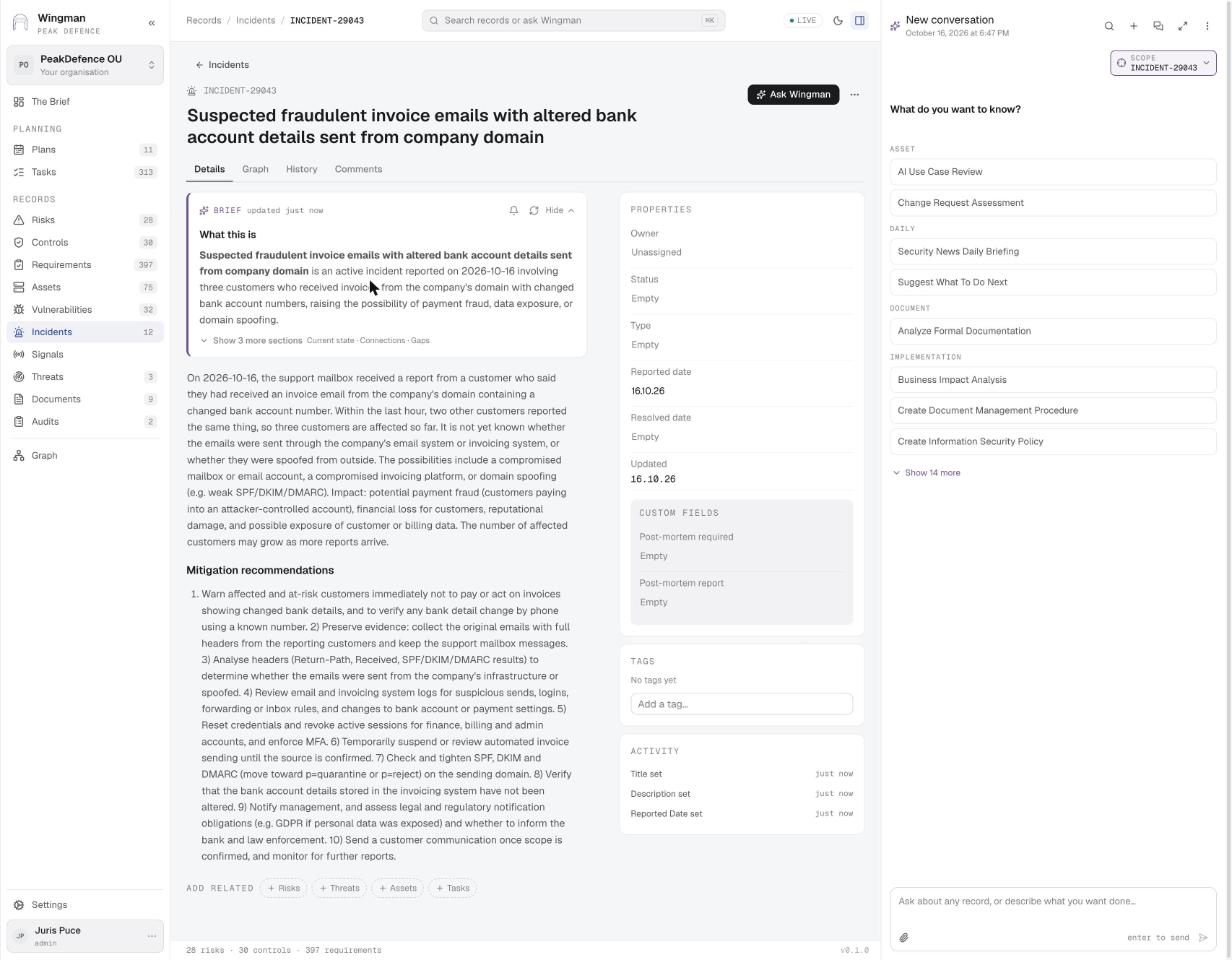
The incident WINGMAN registered from the conversation
Incidents · step 3 The incident WINGMAN registered from the conversation Title, description, ten mitigation recommendations and a fresh brief, written from what the reporter said in chat. Post-mortem fields wait for later.

Used inIncident handling · 2

The signals inbox
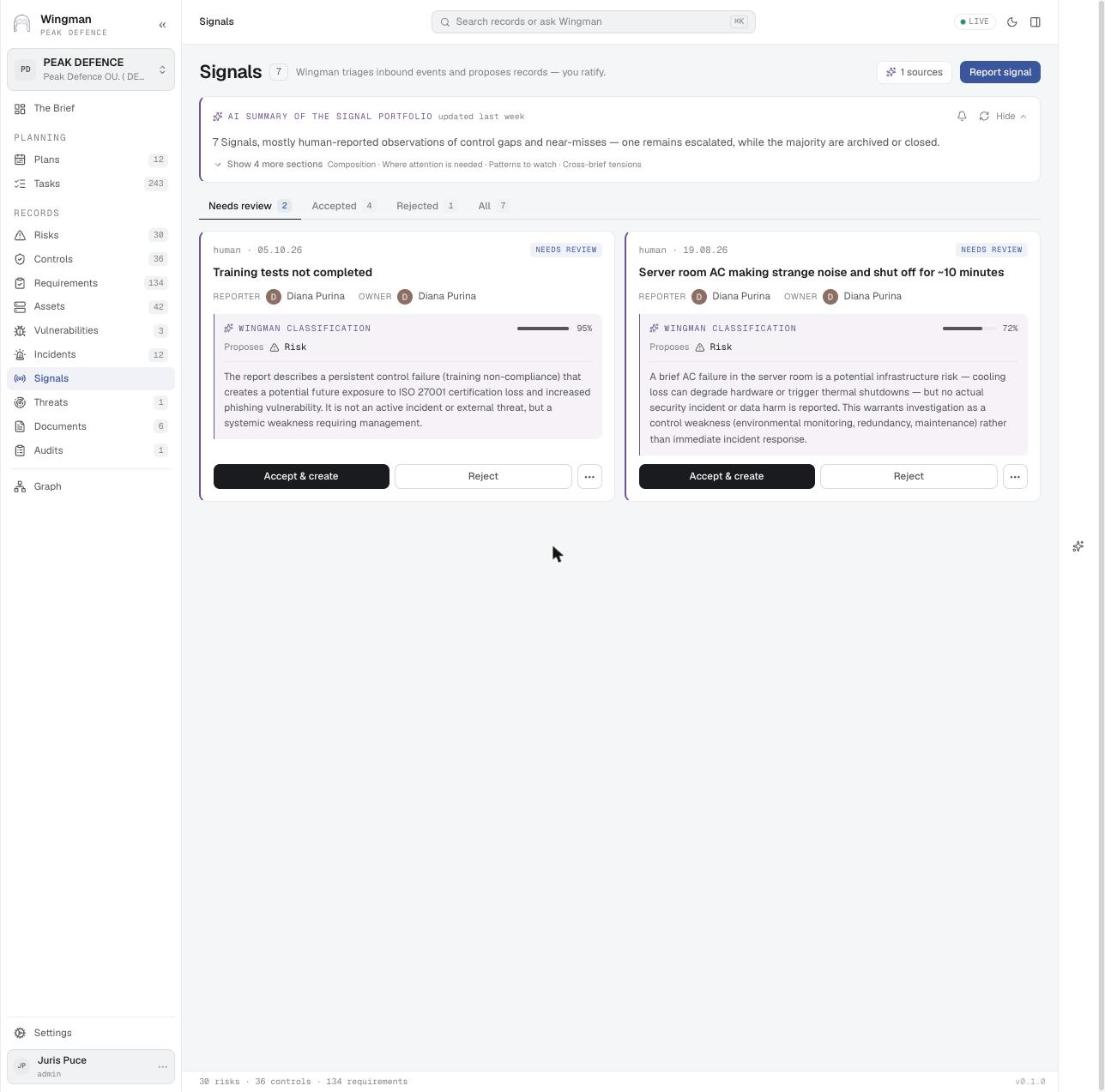
Signals The signals inbox Human-reported observations arrive as cards. WINGMAN classifies each one with a confidence score and proposes a risk or an incident; the owner accepts or rejects.

Used inFinancial sector – DORA, MiCA and supervisory expectations · 4Incident handling · 1Risk identification · 4Security operations control · 5
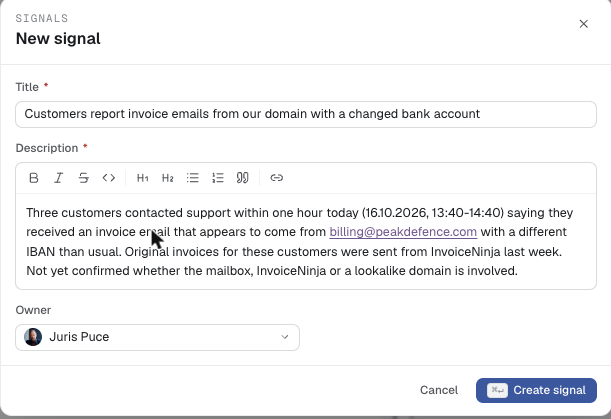
Reporting a signal
Signals · step 1 Reporting a signal Title, what was observed (hosts, times, names), and an owner. Anyone in the organisation can report.

Used inFinancial sector – DORA, MiCA and supervisory expectations · 4Risk identification · 4
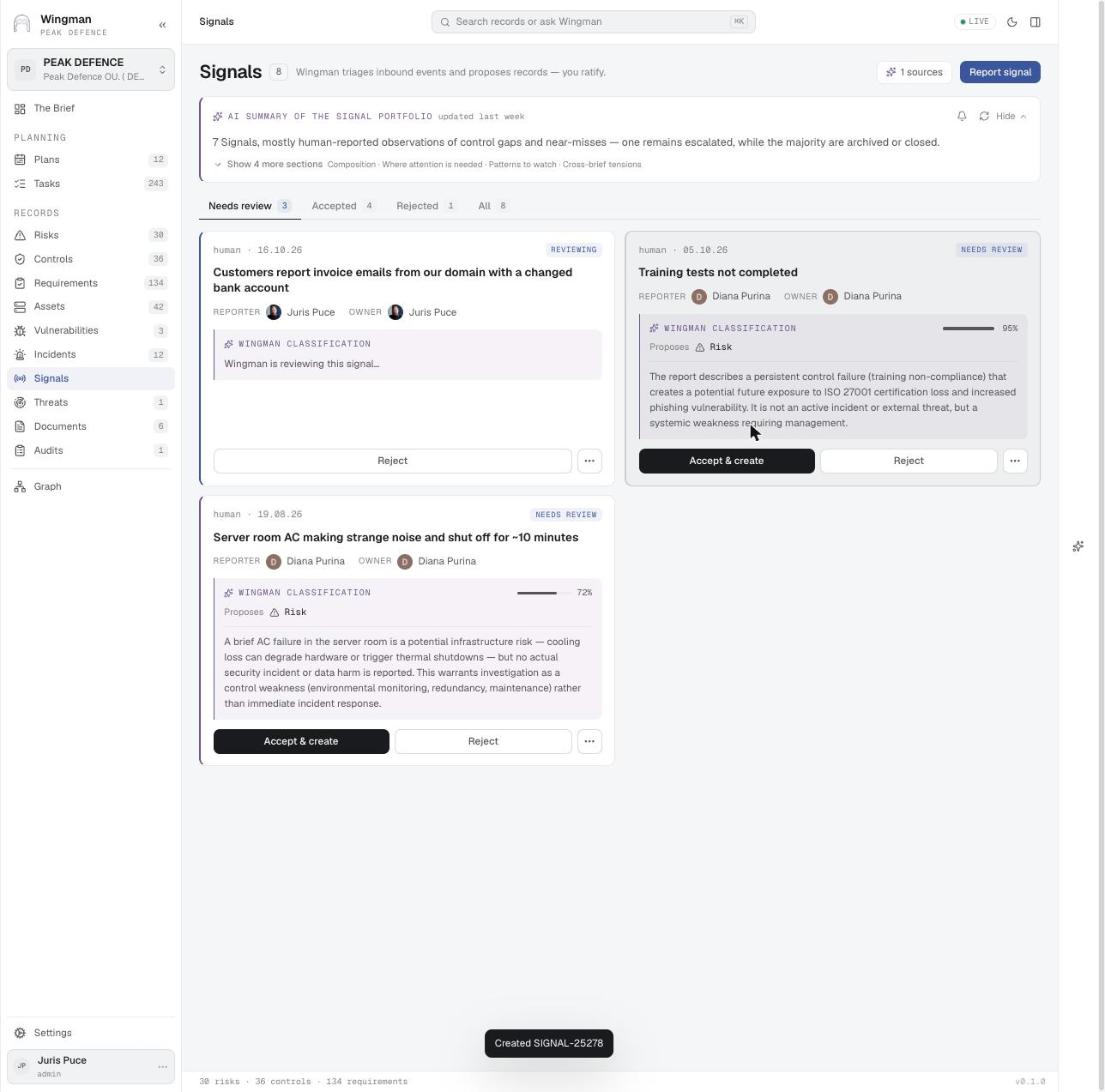
The new signal, under review
Signals · step 2 The new signal, under review The card appears in Needs review while WINGMAN classifies it. The owner receives an email at the same moment.

Used inRisk identification · 4

The email the owner receives
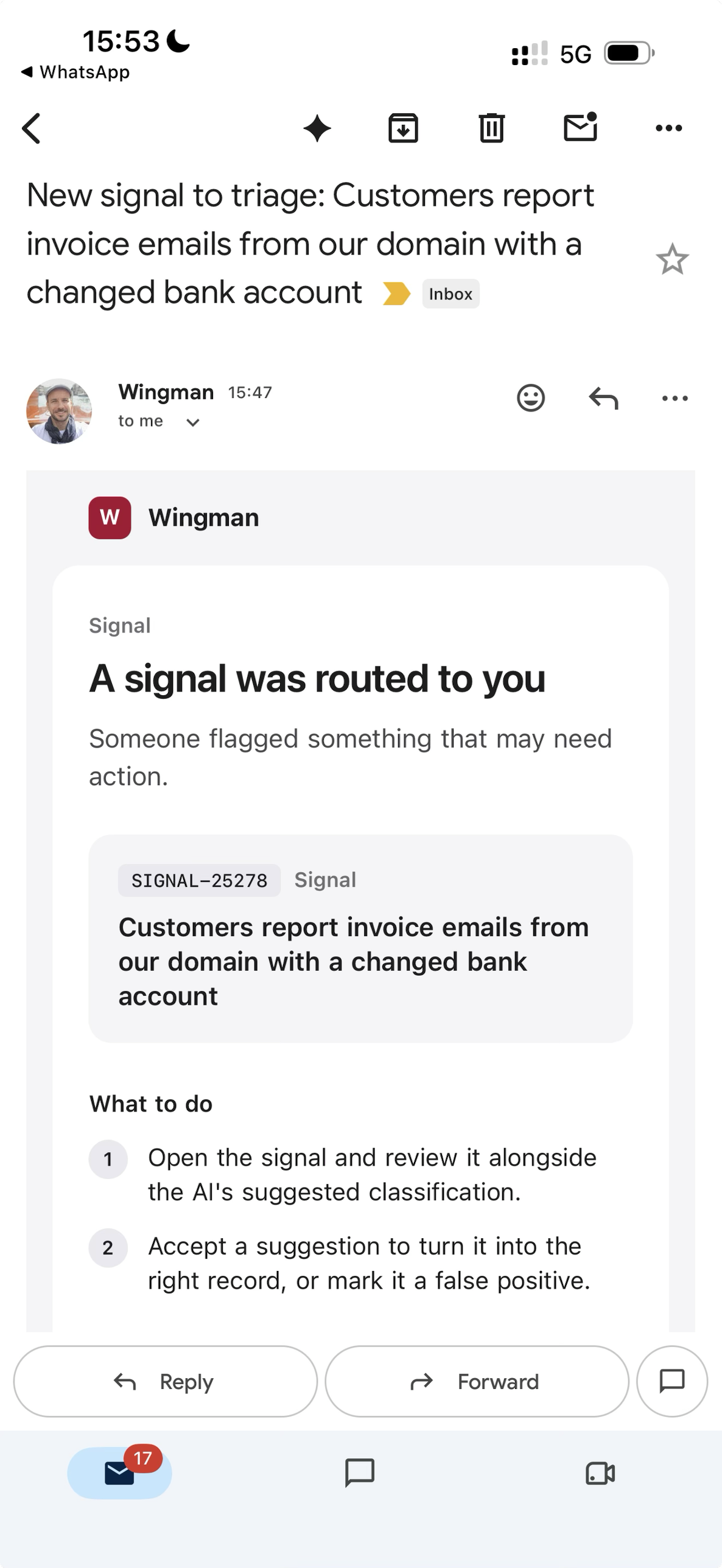
Email notification The email the owner receives A signal routed to you: the record id and title, and what to do: open it beside the AI classification, then accept a suggestion or mark it a false positive.

Used inFinancial sector – DORA, MiCA and supervisory expectations · 4Incident handling · 1Risk identification · 4Security operations control · 3
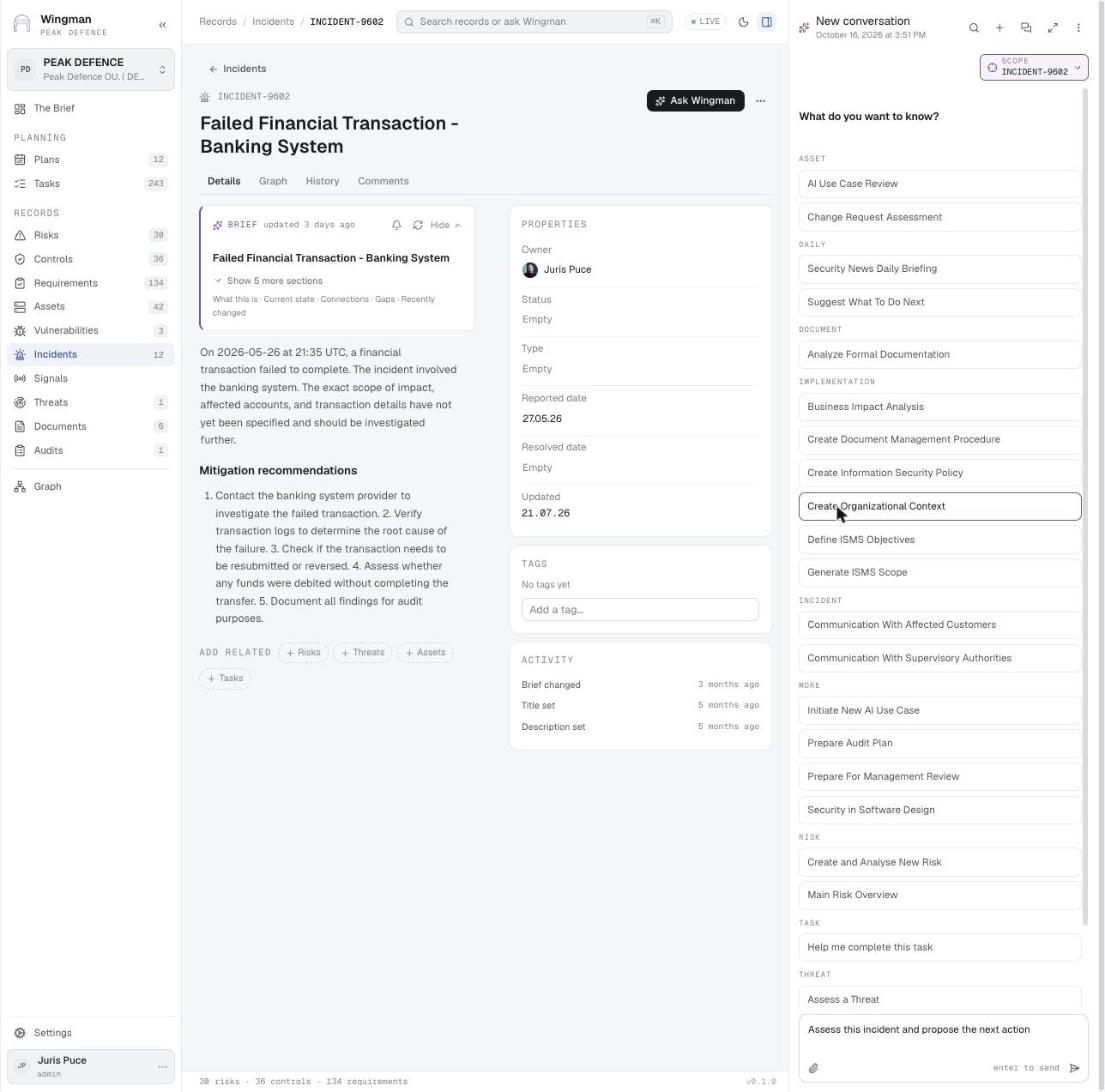
Ask Wingman, scoped to one record
Ask Wingman Ask Wingman, scoped to one record The side panel opens on any record with the scope set to it and the skills grouped by area: incident communications, risk analysis, audit plan, management review, BIA, AI use case review and more.
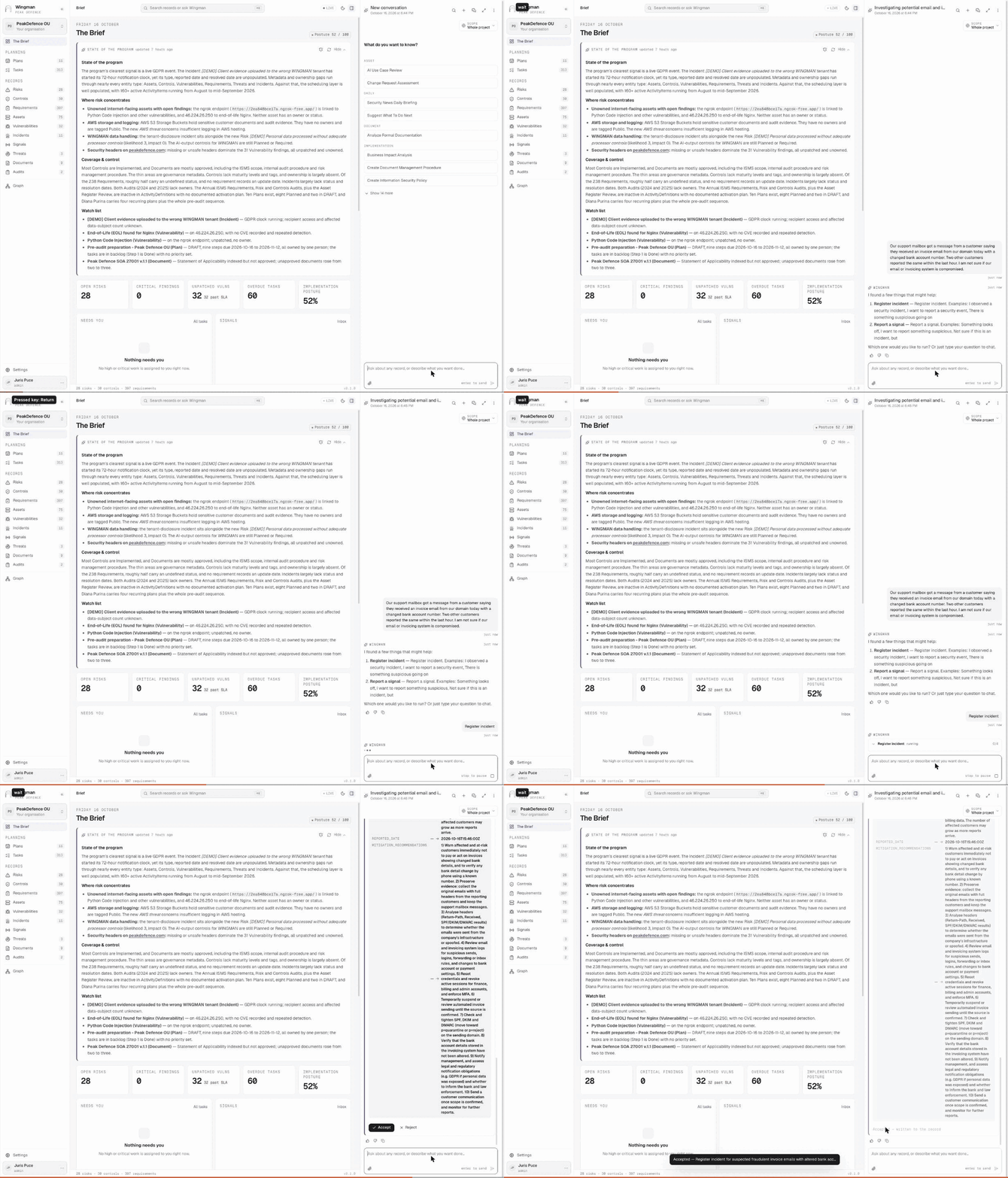
Describe what happened; WINGMAN registers the incident GIF
Ask Wingman Describe what happened; WINGMAN registers the incident A support colleague describes three customer reports of invoice emails with a changed bank account. The orchestrator recognises a suspected incident, offers Register incident or Report a signal, runs the four-step skill, and submits the drafted record as a suggestion. Accept writes it.

Used inIncident handling · 1

The drafted incident as a suggestion
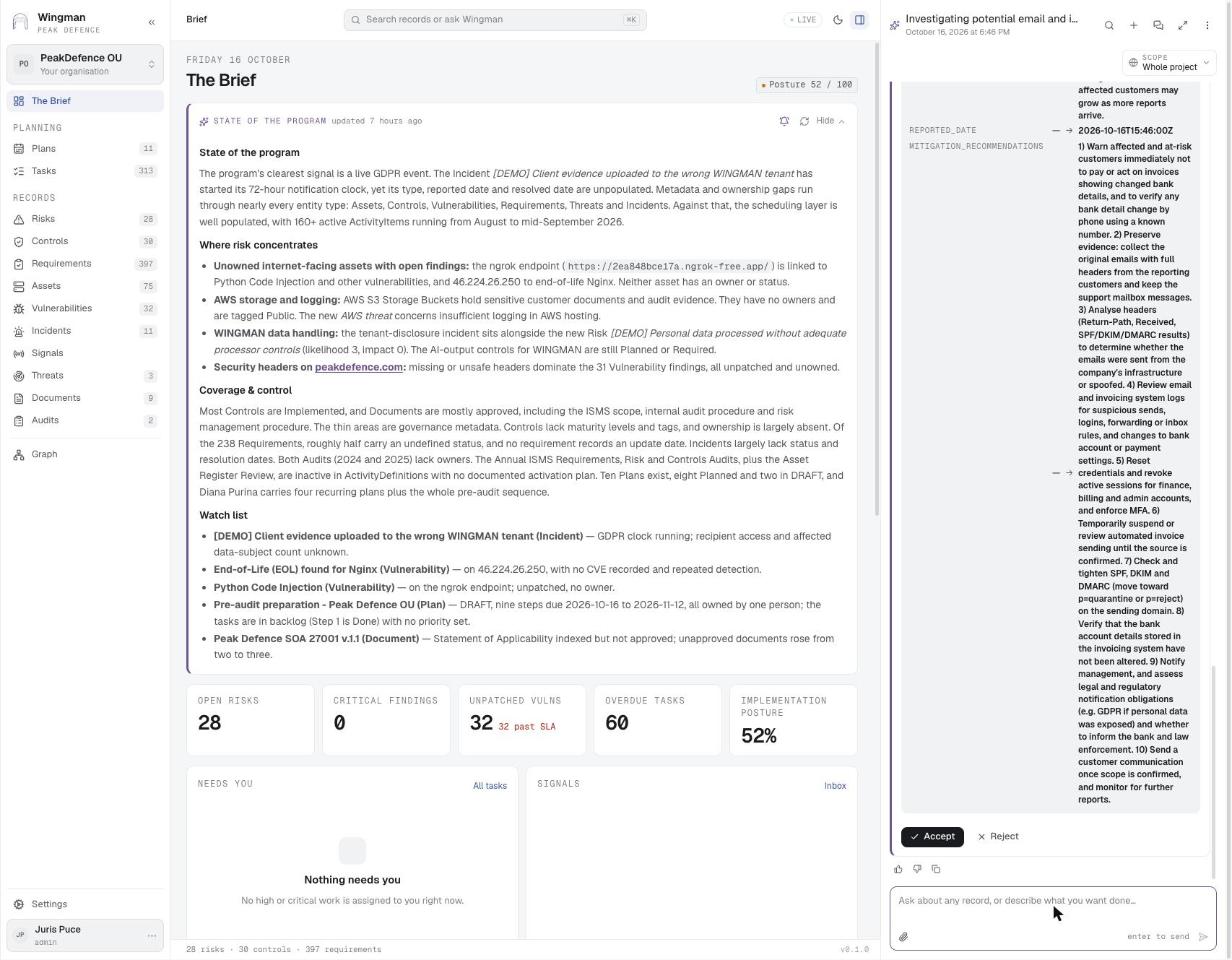
Ask Wingman · step 1 The drafted incident as a suggestion The skill collected the details, drafted the record with title, affected parties, source of the problem and ten mitigation recommendations, and shows it with Accept and Reject.

Used inIncident handling · 1

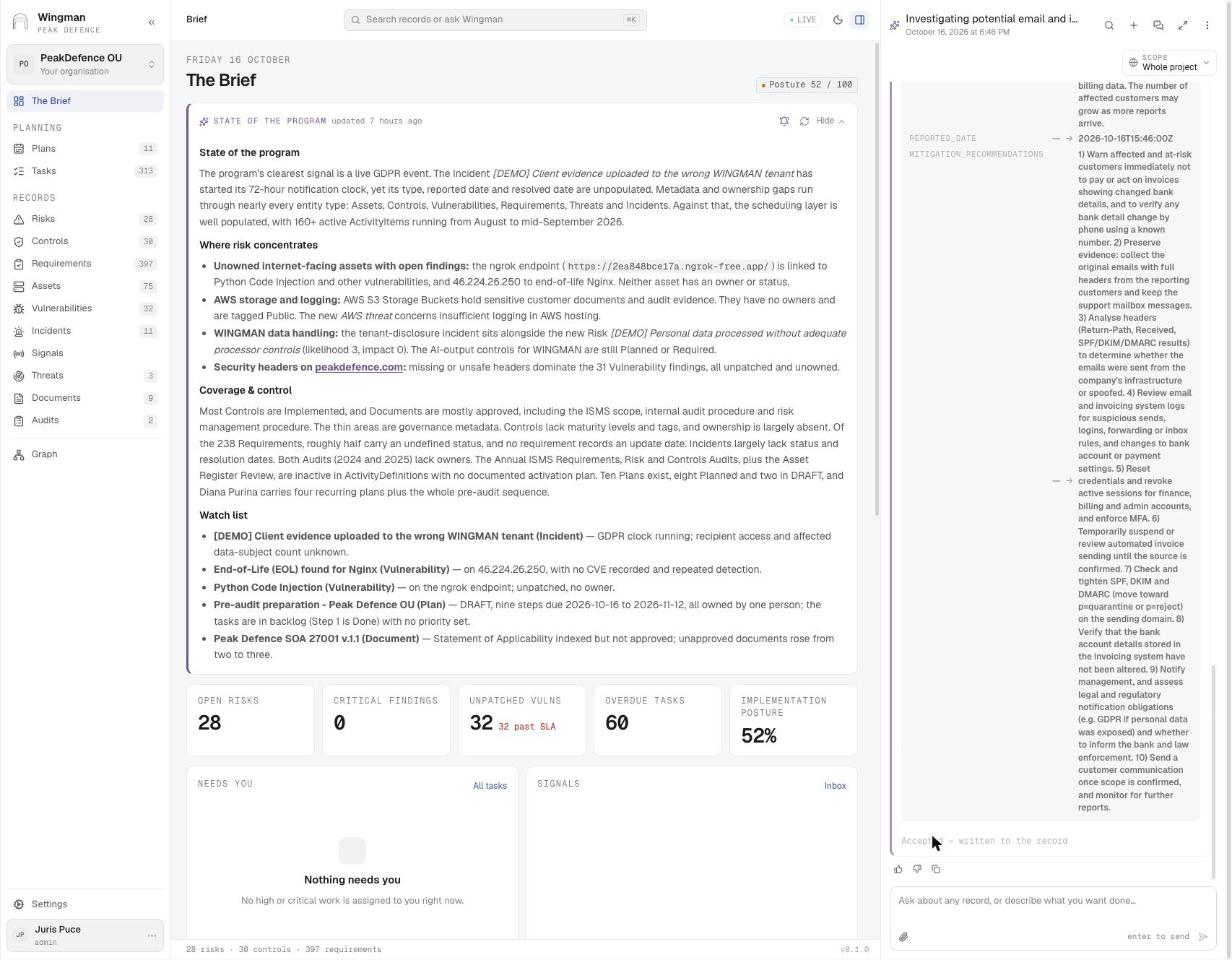
Accepted — written to the record
Ask Wingman · step 2 Accepted — written to the record One click turns the suggestion into INCIDENT-29043.

Used inIncident handling · 1

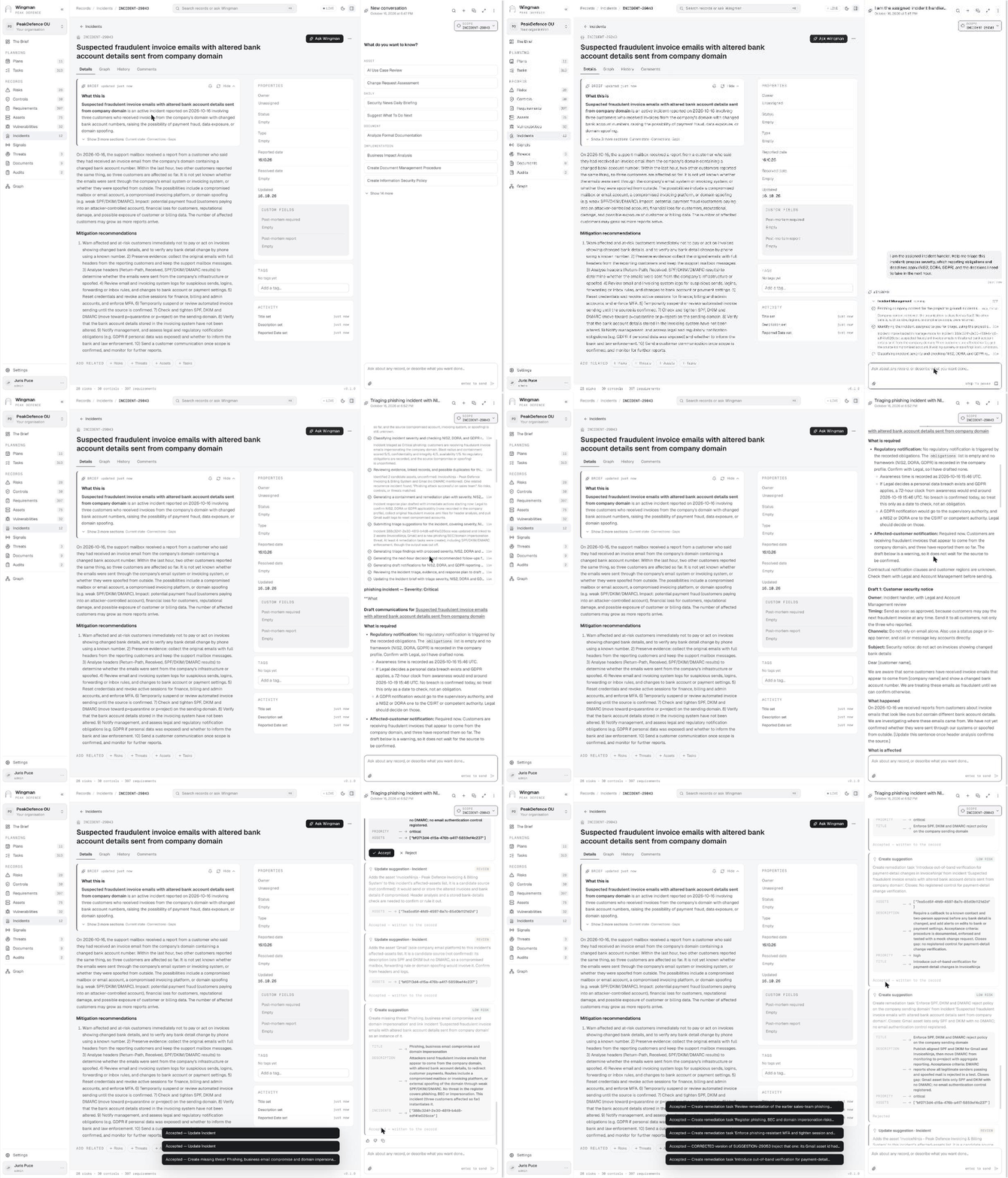
Triage with the incident handler GIF
Ask Wingman Triage with the incident handler The assigned handler asks for severity, reporting obligations and next-hour decisions. The Incident Management skill runs eleven steps and ends with suggestions: link the two candidate source systems, create the missing threat, and six remediation tasks. The handler accepts or rejects each.

Used inIncident handling · 2

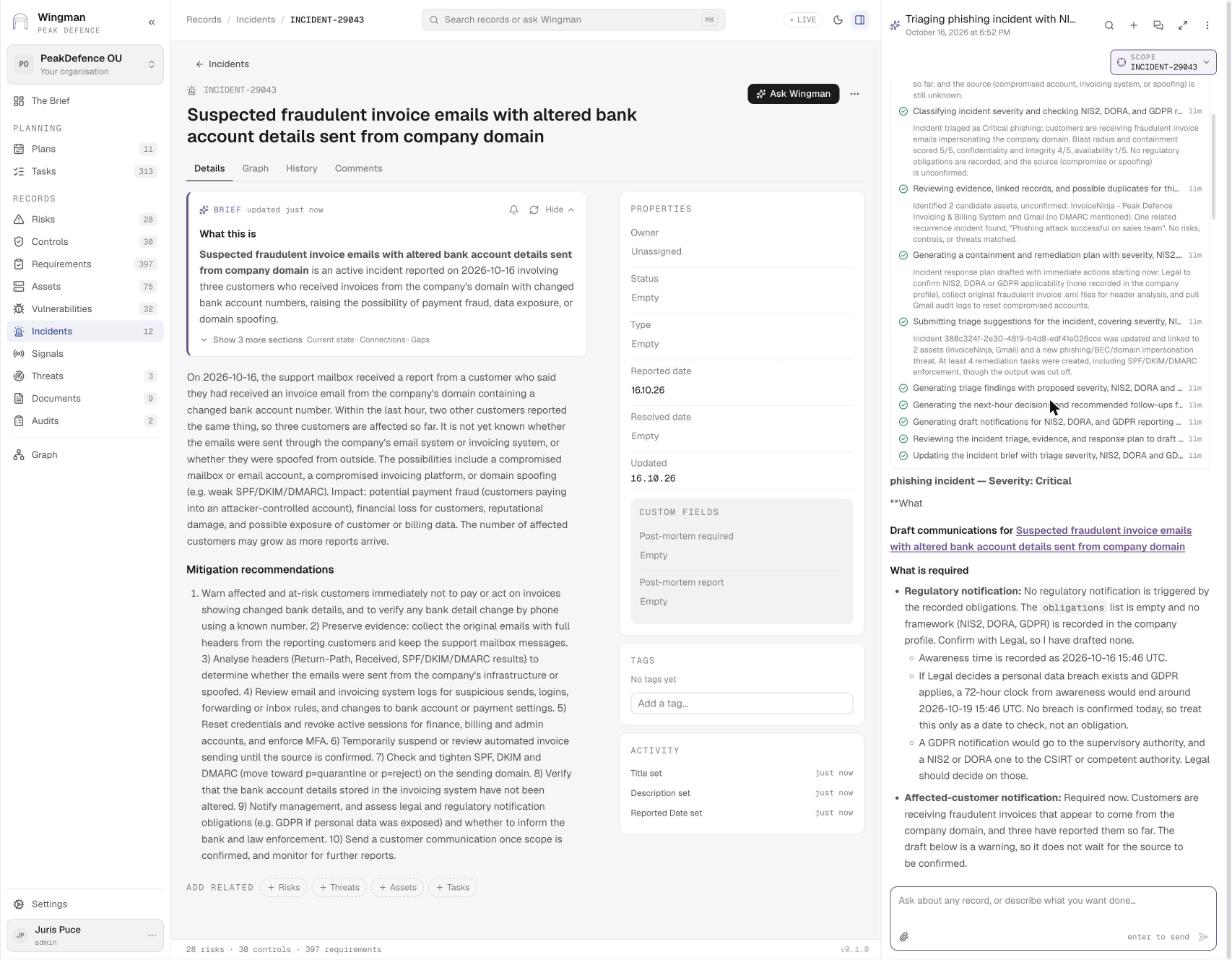
Eleven steps, severity Critical
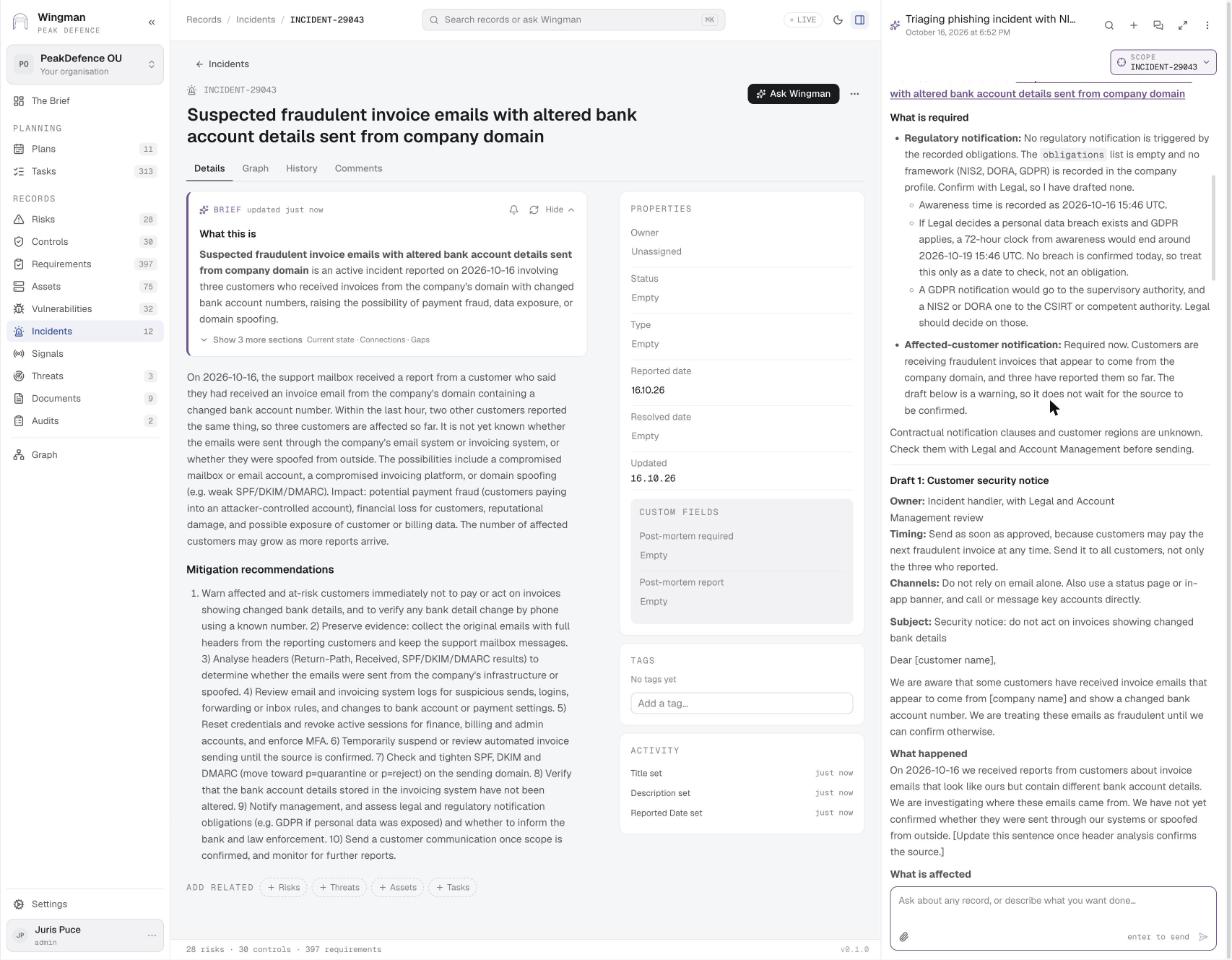
Ask Wingman · step 1 Eleven steps, severity Critical Company context, intake, severity classification, evidence and duplicates, response plan, suggestions, findings, next-hour decisions, draft notifications, interim post-mortem, brief update. Then what is required: no regulatory obligation recorded yet, GDPR 72 h clock only if Legal confirms a breach, customer notice required now.

Used inIncident handling · 2

Draft customer security notice
Ask Wingman · step 2 Draft customer security notice Owner, timing, channels, subject and body, with the facts that must be confirmed before sending: wording on the source, whether to publish bank details, payments already made, personal data.

Used inNIS2 and national cybersecurity law · 5Incident handling · 4
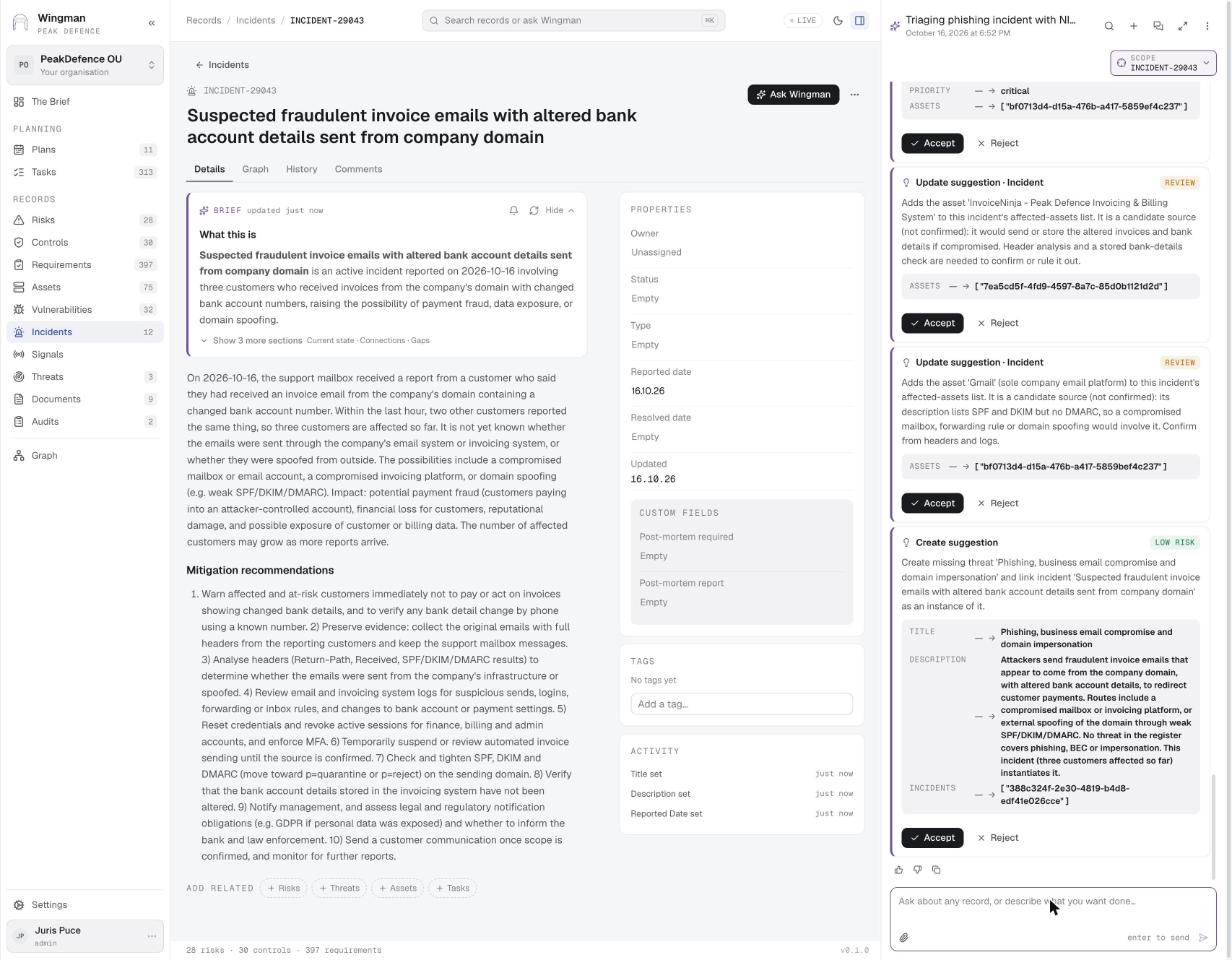
Suggestions: link assets, create the threat
Ask Wingman · step 3 Suggestions: link assets, create the threat Update suggestions add InvoiceNinja and Gmail as candidate sources; a create suggestion adds the threat Phishing, business email compromise and domain impersonation and links the incident as its instance.

Used inIncident handling · 5

Remediation tasks accepted
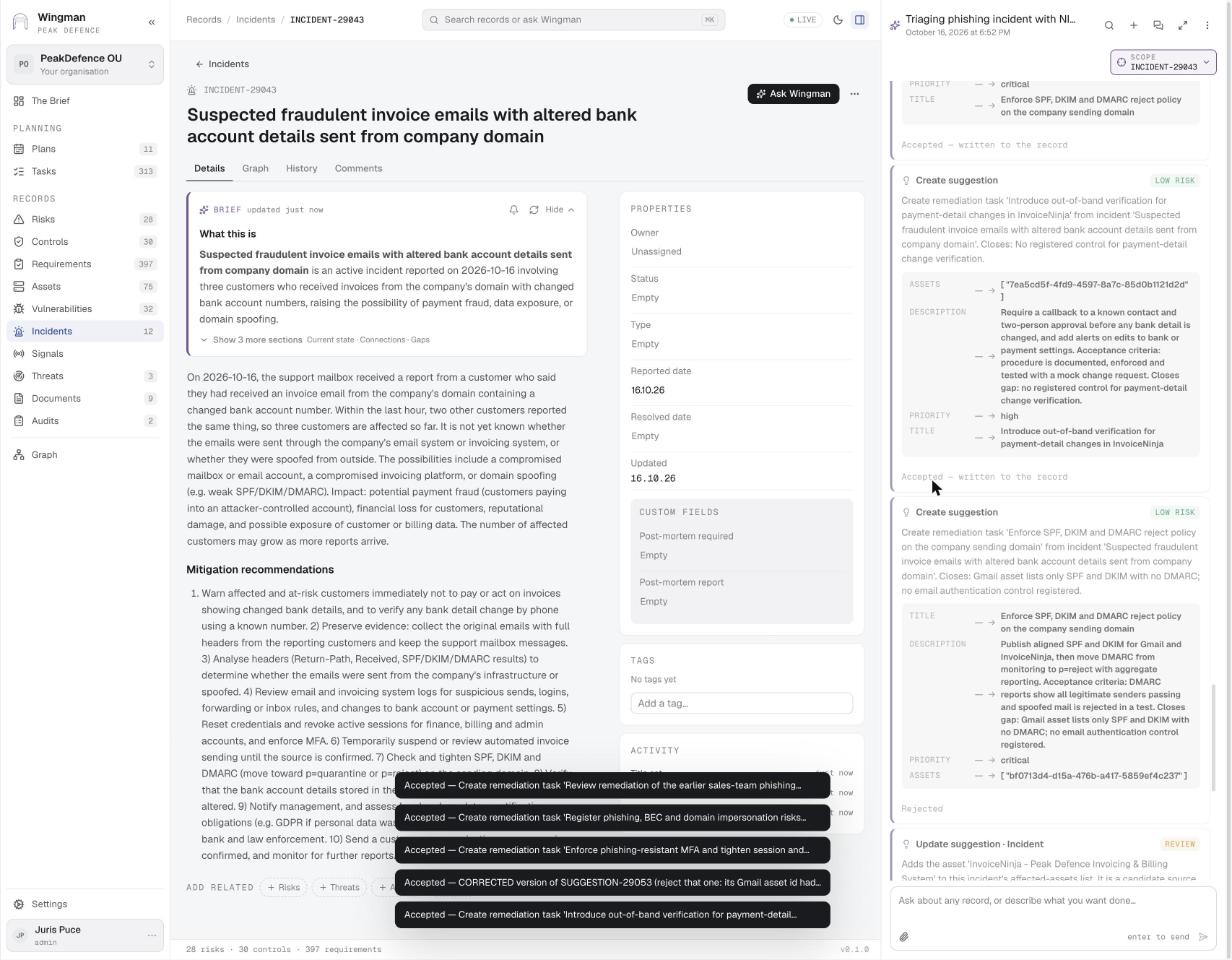
Ask Wingman · step 4 Remediation tasks accepted Out-of-band verification for payment-detail changes, SPF/DKIM/DMARC reject policy, phishing-resistant MFA and more become tasks linked to the incident and its assets. One duplicate with a wrong id is rejected.

Used inIncident handling · 3Security operations control · 5

Draft the notification to the authority GIF
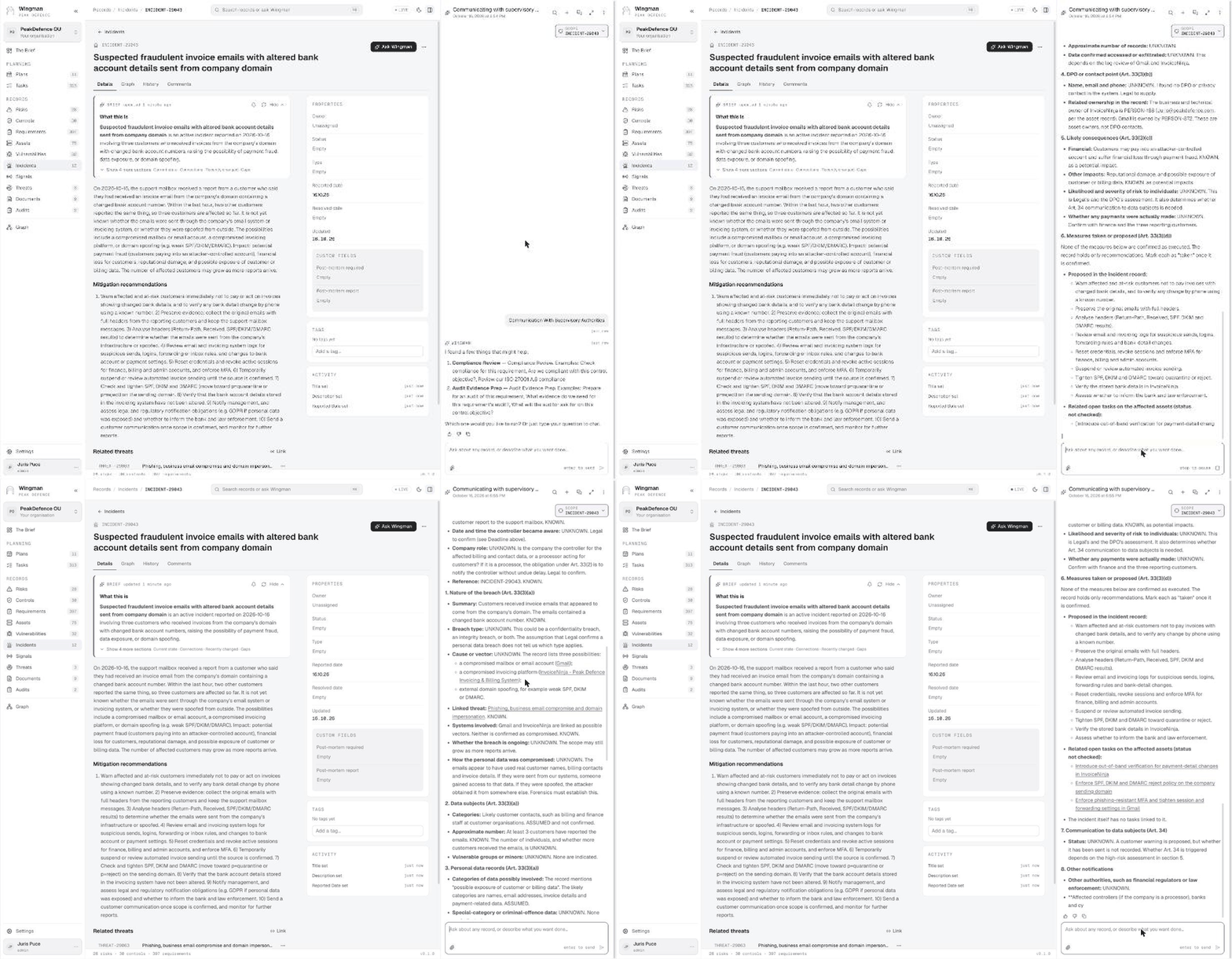
Ask Wingman Draft the notification to the authority Asked in plain words on the incident, WINGMAN fills the GDPR Article 33 notification from the record: nature of the breach, data subjects, data categories, DPO contact, likely consequences, measures taken, communication to data subjects, other notifications. Every field is marked KNOWN, UNKNOWN or ASSUMED.

Used inNIS2 and national cybersecurity law · 5Incident handling · 4GDPR and data protection · 5
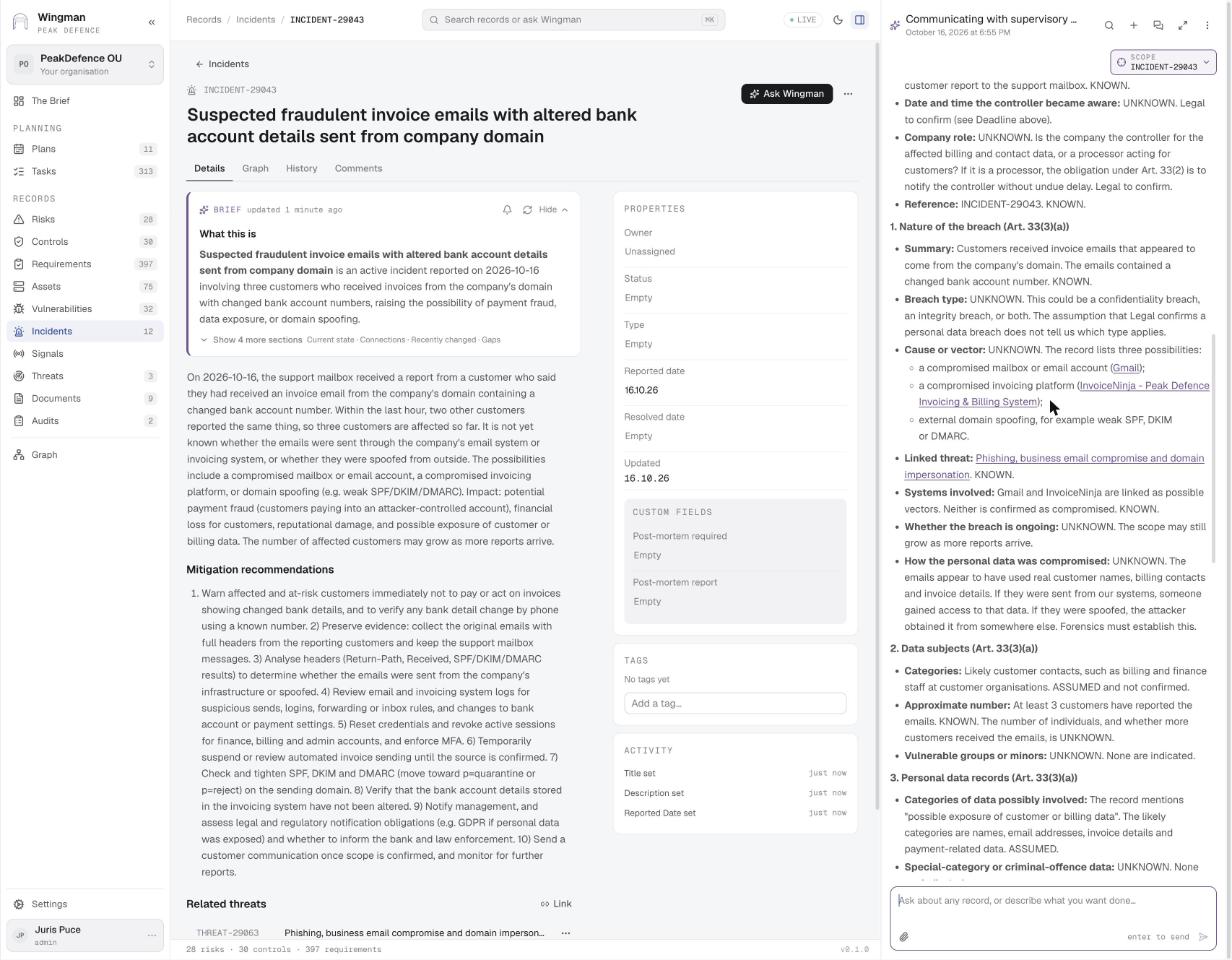
Article 33(3)(a): nature of the breach
Ask Wingman · step 1 Article 33(3)(a): nature of the breach Summary, breach type, cause or vector with the three possibilities from the record, linked threat and systems, each marked KNOWN or UNKNOWN.

Used inNIS2 and national cybersecurity law · 5Incident handling · 4GDPR and data protection · 5
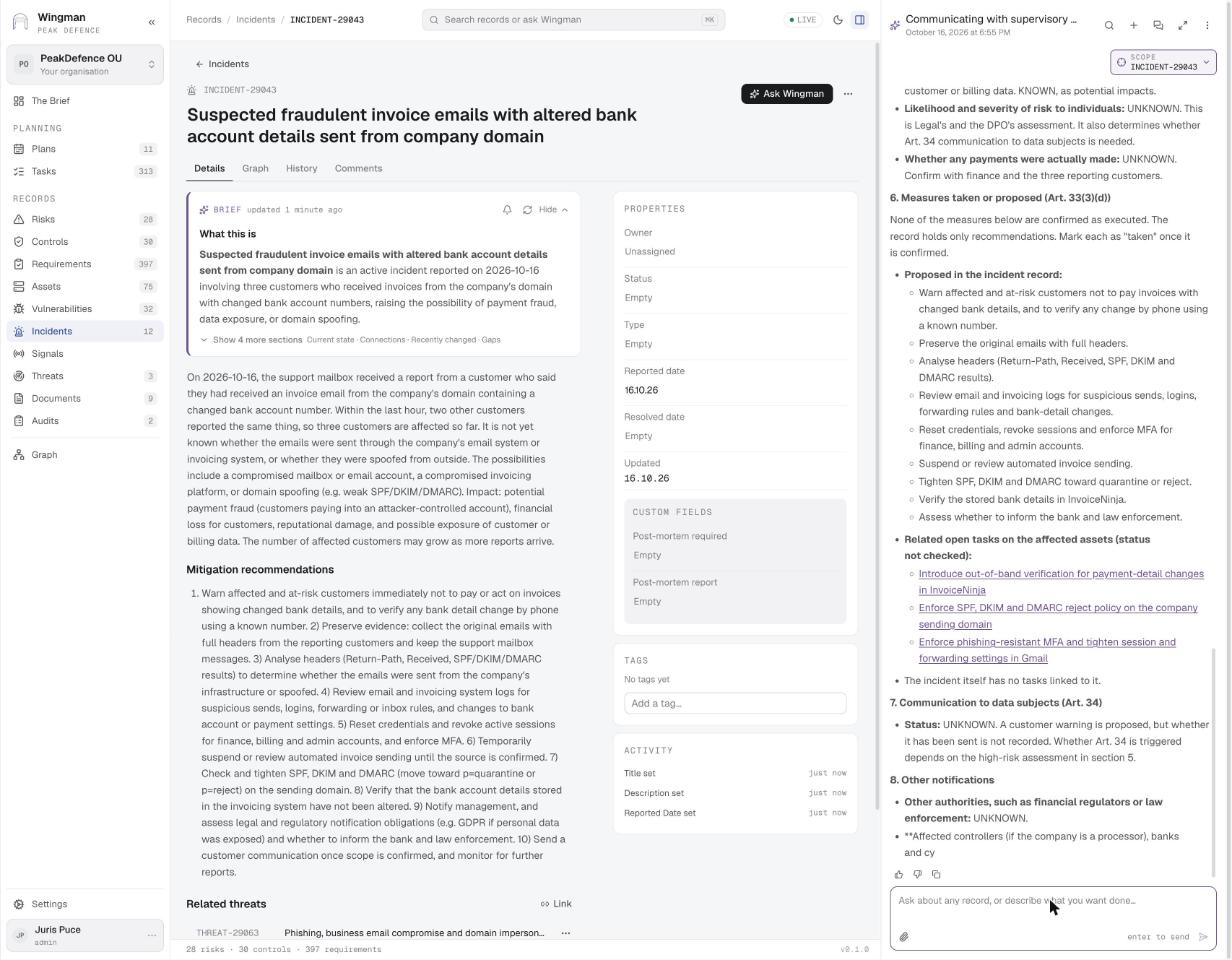
Article 33(3)(d): measures taken or proposed
Ask Wingman · step 2 Article 33(3)(d): measures taken or proposed Measures from the incident record, the open remediation tasks on the affected assets with links, and Article 34 communication to data subjects.

Used inGDPR and data protection · 5

The graph of one record
Graph The graph of one record Every record has a Graph tab: the risk in the centre, its review tasks, the incident that realised it and the control that reduces it. Depth 1 to 3, or open the full graph.

Used inIncident handling · 2Cyber Resilience Act · 4Vulnerability impact · 2Risk identification · 3
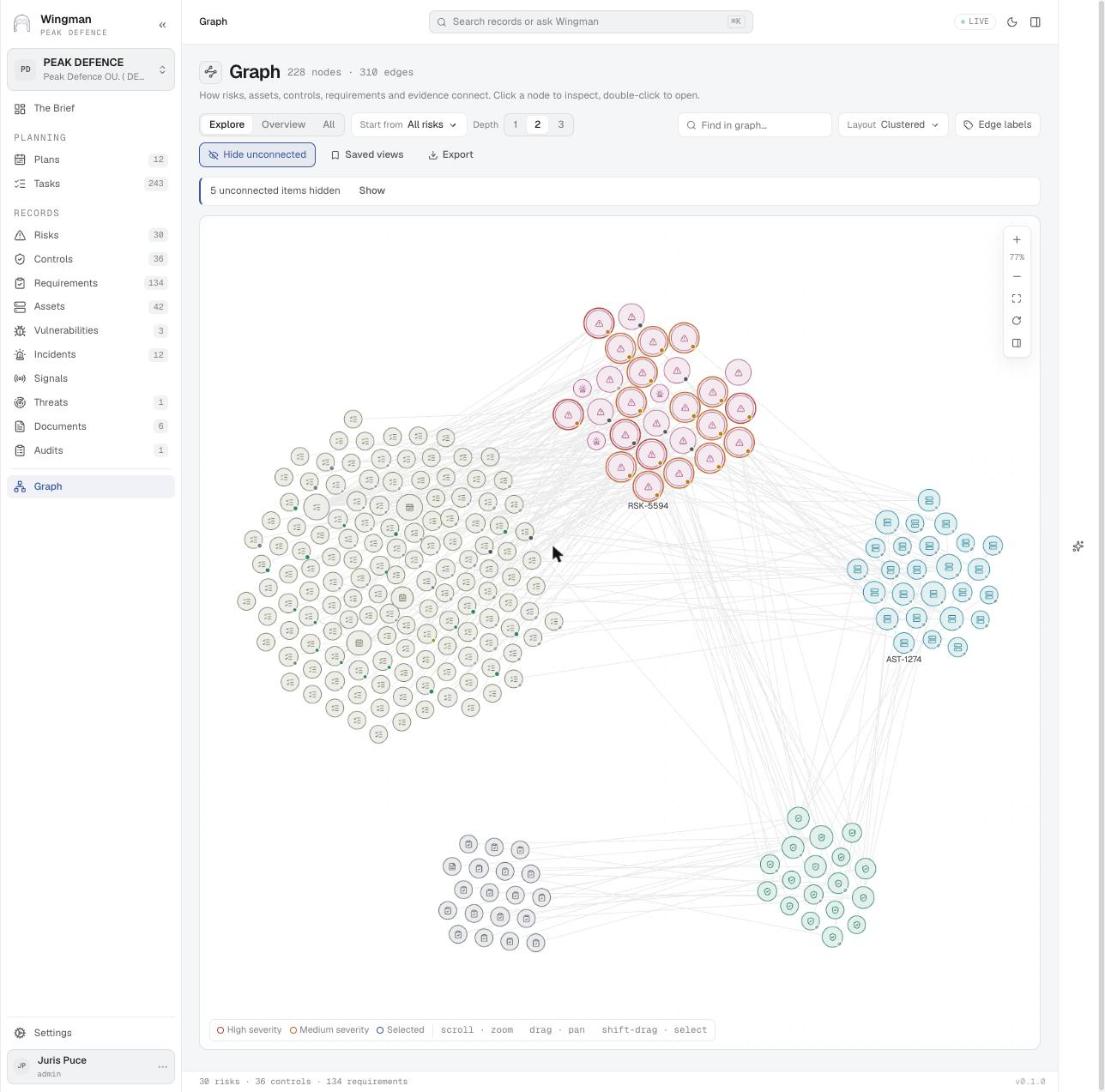
The whole model, clustered
Graph The whole model, clustered 228 nodes and 310 edges: risks, requirements, controls, assets and tasks as clusters, with the links between them. Start from any entity type, choose the depth, find a node, save a view.

Used inISO 27001 and SOC 2 Type 2 · 1New requirements · 3

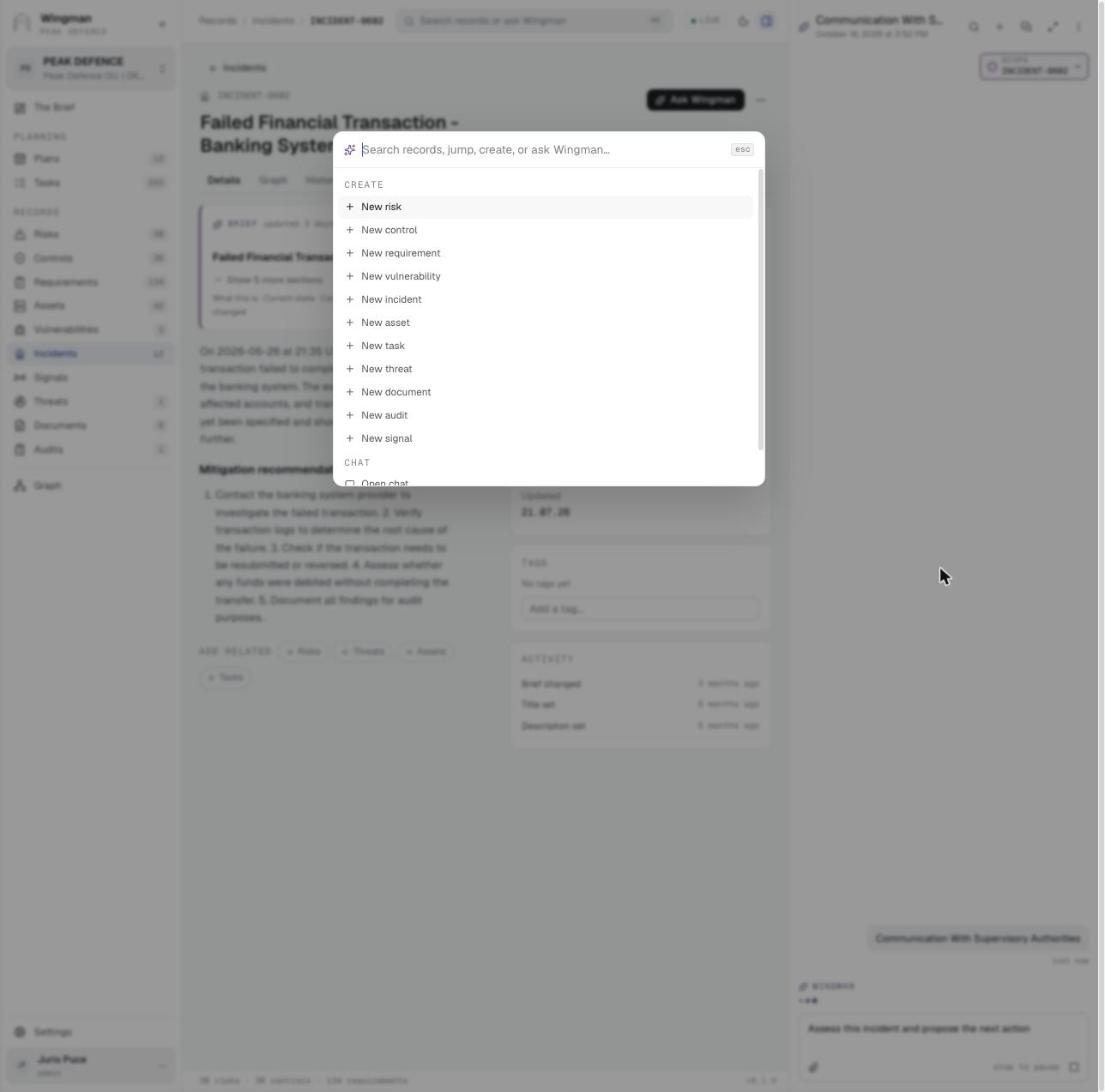
Create any record from the command palette
Command palette Create any record from the command palette ⌘K searches records, jumps, opens chat, and creates any of the eleven record types.
Members, titles and roles
Settings Members, titles and roles Each member has a title (CEO, Developer, Incident Response Lead, CISO) and an access role, directly or through a group.

Used inISO 27001 and SOC 2 Type 2 · 4Regular reviews · 5Roles and RACI · 1
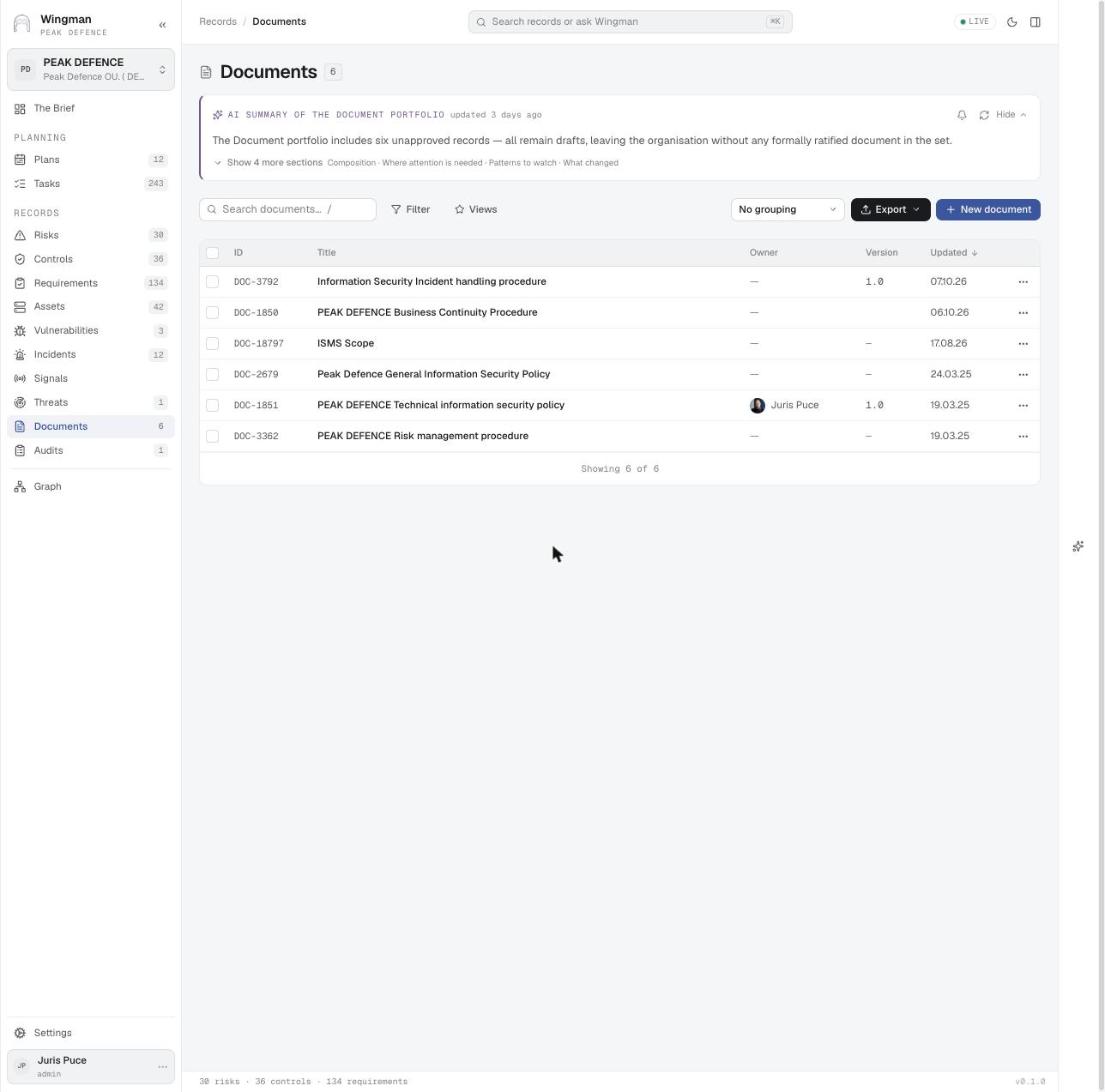
Policies and procedures with versions
Documents Policies and procedures with versions Six documents with owner and version. The portfolio summary notes that none is formally approved yet.

Used inRegular reviews · 3

See WINGMAN on your own data

We can walk through any of these use cases with your requirements, risks and controls.

Contact Peak Defence