For consultants and vCISOs
I run security programmes for several clients
Your method is your product, and context switching is your largest cost. WINGMAN keeps each client's programme as a current record, and your AI assistant runs the same procedure on each of them.
Does this sound familiar?
The problem as people in this position describe it, and what changes with WINGMAN.
Monday is one client, Tuesday another. I lose time re-reading my own notes.
The Brief is written each morning from that client's records: where risk concentrates, what is overdue, which gaps are open. You start from the current state, not from your last notes.
My junior's risk workshop looks different from mine.
A skill follows the same steps every time. The risk interview asks one question at a time, matches each concern to existing risks before creating a new one, and links assets, suppliers and controls. You can also build your own skill set to use with WINGMAN, so the steps are your method, and use skills to build policy templates to your own preferences. They stay your property: Peak Defence cannot see them, and neither can other consultants.
The registers drift between my visits.
Reviews are tasks for the client's own owners, on a calendar. Register checks list what has gone stale, so your visit starts with a list, not with a reconciliation.
I chase evidence by email, client after client.
Tasks carry owners and due dates, and late ones are listed by name. Reminders are drafted for you and go out in your name after you approve them.
At month end the client asks what they got for the retainer.
Completed reviews, accepted changes, closed tasks and new evidence are dated records in the client's register. The work is visible there, not only in your invoice.
When the engagement ends, the client gets a zip file.
Each client has its own workspace, and its data can be exported. What you build stays there as linked records, owned by roles at the client, and remains usable when you leave.
I worry about mixing clients when I use AI tools.
Each client's records sit in that client's own workspace, not in a chat project you keep tidy by hand. An assistant's connection can be restricted to a single client's project, or narrower, so one session cannot reach another client's records.
Words you will meet
- Skill
- A procedure your AI assistant follows step by step on your WINGMAN records, such as a risk interview or an audit. It runs in the assistant you already use, for example Claude.
- The Brief
- A short written summary of the state of the programme, produced by WINGMAN's AI every morning from the records.
- Plan
- A set of recurring or one-off tasks toward one goal, such as the yearly calendar of reviews.
- Signal
- A sign that something is changing: a monitoring alert, a scanner result, a supplier's notice, threat news, or something a colleague reports.
What WINGMAN does for you
-
1
Something happens
A new requirement, a review that is due, a scanner finding, an incident.
-
2
Your assistant prepares
It reads the linked record and drafts what should change: a risk rating, a report, a task.
-
3
A person decides
A named person accepts or rejects each suggestion. Nothing changes until then.
-
4
The record remembers
Who decided what, and when, stays in the history, which cannot be edited or deleted.
The next time something happens, the work starts from that record, not from a blank page.
The same four kinds of work as on the home page, from where you stand.
Keeps your security knowledge current
Each client has its own workspace with its own record: requirements, assets, risks, controls, suppliers and evidence, linked. The data can be exported.
Runs implementation and improvement projects
Skills cover the engagements you already sell: a framework implementation, a risk identification, a business impact analysis, an internal audit. Frameworks come with their requirements loaded, and you can add single requirements. For an audit you can bring your own checklist workbook.
Keeps routine work on schedule
Plans generate the recurring reviews between your visits. The management review pack is assembled from the records.
Prepares the response to what was not planned
A signal at a client is classified and linked to the assets and risks it touches, so you see what it concerns before you pick up the phone.
What it looks like
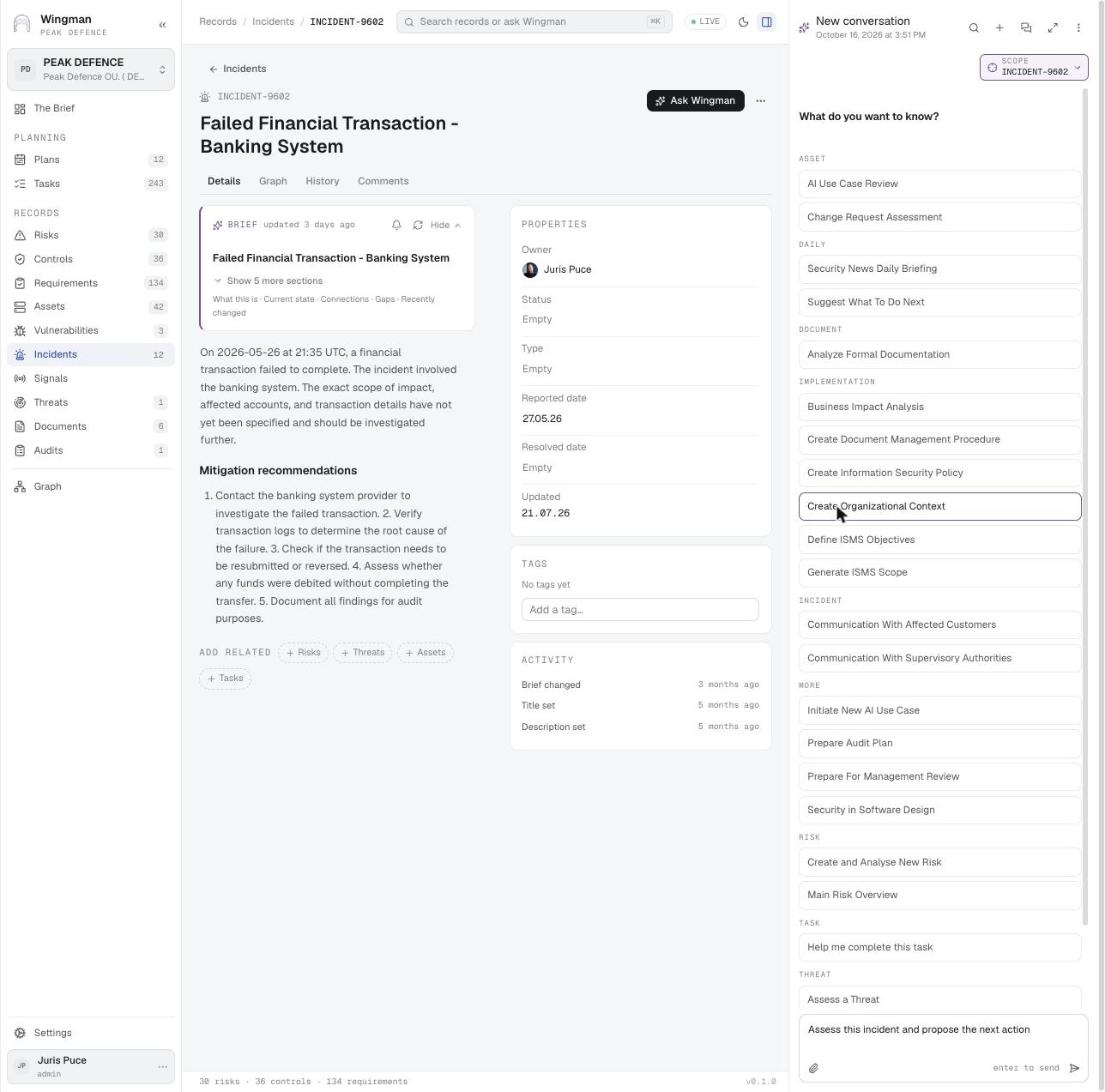
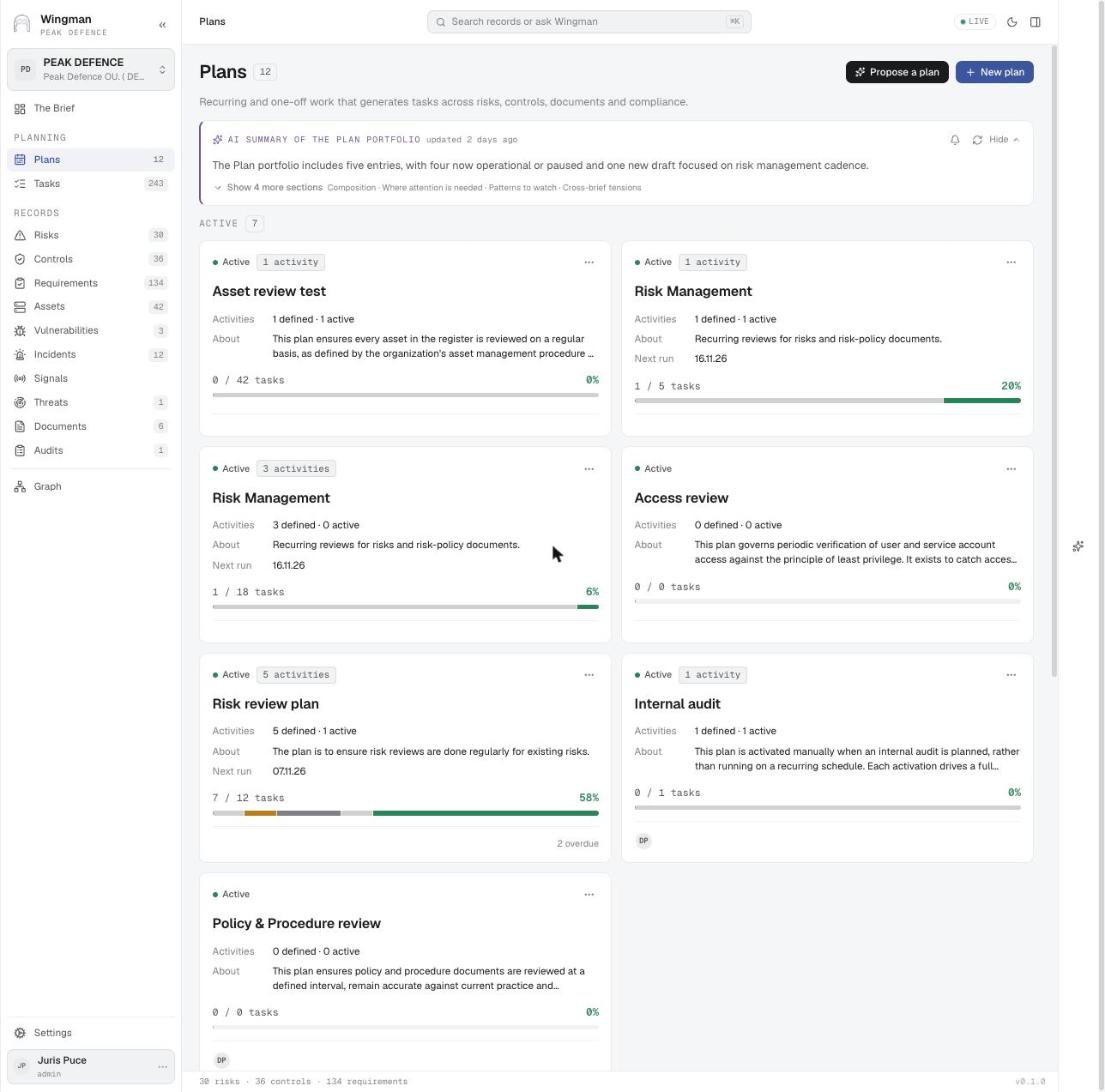
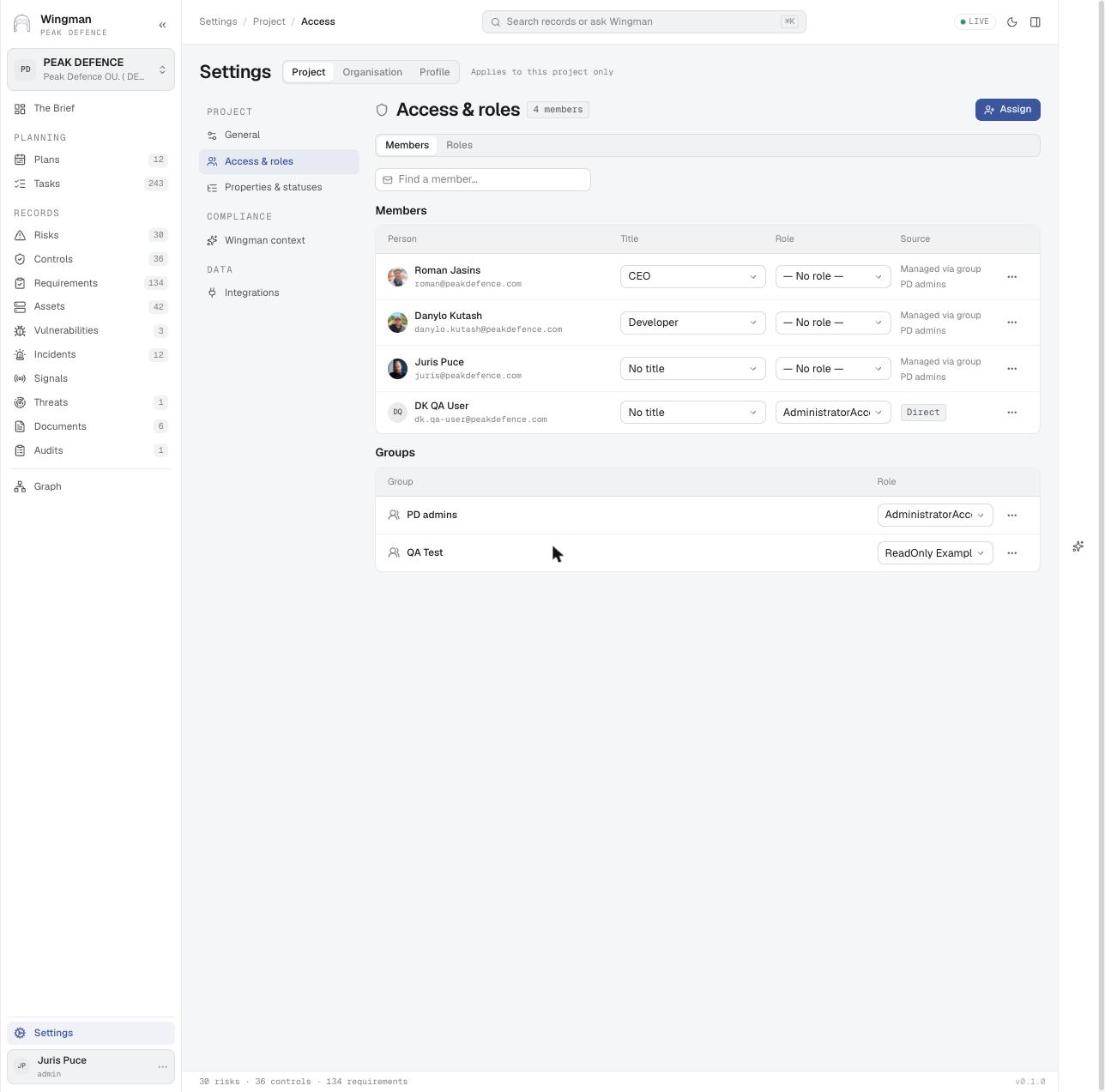
Worked example
ISO 27001 from zero, the first three days
A 60-person software company with no security team runs the implementation skill on WINGMAN. What the first three days produce, who does what afterwards, and what still takes calendar time.
Worked example
A consultant's monthly client report
A month of work for one client, with what the consultant did, what the client's people did, progress against the target, and the decisions waiting on the client.
What stays with you
WINGMAN prepares, reminds and keeps the record. These remain with people.
- Your judgement and your method. A skill follows steps; what to ask next and what a rating should be is yours and the owner's.
- The client relationship. Owners at the client confirm their own risks and controls.
- Review of what you accept. A suggestion you accept is your decision, on the record.
Try it in your own assistant first
It asks about one client, then gives you a one-page state, what depends on your memory and a handover list. This prompt works in any capable AI assistant, without WINGMAN and without sending us anything. Leave out names and confidential details.
You are helping an independent security consultant who runs programmes for several client organisations. Answer in the language I write in.

Ask me the questions below one at a time and wait for each answer. Do not ask for client names or confidential details; I will describe one client in general terms.
1. What does the client do, how large is it, and which standard or law are you working toward?
2. What have you delivered so far, and where does it live (documents, spreadsheets, a tool)?
3. What does the client's own staff do between your visits, and how do you know it was done?
4. Which evidence are you still waiting for, and from whom?
5. What would the client have to do alone if your engagement ended next month?
6. What do you report to the client each month?

Then give me:
- A one-page state of this client: done, in progress, stale, missing.
- What depends on my memory and not on anything the client holds.
- Which decisions are waiting for the client, and since when.
- A handover list: what a successor or an internal hire would need.
- A monthly report outline that shows the work done and the decisions waiting for the client.
- The three recurring tasks I should hand to the client's own people, with a reminder cadence.
Give the state as a table I can paste into a spreadsheet.
Ask what this page does not answer
These are fair questions, and this page does not answer them yet. Tick the ones you want answered and the page writes the message. Send it with the contact form, or copy it. When you copy or send it, the site counts which of the listed questions were ticked; the text itself reaches us only when you send the form.
Where to look next
Risk
Risk identification
Find new risks without duplicates, link them to everything relevant, and let signals start identification or a re-review.
Risk
Business impact analysis
Assess how long each service can be down and what recovery it needs, from the services, risks and controls already recorded.
Assurance
Auditing
Plan, run and close an internal or supplier audit on the records the organisation already keeps.
Compliance
New requirements
Implement a new regulation or standard by reusing and linking what already exists, then drive the rest with tasks and plans.
Operations
Regular reviews
Run the reviews good practice expects (assets, documents, risks, incidents, access) on a calendar instead of from memory.
ISO 27001 and SOC 2 Type 2
Keep the whole ISMS in one model, with control ownership, recurring reviews, management review and evidence that holds up over an audit period.
NIS2 and national cybersecurity law
Run the information security office of an essential or important entity from one registry of suppliers, assets, risks, incidents, vulnerabilities, threats and tasks.
How it works
Data, hosting and AI
What is settled about where your records live, which AI works on them, who can reach them and what you can take with you, and what still has to be asked.
How it works
Works with your AI assistant
WINGMAN keeps the record, and the assistant you already use does the work on it. This page says how they connect, what the assistant can do, and what a skill is.
How it works
How AI is controlled
AI in WINGMAN proposes and a named person decides. This page says what that means in the records, who can change what, what history is kept, and what AI does not do.