How AI is controlled
AI in WINGMAN proposes and a named person decides. This page says what that means in the records, who can change what, what history is kept, and what AI does not do.
-
1
Something happens
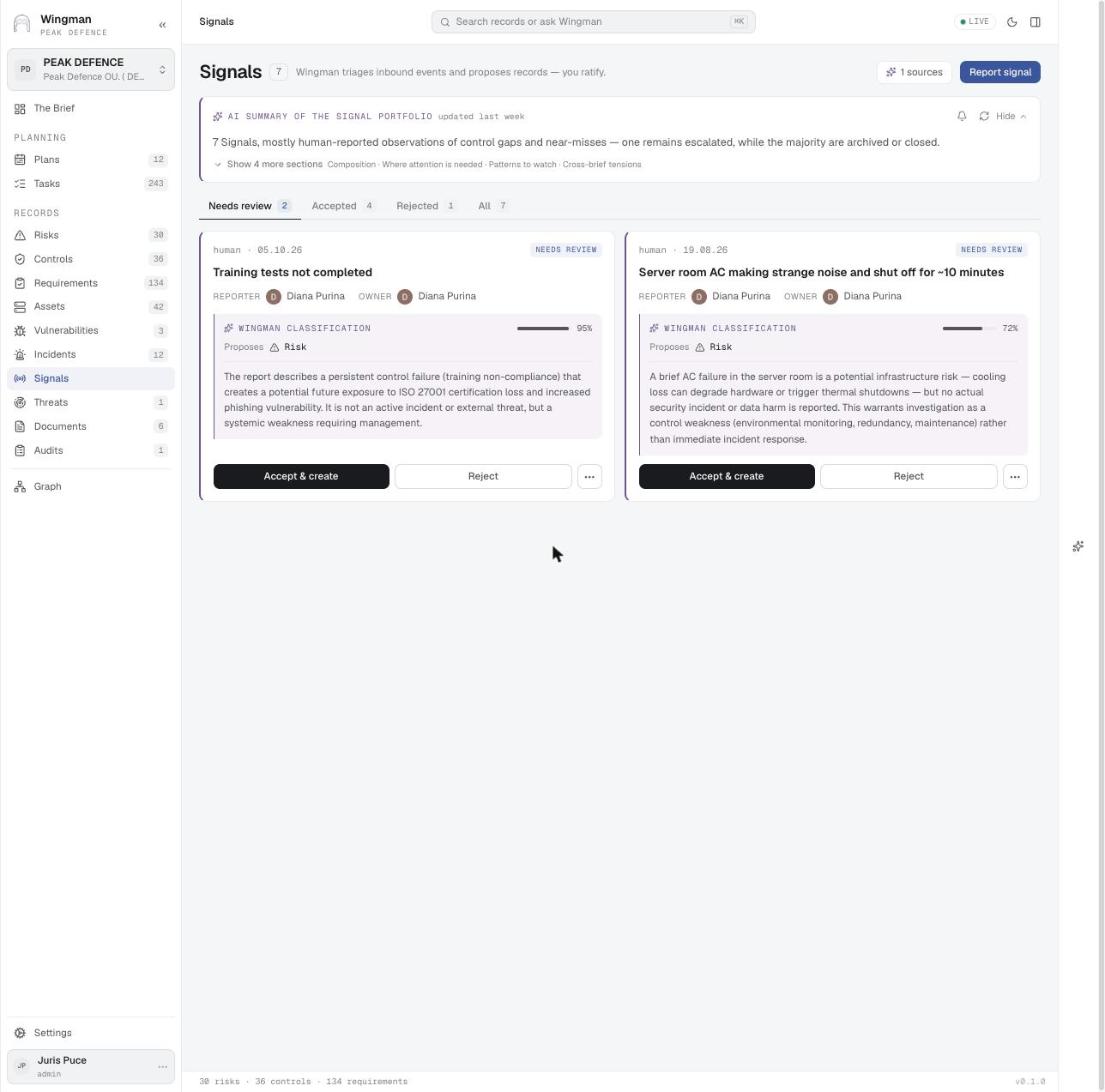
A new requirement, a review that is due, a scanner finding, an incident.
-
2
Your assistant prepares
It reads the linked record and drafts what should change: a risk rating, a report, a task.
-
3
A person decides
A named person accepts or rejects each suggestion. Nothing changes until then.
-
4
The record remembers
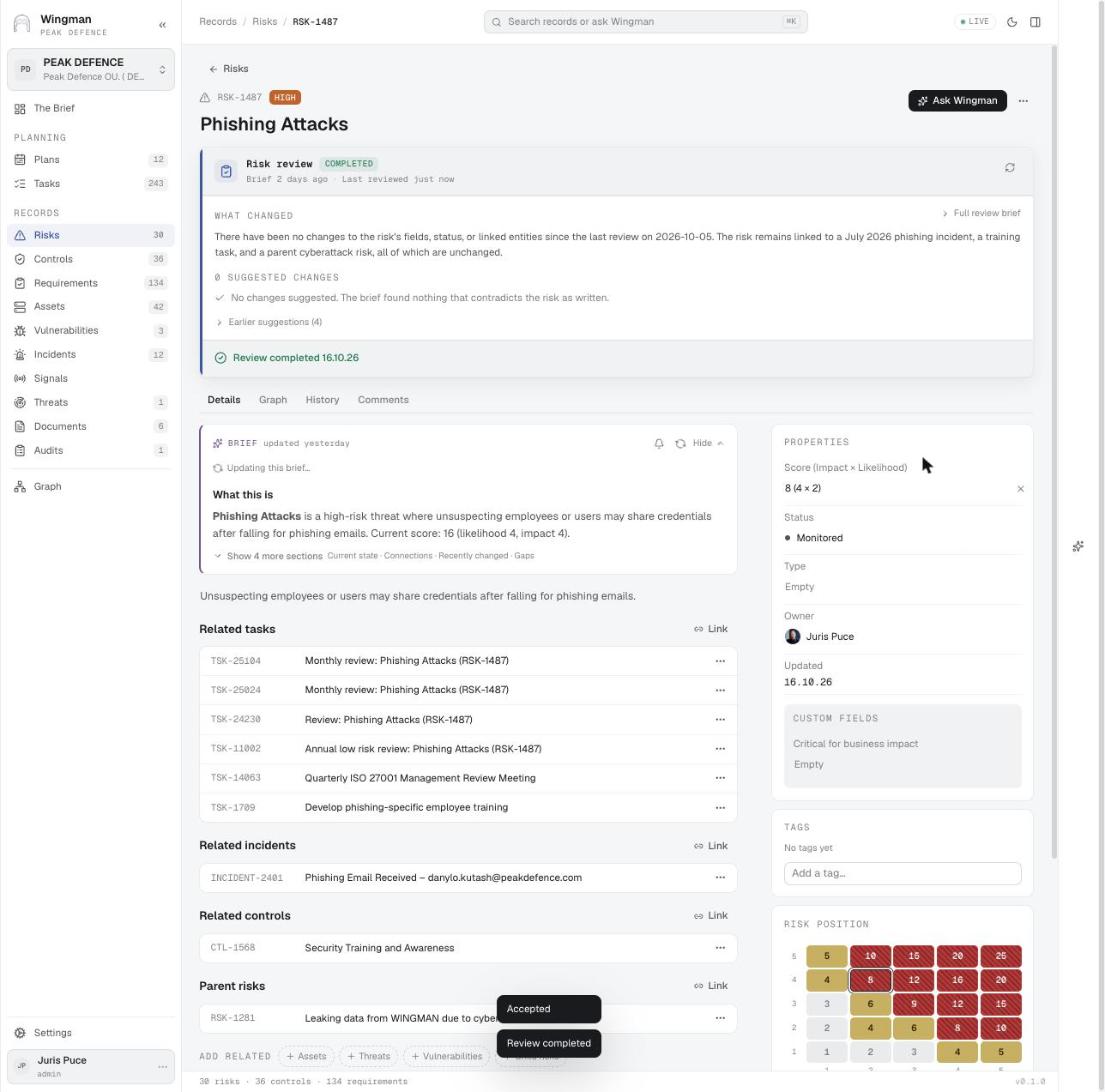
Who decided what, and when, stays in the history, which cannot be edited or deleted.
The next time something happens, the work starts from that record, not from a blank page.
For the management body, in short. AI drafts and proposes. Every change to the records is kept with the person who made it and the time, and that history cannot be edited or deleted. A named person is accountable for every change, including those made by an assistant working for them. Permissions decide what each person, and each assistant they connect, may do.
A change starts as a suggestion
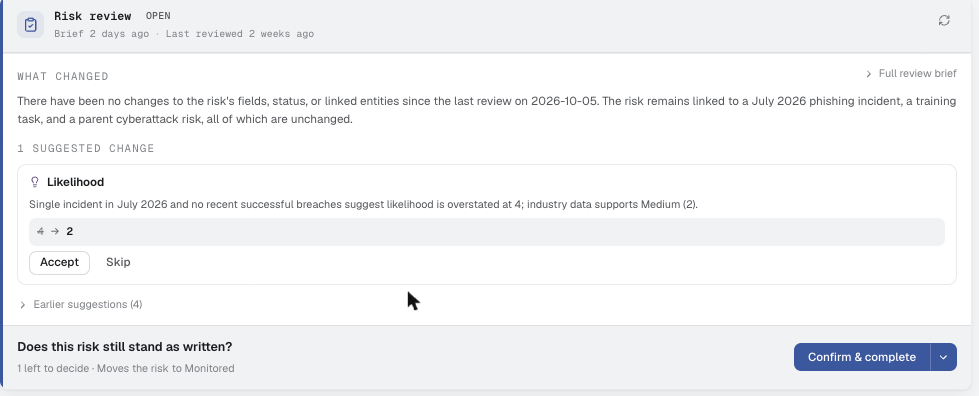
When WINGMAN’s AI, or an assistant connected to it, proposes a change, it raises a suggestion. One suggestion is one change: one field, one link or one new record, with a description of what changes and why. Nothing in a suggestion takes effect until a person accepts or rejects it.
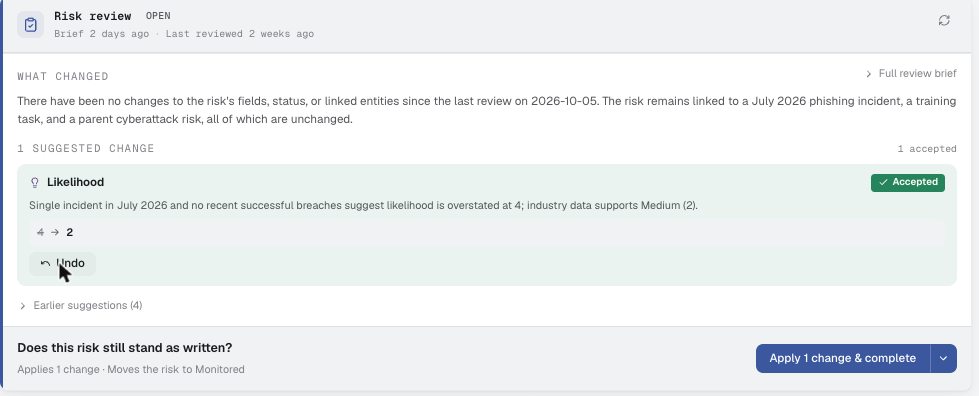
In a review, accepted suggestions take effect only when the reviewer completes the review. Until then each one can be undone.
Who can change what
Permissions are set for each person and each type of record, for reading, writing and deleting. An assistant connected over MCP signs in as a person and has that person’s permissions, no more. Further controls can be added to a connection, and a connection can be restricted to a single project.
People with write permission can also change records directly, and so can an assistant they connect. If you let your assistant accept suggestions or change records, it does so as you: the history records you as the person who made the change, and you are accountable for it. Permissions, and the controls on a connection, decide where an assistant may change records and where it may only suggest.
For an external auditor, a read-only role can be configured, so the auditor sees the records and their history without being able to change them.
Every change is recorded
Each change to a record is kept in its history: what changed, the value before and after, when, and who made it. The time is set by the system. The history cannot be edited or deleted.
WINGMAN also makes some changes on its own, without a suggestion, such as refreshing a record’s brief when the record changes. These are recorded too, with the time.
Accepting a suggestion is recorded in the history as its own entry, with the person who accepted it and the time.
Documents and other attachments keep their versions.
Findings cite their evidence
An audit finding is linked to the evidence it rests on, and each citation says how: supports conformity, indicates a nonconformity, or context. The auditor confirms or changes each finding.
What AI does not do
- It does not decide on its own. Accepting a suggestion, completing a review and approving a document are recorded with a person’s name. If a person lets their assistant do these things, it acts as them, and they are accountable for it.
- It does not decide what counts as evidence. A file an assistant uploads is recorded as uploaded by the person it works for. Whether it counts as evidence is a person’s decision, and in an audit the auditor’s. AI can point out that evidence is missing or has expired.
- It does not send reports, notices or reminders on its own. They are drafted; a person approves and sends them.
- It does not choose an auditor’s sample or conclude an audit. It can propose; the auditor decides.
- It does not make a claimed control true. A link between records shows that someone claimed it; only evidence shows it ran.