Works with your AI assistant
WINGMAN keeps the record, and the assistant you already use does the work on it. This page says how they connect, what the assistant can do, and what a skill is.
How the assistant connects
WINGMAN runs an MCP server. MCP, the Model Context Protocol, is an open standard that lets an AI assistant use tools and data. Claude, ChatGPT and other assistants that support MCP connectors can use it.
You connect with the sign-in method your organisation is given, OAuth or a token, using your own credentials. The assistant then works with your permissions. Permissions are set per person and per type of record, for reading, writing and deleting: someone may read everything, change risks and tasks, and not touch documents or people. The assistant gets exactly that access, and further controls can be added on top.
Each organisation has its own workspace, which WINGMAN calls a project. A connection can be restricted to a single project, or narrower still, so an assistant working for one client cannot reach another client’s records.
What the assistant can do
- Read and search. Records and the links between them, a record’s history and comments, documents and attachments, and each record’s brief: a short summary WINGMAN’s AI writes from the record and refreshes when it changes.
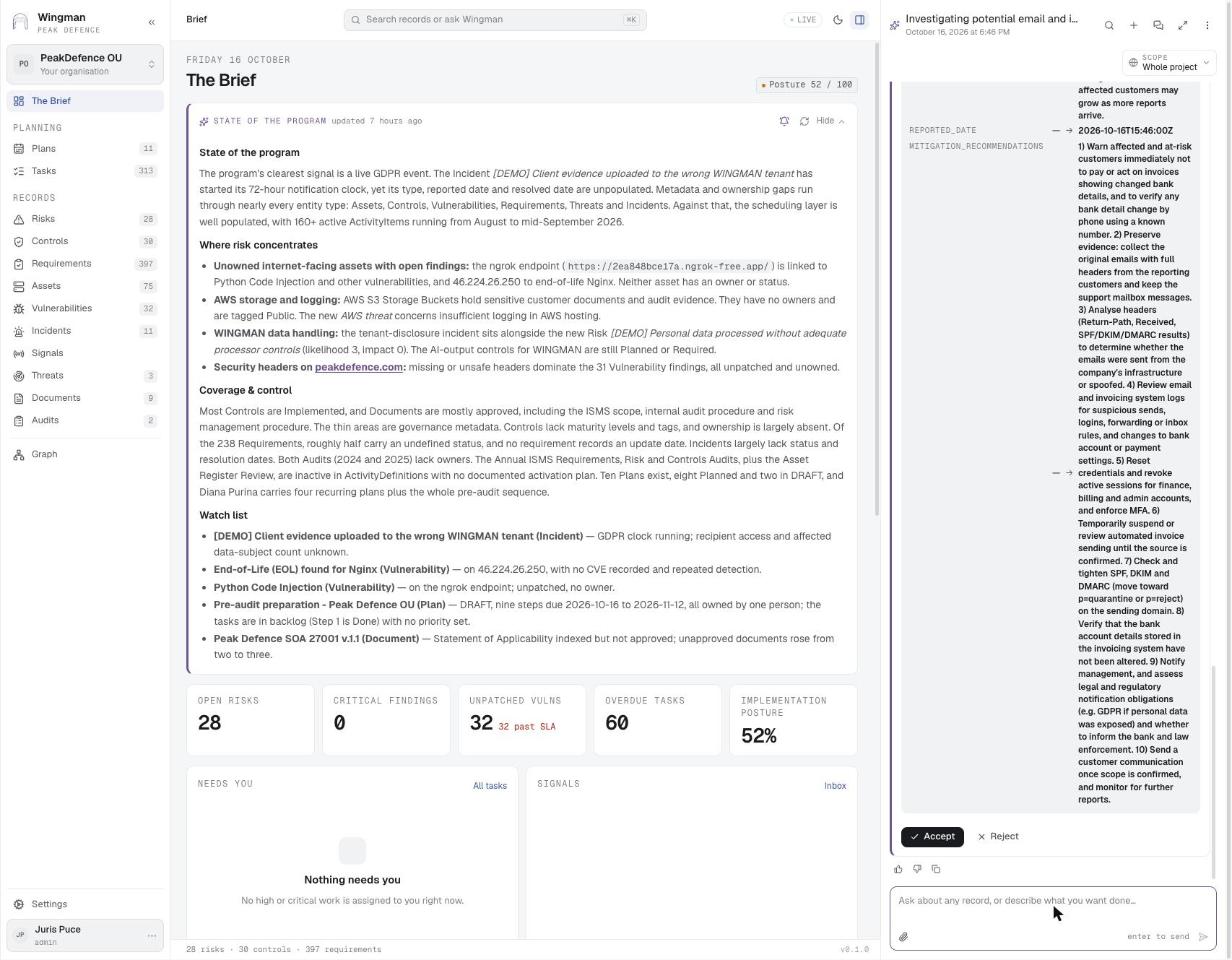
- Propose a change. One suggestion is one change: a field, a link or a new record, with a description of what changes and why. A person accepts or rejects it. See How AI is controlled.
- Change records directly. Create and update records, link them, upload documents and cite evidence for an audit finding. Only where the person’s permissions allow it.
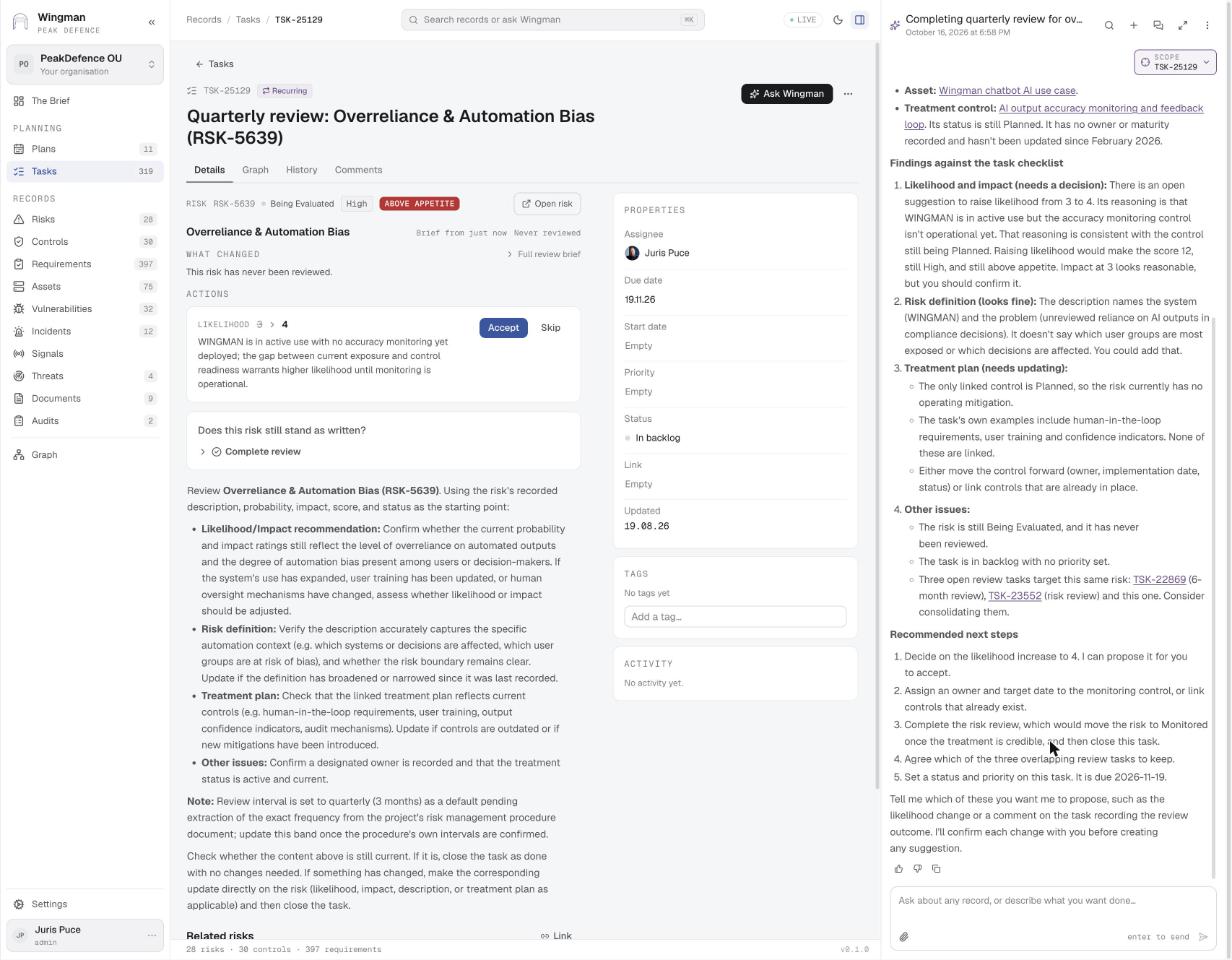
- Prepare reviews. Open a review task and set out the proposed outcome. Completing the review is the reviewer’s decision.
- Administer. People, groups and access roles. Only for an administrator.
- Look things up. Search the public web for current information, through WINGMAN’s built-in search or an external search service, kept apart from your records.
Skills
A skill is a written procedure the assistant follows step by step on your records: which questions to ask, in which order, what to check before creating anything, and what to leave for a person to decide. The assistant does the work; the skill keeps it consistent from one session, person or client to the next.
Skills that work with WINGMAN:
- Framework implementation. Any regulation or standard: ISO 27001, NIS2, DORA, SOC 2 and others. It runs in Claude Code on WINGMAN’s records and guides one person through the whole implementation, in stages you can stop and resume. It builds the implementation architecture: context and scope, requirements, a risk workshop, controls grouped into workstreams, and tasks split between the people who will do them, all created in WINGMAN. It drafts the policies and procedures from the organisation’s own context and sends them out for review, approval and acknowledgement. Building the plan, the risk register and the documents takes days instead of months; doing the work and running the controls long enough to prove them still takes its time. ISO 27001 from zero, the first three days
- Risk identification. An interview with a risk owner, one question at a time, matching each concern to existing risks before creating a new one. Risk identification
- Risk treatment and register quality. A treatment proposal per risk for the owner to confirm, and a check of the register for missing owners, ratings, controls and links. Risk review and treatment
- Business impact analysis. Service by service, with the owner, recorded as one control per service that holds its impact over time and recovery objectives. Business impact analysis
- Change assessment. Triage of a planned change and, where needed, a security impact assessment for the change board. Change management
- Internal audit. Scope, document review, interview plan, evidence, findings and the report. The audit skill reads WINGMAN without changing it and keeps the working papers as Markdown files in a folder the auditor holds. Auditing
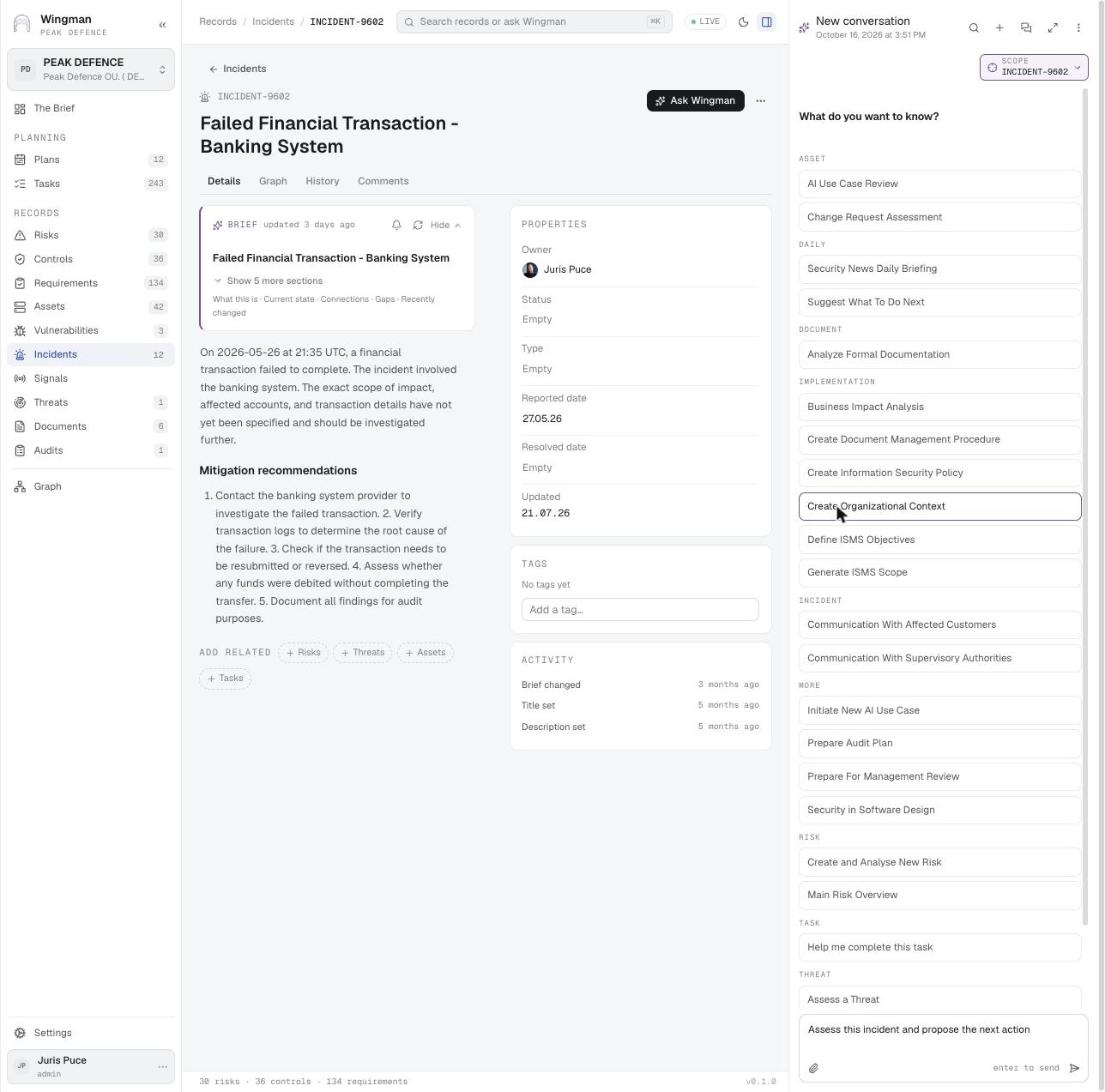
Inside WINGMAN, Ask Wingman is a built-in assistant that opens beside any record. It offers skills grouped by area: incident communications, risk analysis, audit plan, management review, business impact analysis and AI use case review.
Where the skills come from. Peak Defence provides them, either built into WINGMAN or as skill files to deploy on the AI platform or agent you use, depending on your agreement.
Your own skills. A consultant or a security team can build their own skill set to use with WINGMAN, and use skills to build policy templates to their own preferences. In Claude, a skill is a set of instructions kept in your own account, so it stays with you. A consultant’s own skills remain the consultant’s property: they are not available to Peak Defence, and they are hidden from other consultants.
Which model does the work
When you connect through MCP, the model is the one in your assistant. You choose it, under your own agreement with its provider.
Inside WINGMAN, the briefs, Ask Wingman and the suggestions are written by a model set up for your organisation. Depending on that configuration it runs in the cloud, in a cloud restricted to the EU, or entirely in a local deployment, and Peak Defence can provide the model.